

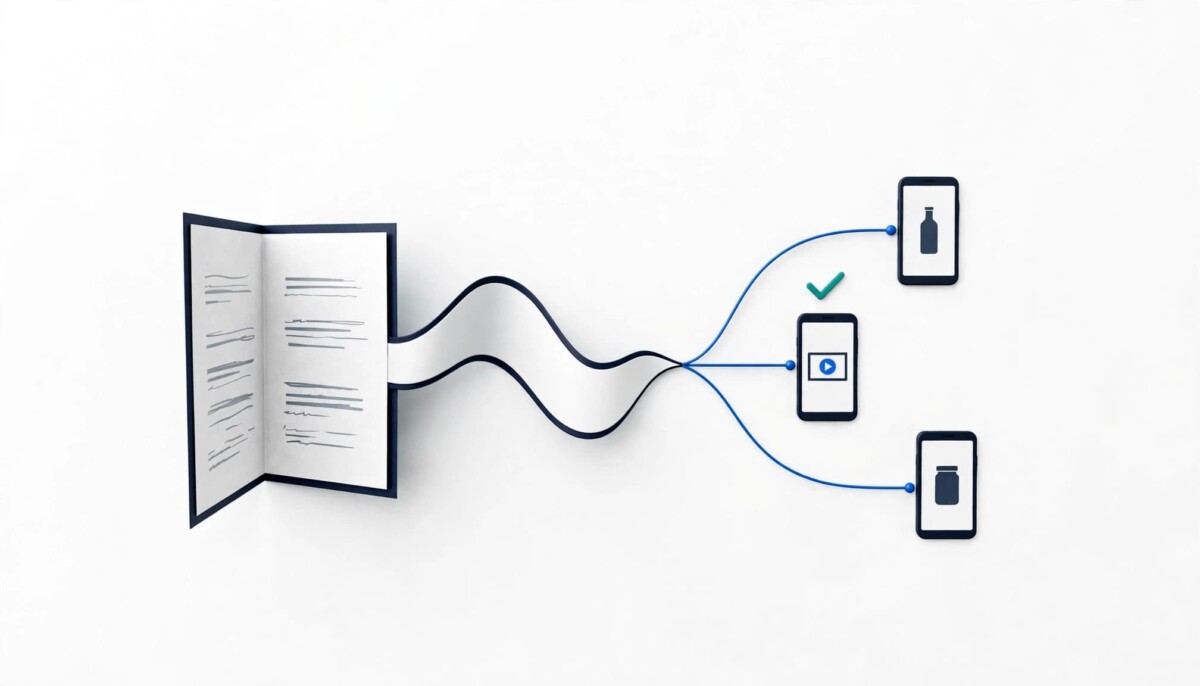
Artlist’s voice generator fits Shopify merchants who publish narrated product videos and ads every week, especially those already licensing Artlist music or footage, with text to speech, speech to speech and voice cloning on third party models. Merchants needing under 30 minutes of voice monthly can pay less elsewhere.
The expensive part of a product video is rarely the first recording. It is the fourth one, after the offer changed, the price dropped and the hook stopped working.
Picture a founder selling skincare on Shopify. She writes a 30 second script for a new serum, records it on her phone in a quiet closet, and posts the video. Two weeks later the launch price changes, a Meta ad needs a sharper hook and a Canadian wholesale buyer asks for a version that mentions shipping. That one video now needs three new reads. If narration means a recording session each time, the edits wait. If narration is a typed script, the edits ship the same afternoon.
AI voice generators have moved well past robotic text to speech. The real question now is how much control a tool gives you over the performance, and what it costs to keep using.
Artlist’s voice generator combines text to speech, speech to speech, voice cloning, several AI voice models and voice effects inside the Artlist AI Toolkit, next to the music, sound effects and footage many video creators already license there. Here is where it fits a Shopify content workflow, where it falls short, and who is better served by something else.
The Artlist voice generator is a text to speech and voice generation tool inside Artlist’s AI Toolkit for producing narration, dialogue, ads, tutorials and social video audio. The basic workflow is short: pick a voice from the catalog, paste your script, choose a model, adjust the settings and generate. Depending on the model, you can change language, accent, pacing, emotion and stability before you generate again.
Three ways of working sit side by side. Text to speech starts from a written script. Speech to speech transforms a recording you already have into another AI voice while keeping your timing. Custom voice cloning builds a reusable voice from an uploaded sample. Voice effects such as walkie talkie, robotic and vintage radio textures are built in.
For a Shopify merchant, the practical question is which of those you would use every week. A store scripting product page videos mostly needs text to speech. A founder who records their own TikTok voice notes is a speech to speech user. A brand building one recognizable narrator across dozens of videos is the cloning case.
The tool is not a standalone free product. Access comes through an Artlist AI plan with monthly credits, documented in Artlist’s AI voiceover help guide. If you already pay Artlist for music and footage, the voice tools sit inside a subscription you use anyway. If you do not, you are buying a broader creative suite to get one feature.
Artlist runs its voices on models licensed from three providers: ElevenLabs (Eleven v3 and Eleven Multilingual v2), MiniMax (Speech 02 HD) and Cartesia (Sonic 2 and Sonic 3), as listed on Artlist’s voice generator page in October 2026. The lineup can change as Artlist updates the toolkit.
Different models produce different results in pronunciation, expression, stability and delivery. Artlist describes Eleven v3 as having advanced emotional range, Eleven Multilingual v2 as holding consistent quality across languages, and Cartesia as real time with low latency. In practice, the same catalog voice can sound noticeably different from one model to the next, and Artlist’s own help guide warns about this.
That makes the most useful operating rule for a brand simple: pick one model per video series and stay on it. A new batch on a different model will sound like a different narrator, even with the same voice selected.
The Voice Catalog makes selection practical. Artlist’s January 2025 voiceover update added filters for model, language, category, gender and age, with categories including Commercials, Social, Tutorials, Explainers, Characters, and Health and wellness. A documentary narrator, a product ad and a playful character all need different delivery styles, and filtering by category gets you to a shortlist faster than scrolling.
Artlist’s output sounds natural when the script is written for speech and the settings match the model, and it sounds flat when a web page paragraph is pasted in unchanged. The script, punctuation, pronunciation, pacing and emotional direction all shape the result, and Artlist gives you controls for most of them.
Speed runs from 0.5x to 1.5x. Stability is a percentage: lower values give a more expressive read that varies more from one generation to the next, while higher values give a steadier, more repeatable read. For a product ad you plan to cut into several variations, higher stability keeps the variants sounding like one narrator. For a brand story video, a lower setting can add warmth. Emotion settings apply on MiniMax Speech 02 HD and Cartesia Sonic 2, and accent selection is available only on Cartesia, according to the help guide.
Script formatting matters as much as settings. Short sentences are easier to control, and punctuation is how you place a breath before the price or the offer. Brand names, ingredient names and acronyms are where AI voices stumble most, and phonetic spelling fixes most of it: write “nye-a-sin-a-mide” in the script if the model mispronounces it, and keep the correct spelling in your captions.
Eleven v3 adds another layer. ElevenLabs documents audio tags for Eleven v3, bracketed cues such as [whispers] or [excited] placed in the script to direct how a line is performed. Test a tagged line once inside Artlist before you build a whole script around them.
Each text field takes up to 5,000 characters, roughly 800 words of typical English, so a long tutorial has to be generated in sections. Treat generation as iterative: two or three takes of your hook line, pick the best, then generate the rest of the script against it.
The practical value of Artlist’s voiceover tool is highest where narration gets revised often: product page videos, paid social ads, tutorials, and versions of the same video for different markets. The more often your script changes, the more a typed read saves you.
Paid social is the clearest case. Ad performance depends on testing hooks, and every new hook used to mean a new read. With typed narration, one product video can become five variants with five opening lines in an afternoon. Our guide on creating Meta and TikTok product video ads faster covers how to test those variants one element at a time so the data tells you which hook earns more budget.
Product page and how to videos are the second case: a consistent narrator across the catalog makes the store feel like one brand rather than a collection of supplier clips. Our walkthrough on adding video to your Shopify store covers placement and theme setup.
Localization is the third. When a store starts selling into new countries, a translated script read in the right language and accent is cheaper than hiring narrators in each market. Pair it with the structural decision of how you sell abroad, which our comparison of Shopify Markets versus expansion stores lays out.
Stage matters here. Under about $50K a month, most stores do not publish enough video to need a paid voice tool, and a free editor’s built in voices will carry a few product videos. Between $50K and $500K a month, when you are testing ads weekly, the time saved on every script revision starts paying for a plan. Above that, the question shifts to consistency and rights across a team, which is where cloning and licensing terms matter most.
Artlist’s Custom Voice feature builds a reusable AI voice from a recording between 10 seconds and 5 minutes long, uploaded as an MP3, WAV or M4A file of up to 20MB. It changes the workflow from choosing an existing voice to creating one your brand owns the use of.
The Artlist voice cloning requirements also require every user to confirm, with a checkbox, that they have permission to use the uploaded voice. A background noise removal toggle helps with imperfect samples, but a clean recording in a quiet room, reading the kind of script you will actually use, still produces a better clone.
Two operating details matter. On team accounts, a voice uploaded by one member is usable by the whole team. And deleting a cloned voice keeps existing voiceovers but stops new generations with it.
Cloning is the most rights sensitive feature in the toolkit, and the responsibility sits with you. Only upload your own voice or one whose owner has agreed in writing to its use in your marketing, with scope, duration and channels spelled out, and decide now what happens to a founder’s cloned voice if they leave. Artlist’s voice generator FAQ also says its voices and assets cannot be used to create or train other voice models or clones.
Speech to speech is the better starting point when the performance matters more than the words, because it keeps your original timing, emphasis and pauses while replacing the voice. You upload an existing recording and Artlist transforms it into a different AI voice, with an optional effect, rather than asking a model to invent the delivery from text.
The uploads accept MP3, WAV or OGG files up to 30MB and no longer than 5 minutes, according to Artlist’s help guide.
For a Shopify brand, this solves a specific problem. Founders are often the most convincing narrators of their own product, but lack a quiet room or a voice that matches the brand. Speech to speech lets them record on a phone, keep the timing that makes the pitch persuasive, and output a cleaner, more consistent voice.
The trade off is that speech to speech carries over the flaws of the source as well as its strengths. Background noise, mouth clicks and a rushed sentence all come through in the new voice, so record the source cleanly and treat the conversion as a way to change the voice, not to fix the performance.
Artlist’s voice tools support multiple languages, with availability depending on the model you select, and its catalog includes English voices with British and Australian accents built in. Artlist’s voice generator page describes support for every major language without publishing a count, so check that your target languages appear in the catalog before you plan a localization project around it.
Accent behaves in two ways. Some catalog voices have an accent built in, such as a British or Australian voice, so they need no accent setting. Selecting an accent on top of a voice is available only with the Cartesia model. If a specific regional accent matters to your market, test it on Cartesia first.
Localization is where AI voice pays off for growing stores, and where it most often goes wrong. A fluent read can still mispronounce your brand name or use phrasing a native speaker would never say.
Two habits prevent most of the problems. Have the translated script checked by a native speaker before you generate, because the model will read a clumsy translation fluently and make it sound authoritative. Then preview the voice on your hardest words (brand name, top products, price phrasing) and fix them with phonetic spelling.
For a store testing its first international market, start with one market and one hero product video rather than the whole catalog.
Artlist states that AI generated outputs belong to the user and can be used commercially, including after a subscription ends, while catalog assets such as music and footage cannot be added to new projects once a subscription expires. That split is the licensing detail most worth understanding before you build a video library on the platform.
Artlist’s help article on AI outputs and licensing says you retain all rights, title and interest in your outputs and can use them however you like, including for commercial purposes, after your subscription ends. Voiceovers you generated are yours to keep using in ads, product pages and client work.
The catch sits in the same article. Music, sound effects, footage and templates from the Artlist catalog stay licensed in projects published during an active subscription, but cannot be added to new projects after it expires. Outputs downloaded from Artlist’s AI Explore page or a catalog are treated as catalog assets too. So a product video narrated with your own voiceover but scored with an Artlist track follows the catalog rule for the music.
For a merchant, the practical rule is simple. Publish what you make while subscribed, keep a record of which videos used catalog assets, and do not plan to reuse catalog music in new ads after cancelling.
Wording about ownership varies slightly across Artlist’s own pages, so for client work or large paid campaigns, read the current license terms in full before publishing.
Artlist’s AI plans start at $19.99 a month billed monthly, or $11.99 a month billed annually, for 16,500 credits and up to 3 hours of AI voiceover, according to the Artlist pricing page in October 2026. Higher tiers run $39.99 a month for up to 8 hours and $99.99 a month for up to 24 hours, with custom business plans above that.
Artlist shows the credit cost before each generation, and the entry plan is rated at up to 3 hours of voiceover a month. For a store producing four to eight short product videos a month, the entry plan covers voice comfortably. The value question is whether you also use Artlist’s music, footage and other AI tools, because that is what the subscription is priced around.
There are real limitations to weigh. The most important is that voice is one feature of a broader creative subscription: a merchant who only needs narration is paying for capabilities they will not use. Second, controls are uneven across models, with accent selection limited to Cartesia and emotion settings limited to MiniMax Speech 02 HD and Cartesia Sonic 2, so the voice you like may not support the control you need. Third, the same voice sounds different on different models, which punishes switching models mid series. Fourth, the 5,000 character cap per generation means long tutorials have to be stitched together. Finally, Artlist’s own pages are not fully consistent: at the time of writing, the pricing page FAQ describes a smaller voiceover only starter plan than the plan cards show, so confirm the current plan contents at checkout.
None of these rule the tool out. They decide who should start somewhere else.
The two alternatives most Shopify merchants should evaluate alongside Artlist are ElevenLabs, which is cheaper when you need under about 30 minutes of voice a month, and Descript, which is stronger when you edit talking head video by transcript. A free editor such as CapCut is the right starting point for stores publishing only a handful of videos.
ElevenLabs pricing in October 2026 starts at $6 a month on Starter for about 30 minutes of speech with instant cloning, while Creator costs $22 a month (discounted in the first month) for about 121 minutes plus one professional voice clone. Artlist’s AI Starter, at $19.99 monthly or $11.99 billed annually for up to 3 hours, works out cheaper per hour at higher volume. So the crossover is volume: a store voicing a few short product videos a month saves on ElevenLabs Starter, while a team producing hours of narration, or already licensing Artlist music and footage, gets more from Artlist.
Descript’s paid plans start at $16 to $24 per person per month depending on billing period and include text to speech and custom voice clones. It is the better pick when your videos are founder talking head clips you edit by deleting words from a transcript, because voice fixes happen inside the editor.
For stores under roughly $50K a month, CapCut’s free text to speech is often enough for a few product videos, as our guide to AI voiceovers in CapCut PC for product videos shows. Artlist is the stronger choice when you already license music and footage there, or want several voice models and a clone in the same place you source the rest of the video.
The Artlist voice generator is a strong fit for merchants who already use Artlist for music and footage and publish narrated video every week, and a weaker fit for merchants who need only a few minutes of voice a month. Its combination of several voice models, catalog filters, accent options, speech to speech, cloning and effects gives a video team several routes to the same finished read.
Text to speech works when the starting point is a script, speech to speech when a real performance already exists, and cloning once a brand has settled on a narrator with permissions in writing. The licensing split, where your own AI outputs stay usable after you cancel while catalog assets do not, is the detail to plan around. Whatever tool you choose, write for the ear, fix brand names phonetically, generate two or three takes of the lines that matter, and stay on one model per series.
Stage decides the rest. Under $50K a month, do not add a paid voice subscription until a free editor’s voices are holding you back. Between $50K and $500K a month, if you are testing ad hooks weekly and already need licensed music, Artlist removes a recording step from every revision. If you only need a few minutes of voice a month, ElevenLabs Starter costs less. Above $500K a month, the deciding factors are team access to cloned voices and the license terms, so read both before you standardize.
Yes, Artlist says AI generated voiceover outputs belong to you and can be used commercially, including in paid ads and client work, subject to its Terms of Use. Its help center also states that you can keep using your own AI outputs commercially after your subscription ends. The exception is catalog material: music, footage, sound effects and outputs downloaded from Artlist’s AI Explore page or a catalog follow the catalog license, which covers projects published while you were subscribed but not new projects after cancelling. If a video combines your voiceover with Artlist music, the music follows the catalog rule. For client work or large campaigns, read the current license in full before publishing, because Artlist’s wording about ownership varies slightly between pages.
You need a recording between 10 seconds and 5 minutes long, saved as an MP3, WAV or M4A file of up to 20MB, and permission from the person whose voice it is. Artlist requires every user to confirm that permission with a checkbox before cloning, and the responsibility for obtaining rights and consent stays with you. A clean recording in a quiet room produces a noticeably better clone, although a background noise removal toggle helps with imperfect samples. On team accounts, a cloned voice is visible to and usable by everyone on the team. Deleting a cloned voice later keeps existing voiceovers, but they can no longer be used for new generations.
Text to speech generates a voiceover from a written script, while speech to speech transforms a recording you already have into a different AI voice and keeps your original timing, emphasis and pauses. Text to speech gives you controls for speed, stability and, on some models, emotion and accent, and it is the right choice when you are starting from a script or revising one often. Speech to speech suits founders who deliver their own product pitch well but want a cleaner or more consistent voice. Speech to speech uploads accept MP3, WAV or OGG files up to 30MB and 5 minutes. Use the first for scripts and the second when the performance already exists.
Artlist uses models from ElevenLabs, MiniMax and Cartesia, listed in October 2026 as Eleven v3, Eleven Multilingual v2, MiniMax Speech 02 HD and Cartesia Sonic 2 and Sonic 3. Each model handles pronunciation, expression and stability differently, and the same catalog voice can sound different from one model to the next. Emotion settings work on MiniMax Speech 02 HD and Cartesia Sonic 2, while accent selection works only on Cartesia. ElevenLabs documents audio tags such as [whispers] for Eleven v3, so test one tagged line inside Artlist before relying on them. Pick one model per video series to keep your brand narrator consistent, and expect the lineup to change as Artlist updates its toolkit.
It depends on volume: merchants who need under about 30 minutes of voice a month usually pay less on a voice focused plan, while heavier users may find Artlist competitive per hour. As of October 2026, ElevenLabs Starter costs $6 a month for about 30 minutes of speech, and its Creator plan costs $22 a month for about 121 minutes plus a professional voice clone. Artlist’s AI Starter costs $19.99 a month billed monthly, or $11.99 billed annually, for up to 3 hours of voiceover. Artlist’s case gets stronger when you also license its music, footage or sound effects for the same videos. Stores publishing only a few videos a month can often start with free text to speech in an editor such as CapCut.




