

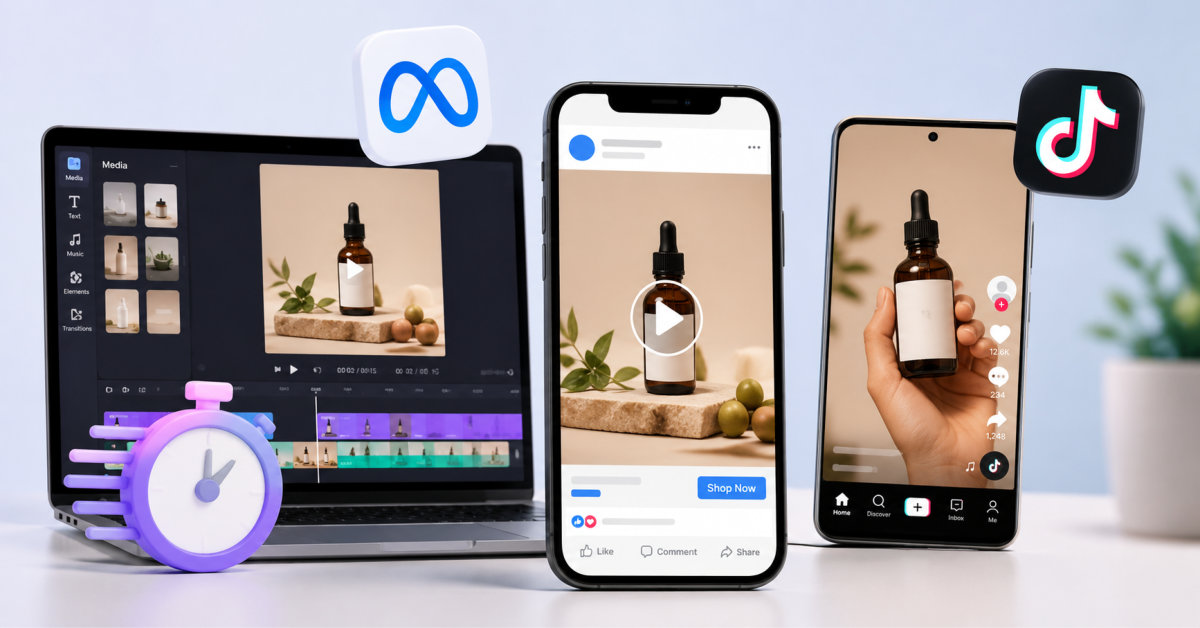
Create Meta and TikTok product video ads faster by turning approved product photos and existing clips into small, testable creative batches. Use AI to accelerate first drafts and platform-ready versions, then let real performance data decide which hooks, proof points, and offers deserve more budget.
The advantage is not that AI makes a perfect ad on the first try. The advantage is that it makes creative iteration cheap enough for a lean team to learn before the market moves on.
Still spending hours making one product video ad?
The ad creation can be time-consuming. You still need clips, editing, revisions, and versions for each platform.
By the time the ad is ready, the trend or offer may already be old. Or that campaign may have expired or already be done.
“Now what?”
There’s a shortcut too. With photos of existing clips and existing videos, you can shorten their length without having to recreate each from scratch. Here is how your ads are efficient and easy to deliver on different social media platforms.
It looks like a short video. So why does it take so long to make?
First, you get the brief. Then you need the footage, the script, the edit, the captions, the music and the revisions. What takes a “short amount of time” to film can quite easily become several days of editing.
Trends don’t wait for your editor.
TikTok & Meta move just as quickly. Opportunities and new creative ideas will no longer carry value within a week or two. Simply getting an ad run while an opportunity is hot will have your ideas on trial when there’s still relevancy.
Production delays aren’t just inconvenient.
They mean a delayed launch, a delayed campaign, or a missed trend. And it’s much harder to test multiple versions if one ad is taking days to produce.
Imagine having a new ad ready the same day you get the idea.
Which one gets your ad from idea to live fastest?
The biggest difference comes in the amount of time you can expect to wait. A freelancer’s process can take days to complete, and a DIY edit can eat up hours of your free time. AI can make many aspects of this quick work.
| Method | Time from idea to ad | Best for |
| Freelancer | 3–7 days | Custom, hands-off production |
| DIY editing | 2–8 hours | Full creative control |
| AI-assisted creation | Minutes to under an hour | Fast testing and multiple variations |
Then, what will be the speediest option? It would be AI-supported production (particularly if you have product shots or footage at hand). You can roll a version, change your hook, and roll another idea without further production.
So, how are most sellers making these ads right now?
One small change led to a bunch of others and soon you are repairing captions, re-timing, searching for music and rendering another export; before you know it, that 30-second ad has taken most of your afternoon.
Use images or existing clips you already have with your product. Make sure to include details like product features, target market, and the purpose of the campaign. You don’t need to shoot any new content to test an ad concept.
Want to create video ads? Here’s where Designkit Video Ad Maker can save some time! Upload your product shots, then choose between TikTok or Meta, your aspect ratio, and an ad style like UGC, product demo, unboxing, before-and-after, or a branded ad.
Even the hook, voiceover, and on-screen caption can be automatically generated by Designkit from your product details. Instead of making every single variation by hand, you can make many at a time.
Didn’t like the first take? Just modify.
Change only the hook, messaging, pacing, or presentation, without restarting a blank timeline. You can also simply upload a reference video and replicate the structure and the style of the original for your product.
Remember to select the platform before generating. Designkit takes care of formatting for you: the 9:16 ratio for TikTok and 1:1 ratio for Meta. All you have to worry about is less resizing or re-editing.
Hack 01. Keep the hook prominent: The first 5 seconds will always do most of the work.
Hack 02. Make it feel native to the platform (TikTok or Meta). Don’t overproduce the video.
Hack 03. Repurpose successful ad formats. Don’t rebuild from scratch, but tweak the product, the hook or the offer.
Hack 04. Put a time limit on each ad. Do not spend one hour tweaking a video that has to take 10 minutes.
The goal isn’t to make more ads just for the sake of it. It’s to stop letting production slow you down.
Using our product images, existing clips, and a bunch of smart AI tools, you can transform an idea into a working Meta or TikTok ad significantly faster. Test out multiple hooks, chase trends, and run spontaneous sales, rather than spending days on editing.
The best tip is to keep it simple. Start with what you have, make several variations, and make a few adjustments to release your winning ad.
You can make Meta and TikTok product video ads faster by starting with approved product photos, existing clips, verified product copy, and a small set of reusable creative components instead of filming and editing every ad from scratch. Build three to five variants around one product, one offer, and one audience, then change only the hook, first frame, proof style, or call to action. AI video tools can accelerate scripting, captions, resizing, voiceovers, and rough cuts, but a human should still verify every claim, visual, and product detail before launch. This approach reduces production friction while preserving the learning quality of your ad tests.
You need clear product images or short clips, accurate product details, one customer problem, one supportable benefit, and any approved offer or price information to create an AI video ad. The best starting kit includes a hero product image, an in-use visual, a close-up detail, and footage that shows setup, texture, scale, fit, or a visible result. You should also provide brand guardrails, such as approved colors, tone, words to avoid, and examples of creative that fits your brand. Strong inputs lead to more useful outputs, while vague prompts and weak assets usually create generic videos that require more editing later.
Yes, you should create platform-specific versions of product video ads for TikTok and Meta because the placements, viewer behavior, and creative language differ. TikTok generally benefits from vertical 9:16 video that feels immediate, native, human, and fast-moving, with captions and a clear hook in the opening seconds. Meta can use vertical versions for Reels and Stories, but Feed placements may require a 1:1 or 4:5 export and different text positioning. Start from the same core concept, then adjust aspect ratio, opening frame, pacing, caption placement, and call to action for the placements you are actually buying.
You should test three to five meaningful video-ad variations at once when you are starting a new creative concept. That number is large enough to compare different hooks or proof formats but small enough to keep your budget, analysis, and learning focused. Hold the product, audience, offer, landing page, and campaign objective steady, then change one primary variable per version. For example, test a problem-first hook, a result-first hook, and a customer-objection hook using the same product demo. Once you identify a winner, create the next batch around that winning mechanism instead of generating dozens of unrelated videos.
AI-generated product video ads should complement freelancers and in-house editors, not fully replace them. AI is strongest for rapid first drafts, basic product montages, captioning, simple voiceovers, aspect-ratio versions, and controlled hook tests using existing approved assets. Freelancers and skilled editors remain valuable for high-end brand films, complex demonstrations, original creator direction, nuanced storytelling, and campaigns where visual polish carries strategic weight. The most efficient setup for many ecommerce brands is hybrid: invest in quality raw footage and creative direction, then use AI and templates to produce more testable versions from those assets. Always review output for accuracy, brand fit, and disclosure requirements.




