Free every Thursday · 61,308 Readers
Fastlane Insider Newsletter: What's working for Shopify in the AI era?
Free every Thursday · 61,308 Readers
Fastlane Insider Newsletter: What's working for Shopify in the AI era?

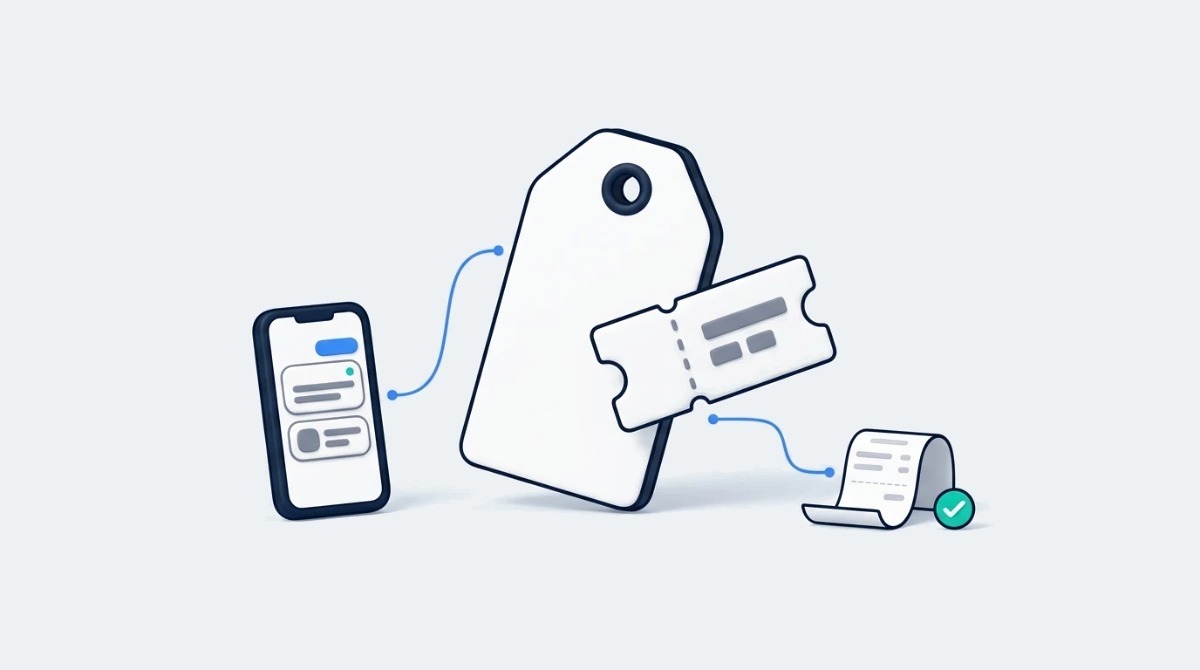
Tonight a shopper can ask ChatGPT for your Black Friday deal and get a price, sometimes a coupon code, and a button straight to your store, without ever seeing your promo page. If you have not asked it yourself, you do not know what it is showing them.
Let’s say a shopper is on the couch tonight after Thanksgiving dinner. She opens ChatGPT on her phone and types “best Black Friday deal on a weighted blanket,” then “is there a coupon for [your brand]?” What comes back can now include a card with a price, a store’s name, a label like “Best overall deal,” and sometimes a coupon code with a “Get deal” button that drops her on the store’s site. She never saw your email, your banner or your terms.
Now, two things changed recently that make that scenario real, one reported last week and one switched on this Monday, and together they put ChatGPT between your shopper and your offer at the moment it matters most. This is short on purpose. It is a 15 minute spot check you can do on your phone today, plus one setting in your admin to decide on deliberately rather than by default.
On November 19 a tracker reported ChatGPT showing Black Friday deal cards inside shopping answers, some with coupon codes, and on November 23 Shopify turned on ChatGPT agentic checkout by default for eligible stores with automatic channel settings.
The first change comes from Metehan Yesilyurt’s tracking on his Substack. Over four weeks of the Black Friday prompts he follows, deal cards rose from about 3% to 16% of ChatGPT answers that show products. The cards carry a product, a price, a retailer and a label, and some add a coupon code and a “Get deal” button to the store. He did not explain where the codes come from, he saw no growth on regular shopping prompts, and he was candid that “This could be a test.” Treat it as one tracker’s view of one set of prompts, worth checking yourself rather than assuming.
The second change is Shopify’s. Its November 23 changelog says direct checkout is now called agentic checkout on all your AI channels, and that it’s now available for ChatGPT. It is on by default for eligible stores that have “Manage for me” or “Automatically enable new channels” switched on, and existing opt-outs still apply. Shopify’s help page on selling on ChatGPT says your store must sell to customers in the United States, though it can be based elsewhere, and that Shopify Catalog access has to be on for agentic checkout to work. Until last week, our own guide to agentic checkout on Shopify described ChatGPT as the channel that sent shoppers to your checkout. That is no longer the whole story.
The timing is why this is worth 15 minutes today. Adobe’s holiday forecast expects AI traffic to US retail sites, measured by shoppers clicking a link, to be up 159% year over year on Thanksgiving itself and 95% on Black Friday, figures Digital Commerce 360 restated on November 25. Salesforce’s November 19 Cyber Week forecast says shoppers arriving via AI referrals are two times as likely to convert compared with typical ecommerce shoppers. That is about AI referrals in general, not ChatGPT checkout orders. Keep the base in mind too: Bain’s May 2026 brief put AI at under 1 percent of total retailer traffic, as our look at ChatGPT shopping referrals doubling in a year covered. Small and fast growing is still the moment to look.
The check is two questions in ChatGPT, asked the way a shopper would, followed by a side by side comparison with what your own checkout actually charges.
Use your phone, because that is how a lot of your shoppers will ask, and use a fresh chat in a private window without signing in. Answers are personal. Robert Langenback, President and COO of Eight Oh Two, said it plainly on episode 480: “you’re never gonna have the same prompt twice. People get different results.” A logged out window gets you closer to what a stranger sees, not an exact copy, so run each question twice, and if the logged out session shows no shopping results at all, repeat it signed in and note the difference.
You are checking four things against checkout. Is the price right, including any compare at price it treats as the deal? Does the code work, and does it give what the answer says? Are the terms right, such as an end date, a minimum order or exclusions? And is the code one you meant to be public this weekend? Act today only on what you can reproduce: a wrong price, or a code that redeems when it should not. If you do not show up at all, record it as not seen in these runs rather than a verdict. Eligibility, catalog access and product data are separate reasons, and our AI search visibility check for Shopify stores covers the product data side. None of that is a fix for this weekend.
An old creator, influencer or affiliate code that still works and is public somewhere can be handed to any shopper who asks ChatGPT for a coupon, giving away margin the code was never meant to cover.
Codes leaking past the audience they were made for is an old problem. Yash Chavan, Founder and CEO of SATHI, described the pattern on episode 456: “somebody’s coupon code leaks on a coupon code website, or somebody intentionally posts their coupon code on a site like Reddit or Honey to get more coupon usages.” On episode 449 with Adam Callinan I put it this way: “it’s just so weird how the bucket leaks margin when it comes to those sorts of things and coupons and influencers and UGC.” What is new is a surface that can hand a code to a shopper inside the answer, and Yesilyurt could not tell where those codes come from. I’d assume any code that is public anywhere can turn up there.
Here is how I would think it through on one store. This is a labelled composite built from patterns in merchant conversations, not a real brand. Picture a bedding brand doing about $60K a month. Its Black Friday offer is 20% off sitewide. In the spring it gave a creator a 25% code that was supposed to run for a month and never got an end date. The creator’s audience posted it, and in the private window ChatGPT returns that 25% code when asked for a brand coupon. The brand applies it in its own cart and it works.
My call for that brand: first check what the creator agreement promised, because if the code is still owed to them, that changes the order of things. If it is not owed, set an end date in Shopify’s discount settings, checking the store’s time zone so it ends when you mean it to, and message the creator before it stops working so they hear it from you. Then give them a new code for their own audience. After the weekend, decide whether the leak taught you something. Cara Marin, Product Owner of Bulk Discount Code Bot at Seguno, made the case on episode 443 that a unique, single use code “can’t be leaked to a coupon sharing site because it can only be used once.” Someone can still post it, but it stops working after one order. That is a January project, not a Thanksgiving one. And I would not buy a new tool this weekend to monitor AI answers. The two questions on your phone are the monitoring for now. If coupon and cashback partners are part of your weekend, our BFCM affiliate guide covers which ones add customers you did not already have.
Keep ChatGPT agentic checkout on only if your policies are complete, someone is watching support email, and your products sell without anything your checkout has to collect; otherwise switch it off for the weekend and recheck next week, because discovery stays on either way.
Shopify’s help page lays out the steps. In your Shopify admin, go to Sales channels, then Agentic. In the Channels section, if the setting shows “Manage for me,” click it to switch to Manual. Click ChatGPT, turn agentic checkout on or off, and click Save. The same page says deactivating doesn’t affect purchases made with the Shop skill or Shop App for ChatGPT, and that it might not prevent an AI agent completing a purchase on your online store checkout. Your products can still be discovered with agentic checkout off.
Policies come first. Open Settings, then Policies. Shopify requires your Terms of service, Privacy policy and Return and refund policy to be completed for Shopify agentic storefronts, and commenters in the Shopify Community thread on the change note that AI channels use your shipping times and return windows when they answer shoppers. A vague policy is likely to produce a vague answer.
Then look at what your checkout has to collect. The two question check tests the offer, not this route. If your products need a personalization field, a delivery date, a gift note or a local delivery rule to be fulfilled correctly, I would switch agentic checkout off for the weekend and test the route next week, because a missing field becomes your problem after the order lands. Shopify’s agentic storefronts page says you retain full ownership of the customer relationship and post-purchase experience, and the changelog says these orders land in your admin to manage as usual. The refund is yours and so is the customer. A commenter in that thread who works for an AI support app pointed out that these shoppers never saw your store, so their first email may be “where’s my order?” A clear order confirmation does most of that work. For simple products with complete policies and someone on support, my default, consistent with the agentic checkout guide, is to leave it on and watch the orders.
Small stores need the two questions and complete policies; Growing stores add a checkout decision per channel and a support macro; stores past $100K a month add a fraud review and a reporting line.
If you are under about $10K a month, ask the two questions, fix any code that should not be public, and fill in your three policies. Leave agentic checkout at its default only if those policies are done and your products need nothing special at checkout. Everything else waits.
If you are between $10K and $100K, also make the checkout decision channel by channel, because ChatGPT now sits on the same Agentic page as the other AI channels, such as Google AI Mode and Gemini, Microsoft Copilot and Meta, and each one deserves a deliberate setting. Add a support macro for agent orders that answers “I bought this in ChatGPT, where is it?” in two lines, with the order number and tracking.
Past $100K a month, two more things. Review any AI channel orders your fraud tools flag before you change rules, rather than loosening rules for a whole channel; the fraud section of our agentic checkout guide covers why a filter tuned to cancel anything automated can cancel paying customers. And give ChatGPT its own line in Monday’s report as a first count of attributed orders and any problems, not a return on investment readout. Shopify says orders from AI channels display in your admin with channel or referrer attribution, and our guide to measuring agentic commerce covers how to tell attribution from incremental sales.
What most stores can skip this weekend: a new AI monitoring app, a rush to rewrite every product description, and claiming your ChatGPT business profile if you have not done it yet. The profile is worth doing, and our guide to claiming your business in ChatGPT walks through it, but it is a listing project for December, not a fix for tonight.
Ask ChatGPT the way a shopper would, in a fresh chat in a private window on your phone, and treat what you see as a spot check rather than what every shopper sees. First ask for the best Black Friday deal in your product category, then ask whether there is a coupon code for your brand by name. Write down any price, code, terms and link it gives, then add the same product and variant to your own cart and apply the code. Answers vary from person to person, so run each question twice. If you do not appear, record it as not seen in these runs; eligibility, catalog access and product data are separate reasons.
It is on by default for eligible stores that have “Manage for me” or “Automatically enable new channels” switched on, according to Shopify’s November 23, 2026 changelog, which also renamed direct checkout to agentic checkout across AI channels. If you opted out earlier, that choice still stands. Shopify’s help page says the store must sell to customers in the United States, though it can be based elsewhere, and Shopify Catalog access must be on for ChatGPT agentic checkout to work. To check, go to Sales channels, then Agentic, in your Shopify admin and open ChatGPT.
Yes, your products can still be discovered with agentic checkout off. In your Shopify admin, go to Sales channels, then Agentic, switch “Manage for me” to Manual if it shows, click ChatGPT, turn off agentic checkout and save. Shopify’s help page says deactivating it doesn’t affect purchases made with the Shop skill or Shop App for ChatGPT, and that it might not prevent an AI agent completing a purchase on your online store checkout. So treat the switch as controlling one route, not every way an AI agent can buy from you.
You do. Shopify says you retain full ownership of the customer relationship and post-purchase experience for orders placed through AI channels, and its changelog says ChatGPT agentic checkout orders land in your Shopify admin to manage as usual. Returns run against your own return and refund policy, which Shopify requires you to complete before selling in agentic storefronts. Because these shoppers may never have visited your store, make sure your order confirmation and shipping emails are clear enough to answer “where’s my order?” before anyone has to ask.
First confirm the code actually works in your cart and check whether your creator agreement still promises it. If it redeems and is not owed, set an end date in Shopify’s discount settings, checking your store’s time zone, and tell the creator before it stops working. Then give the creator a new code for their own audience. If the code is still owed, talk to the creator about restricting or replacing it instead. After the weekend, consider unique single use codes for creator and email campaigns, since a code that stops working after one order limits what a leak can cost.