

A consolidated cold email platform can remove the integration tax of buying leads, verification, and sending separately, but only when its credits, mailbox fees, and monthly send caps fit your volume. Best-of-breed tools still win for some teams.
The expensive part of a four tool outbound stack is rarely the subscriptions. It is the CSV someone re-uploads every Monday.
Pull up your corporate credit card statement and look at your outbound sales stack. One vendor sells you a raw lead list. A second vendor verifies those contacts. A third hosts your domains and mailboxes. A fourth sends the messages.
That is the integration tax: the money, hours, and risk you pay just for the privilege of hitting send. Many sales teams accept this stacked infrastructure as a cost of doing business. They tape four platforms together, watch their margins shrink, and panic when an API breaks.
When their domain reputation tanks, some scramble to find new cold email software, only to repeat the same cycle.
This guide is written for teams selling to ecommerce merchants, from a solo agency owner sending 30 emails a day to a ten person SDR pod. It prices the tax, checks the vendor claims against the vendors’ own pages in October 2026, and marks the points where consolidation stops being the right answer.
The outbound software trap is buying a new tool for every new problem, which turns one workflow into four logins, four invoices, and a pile of spreadsheets. The instinct makes sense: when you scale outbound, adding tools feels like adding capacity.
Look at how the workflow actually runs. A sales development rep pulls a list from a large database and exports it as a CSV. They upload that file to a separate verification tool and wait for the results. They export it again, then upload it a third time to the sending platform. Every step is a place where a column gets misaligned, a file gets the wrong version, or a rep simply forgets.
Now your reps are acting as data entry clerks, and your finance team is tracking four billing cycles. Your domain is also still exposed, because the verification result describes the list as it looked on the day it was checked, not the day it was sent. The longer the gap between export and send, the more that result drifts.
One caution before you consolidate anything: tooling cannot rescue a list built from the wrong companies. If your prospects were never selling online in the first place, a faster pipeline just delivers the wrong emails faster. Fastlane’s guide to finding ecommerce companies to sell to covers the signal based approach to list building, which should come before any decision about software.
A disjointed outbound stack costs more than its subscriptions, because every handoff between tools adds a fee, a minimum, or unpaid labor. The monthly invoices are the visible part; the rest hides in how each category is priced.
The labor line is the one most teams never price. Here is an illustrative example, with the assumptions stated: suppose four reps each spend 45 minutes a week exporting, uploading, verifying, and re-importing lists, and suppose your loaded cost per rep hour is $40. That is three hours a week across the team, about 156 hours a year, or roughly $6,240 a year spent moving files between tools. Your numbers will differ, but if you have never counted the handoffs, that is the first thing to measure.
The other cost is minimums. You pay baseline monthly fees for tools you use lightly, just to cover blind spots in the others. Your data stays disjointed, and your sales velocity drops with it.
Stale or unverified lists become a domain risk because inbox providers judge you on the complaints and bounces your sending produces. Google’s sender guidelines are the clearest public benchmark: they ask senders to keep the user reported spam rate below 0.1% and to never reach 0.3% or higher.
The same guidelines define a bulk sender as one that sends close to 5,000 messages or more to personal Gmail accounts in 24 hours, and bulk senders must set up SPF and DKIM authentication, publish a DMARC record, and offer one click unsubscribe on marketing messages. Once a domain crosses the threshold it is permanently treated as a bulk sender.
Most small outbound teams sit well below 5,000 a day, so bulk sender extras such as one click unsubscribe may not be required of you yet. The page does not limit its spam rate guidance to bulk senders, though, and treating the 0.1% target as your own benchmark is a sensible editorial call, because a bad list is one of the quickest ways to earn complaints.
This is where verification stops being a nice extra. An address that was valid when you bought the list may not be valid by the time you send, and each bounce counts against you. If you are choosing a standalone checker, Fastlane’s comparison of email verification tools compares ten services on features, API access, and pricing. If you would rather not run that step yourself, the case for consolidation starts here: verification that happens inside the same platform that sends removes the gap between check and send.
A consolidated outbound platform removes the handoffs by keeping lead search, verification, and sending inside one dashboard. You cannot scale an outbound machine when every new campaign adds software overhead, and manual CSV uploads defeat the point of sales automation.
What you need from infrastructure is simple to state: the leads, a verification layer, and the sending engine living natively under one roof. A system like Emailchaser reduces the integration tax by putting that pipeline behind a single dashboard.
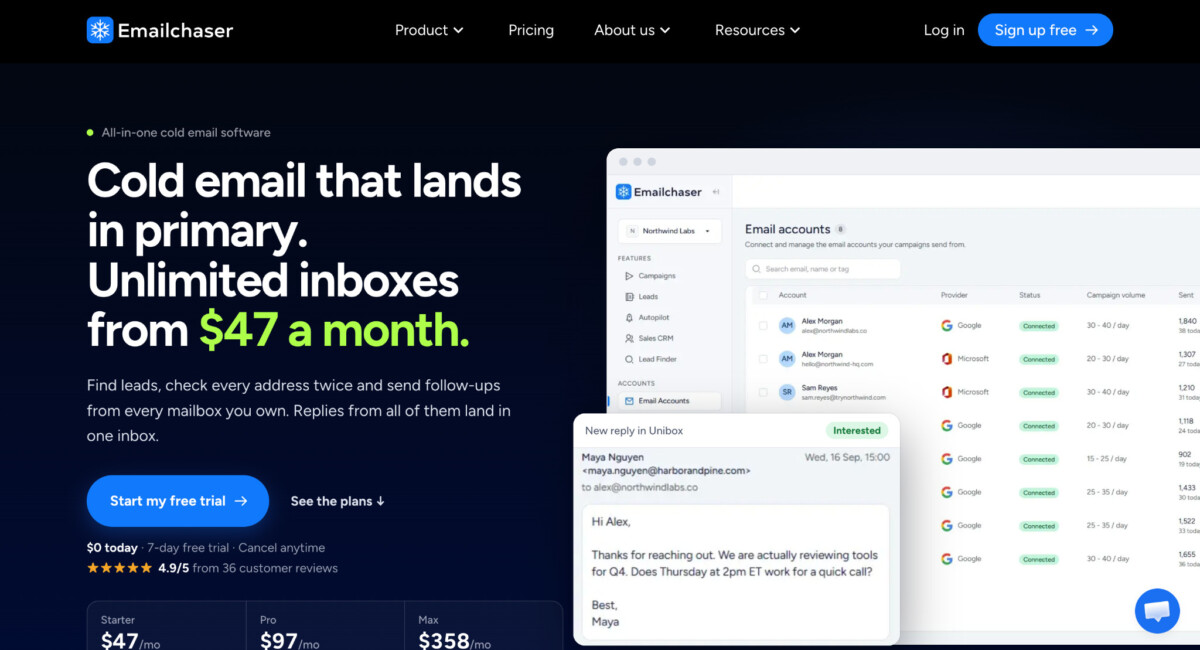
As of October 2026, the vendor lists three plans: Starter at $47 a month, Pro at $97, and Max at $358, each with a 7 day free trial. The plans cap monthly email volume at 5,000, 125,000, and 500,000 sends respectively, and include 1,500, 5,000, and 10,000 monthly lead credits. Each plan also caps active contacts at 1,000, 25,000, and 100,000. Read the credits against the send caps: 1,500 credits sit beside 5,000 sends on Starter, and 5,000 credits beside 125,000 sends on Pro, so credits and active contacts will usually run out well before the send cap does.
The practical payoff is easier diagnosis. Your reps stop downloading spreadsheets, and when a campaign underperforms, the lead source, the verification result, and the send all live in one place, so you can see where it broke instead of arguing across four vendors’ support desks.
Three features decide whether a consolidated platform protects your margins: the built in data source, the verification layer, and the way it handles mailboxes. Each one has a claim worth testing, and each has a limit you should know before you sign up.
Built in data replaces a standalone database subscription with monthly credits. Emailchaser’s plans include lead credits, and its pricing page describes adding a person to a campaign as costing one credit, so the cost scales with the number of contacts you pull rather than with a separate seat license. The vendor publishes credits rather than a database size, so judge coverage the practical way: run searches for your actual niche, such as Shopify Plus agencies or subscription app vendors, before you commit.
Double verification means each address is checked by two independent providers before it reaches the sending queue. Emailchaser says it does this natively, which removes the separate vendor and the upload step. Two checks should catch more bad addresses than one in principle, but no published accuracy benchmark turned up on the vendor’s site, so measure it yourself: send a small batch and compare the bounce rate against your current stack.
Unlimited inbox rotation means you can connect as many mailboxes as you like without a per mailbox subscription charge. Emailchaser lists unlimited email accounts on every plan and accepts Google Workspace, Microsoft 365, and mailboxes on your own server. The limit is volume: each plan caps monthly sends, so scaling daily volume past your tier does raise the bill, just through a plan upgrade instead of a per inbox fee.
There is a second wrinkle. If you let Emailchaser set up mailboxes for you, the vendor lists a free .com domain for the first year and two free mailboxes for the first month, then $6 a month per mailbox plus a $3 setup fee. Twenty managed mailboxes would run $120 a month, before setup. Connecting mailboxes you already own avoids that charge, which is worth knowing because per inbox hosting fees are exactly the cost the consolidation pitch says it removes.
Consolidation is the wrong move when your bottleneck is data quality, deliverability testing, or CRM native sequencing rather than the number of vendors. Four options deserve a fair hearing, and each fits a different team.
Choose Emailchaser if you run one to ten reps, want leads, verification, and sending on a single bill, and your lead needs fit inside the credits and active contact caps of its Starter or Pro plan; past that, expect to buy data elsewhere. The vendor’s own review base is still small, so run the free trial on a secondary domain before you move your main one.
Choose Instantly if you want the same unlimited account model with a larger stated lead database. Its pricing page lists unlimited email accounts on its outreach plans from $47 a month and a 450M+ B2B lead database in bundles from $94 a month, though the page contains internal inconsistencies, so confirm the figures at checkout. Its outreach only plans are listed at $47, $97, and $358 with similar send caps, so the real difference from Emailchaser is bundled data and verification, not sending price. Emailchaser runs a 50% switcher discount for Instantly users, which suggests which product it considers its closest rival.
Choose Smartlead if sending infrastructure and inbox testing matter more than bundled data. Its pricing page lists plans from $39 to $379 a month with unlimited email accounts on all of them, plus a SmartDelivery testing add-on from $49 a month, but verification is a paid add-on and no lead database is bundled in the plans listed, though it sells separate lead products outside them.
Choose a separate data source such as Apollo if list quality is your real constraint. Its pricing page cites access to 240M contacts and 30M companies but publishes no plan prices, and you may still pair it with a dedicated sender.
Stage matters too. Below a few dozen prospects a week, manual research and a single mailbox cost almost nothing, and consolidation adds little. Fastlane’s guide to the Shopify tech stack by revenue stage notes that all in one platforms often beat a stitched together stack on performance and maintenance burden, even when the per category cost is higher, which is a useful lens for outbound tools too. All prices above are vendor listed figures as of October 2026.
Consolidate when the handoffs cost more than the migration, and test the new platform on one campaign before you move your main domain. A common reason teams stay put is that tearing down the old system feels like too much work, so the tax keeps compounding.
A low risk way to test it is to keep the old stack running and pick one segment of about 500 contacts. Run the same message through both setups from separate domains for two weeks, then compare bounce rate, reply rate, and hours spent. If the consolidated platform holds a bounce rate under your current stack and saves the hours you counted earlier, move the next segment. If it does not, you have lost a trial fee and learned something specific about your list.
Stop hoarding disjointed platforms, and stop letting unverified lists and inbox limits throttle your sales team. For a wider look at the software category, Fastlane’s overview of outbound lead generation and B2B lead generation software covers the main tool types, from CRMs to lead databases.
The goal was never to build the most complex tech stack. It is to build a pipeline that converts, because the simpler version is the one your team will actually keep running long enough to produce revenue.
The integration tax is the combined cost of subscriptions, manual handoffs, and deliverability risk created by buying leads, verification, mailbox hosting, and sending from separate vendors. The subscriptions are only the visible part. The rest comes from reps exporting and re-uploading lists, minimum fees on lightly used tools, and the gap between when a list is verified and when it is sent. A simple way to price it is to count weekly handoffs, multiply by hourly cost, and add the monthly fees for any tool you use at partial capacity. Count it before assuming it is small.
Emailchaser lists unlimited email accounts on every plan, but monthly sending is capped by tier. As of October 2026, Starter allows 5,000 emails a month, Pro 125,000, and Max 500,000. Mailboxes you connect yourself carry no per mailbox fee, while mailboxes the vendor sets up cost $6 a month each plus a $3 setup fee after the first free month. So unlimited accounts is accurate, but growing your volume past a tier still raises your bill through a plan upgrade. Confirm the current terms on the vendor’s pricing page before you buy.
An all in one platform is better only when its bundled data and verification fit your volume and niche. Instantly lists a larger lead database and unlimited accounts from $47 a month, and Smartlead lists unlimited accounts on every plan with a deliverability testing add-on, but treats verification as an extra. Emailchaser bundles credits and two provider verification into every plan. No tool wins on every dimension, so the honest answer is to trial two against the same 500 contact segment and compare bounce rate, reply rate, and hours spent.
Google defines a bulk sender as one sending close to 5,000 messages or more to personal Gmail accounts within 24 hours. Messages from the same primary domain count toward the limit, and once a domain meets the threshold it is permanently considered a bulk sender. Bulk senders must authenticate with SPF and DKIM, publish a DMARC record, and offer one click unsubscribe on marketing messages. Google also advises keeping the user reported spam rate below 0.1% and never reaching 0.3%. Smaller senders fall outside the bulk label, but Google’s spam rate guidance is not limited to bulk senders.
You will know by pricing the current stack and then testing the alternative on a single segment. List every invoice for data, verification, mailboxes, and sending. Count the weekly handoffs and multiply the hours by your loaded rep cost. Then run a free trial on a secondary domain with a 500 contact segment, and compare bounce rate, reply rate, and hours against your current setup for two weeks. If the platform matches your results while removing a vendor and the handoffs, consolidating saves money. If it only reduces the number of logins, the savings are cosmetic.




