
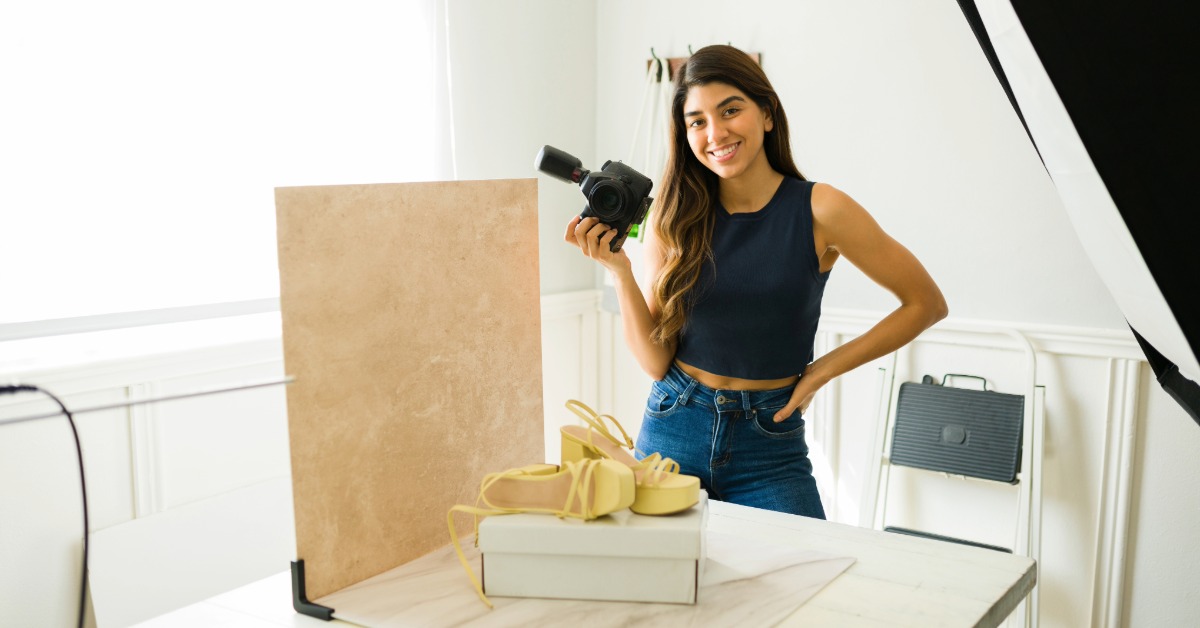
About 22 percent of product returns happen because the item looked different online.
That alone shows how much product photos can shape the whole shopping experience. Clear and optimized product images not only help buyers decide faster but also trust your product.
Even a smooth user experience of your website cannot save weak product photos. When the images look dull or unclear, shoppers lose interest fast and the store feels less reliable. Strong visuals matter because they carry the final push that turns a view into a sale.
This guide shares simple but effective ecommerce photography tips that help you improve clarity, build trust and sell more with ease.
People react to images before anything else. High-quality images matter more than descriptions. According to a study by Shopify, about 33.16% of customers prefer multiple product photos, and 60% want 360°-style views.
Good editing can lift the quality of your product photos in a big way. Clean and sharp images help shoppers understand the product without guessing. Good product visuals also supports your brand identity and make your store feel reliable and professional. Better clarity leads to fewer surprises, fewer returns and more confident purchases.
Simple fixes like brightening the image, correcting color, or cleaning the background make a big difference in how the product appears. In the next section we are going to share some of the simple yet effective tips that can improve the buyer experience and every ecommerce seller should apply to boost sales.
The most deciding factor in how a product photo feels is the background behind it. A clean background can change the whole look of a product photo. Shoppers scan product pages fast and pay attention to whatever catches their eye. A busy background can confuse buyers and pull their attention away from the product.
An AI background remover tool helps you build clean, on brand scenes quickly and keeps every photo aligned.
A simple studio shot can show the basics, but a styled scene with an eye-catching background highlights the story behind the product. Shoppers are more connected and more willing to buy when the imagery resonates with their lifestyle and brand values.
AI background tools make it easy to place a product in different scenes without renting studios or product photography equipment. You can create on brand visuals fast by choosing backgrounds that match the style of your store. This helps every product look neat and consistent.
A good AI background generator also helps you build lifestyle images in minutes. Instead of planning a full photoshoot, you can show a tent on a trail or a lamp in a warm living room with a few clicks.
Seasonal updates become easy with AI backgrounds. You can switch to holiday, summer or sale themed scenes without shooting new photos. A simple prompt is enough to create a fresh background that fits your campaign and keeps your product visuals up to date.
Good lighting in your product image can make or break your product. A good and useful product can struggle for attention and lose a sale if the photo looks dark or unclear. Here are some practical lighting tips to immediately elevate your product photos:
Soft, even lighting keeps products clear and avoids harsh shadows, giving every photo a clean and gentle look.
Bright window light brings honest colours and a clean look without needing special gear or complex lighting setups.
Well placed shadows add depth. A simple white reflector softens harsh areas and keeps product details easy to see.
Ring lights give soft front lighting that reduces shadows and helps jewelry, makeup and small items shine clearly.
To help buyers decide, your photos need to feel close to an in-store experience. Shoppers cannot touch the product, so they depend on clear visuals to understand what they are getting. When you show more details, you cut down their doubts and build trust fast.
To help shoppers feel sure about their choice, show details that answer their questions before they ask. Here is how you can make that experience easier.
Studies show that about 66 percent of shoppers expect at least three images and often look for full 360-degree views.
Listings with more images convert better, and adding a second photo can even double conversion rates.
Macro photos highlight stitching, texture and materials, helping buyers judge quality, especially for higher value items.
Lifestyle images can lift your product off the screen and make it feel like something a shopper could hold in their own hands. This style of imagery helps potential customers cross the bridge from “I like that product” to “I can see myself using that”.
Lifestyle images also speak to the values your brand stands for. A fitness brand might show an early morning workout scene. A home goods brand might show a warm living room with soft light. A tech product might be shown on a clean desk during a busy workday. These small story cues help shoppers understand who the product is for.
Lifestyle photos do not need big sets or large budgets. A few props and a tidy space are often enough. When done well, these images create a stronger emotional pull and help buyers move from interest to action.
Great product images guide shoppers from curiosity to confidence. Each photo they see should help them understand the product and move closer to buying it. Clear details, honest colours and helpful lifestyle shots make your store feel more trustworthy and easier to shop. Keep testing new angles and improving your visuals to meet what buyers expect today. With these simple ecommerce photography tips and easy to use AI tools, you can create better images and get strong results much faster.
People react at first to visuals, which means images quickly build trust or doubt before they read any text. Clear, high-quality images show shoppers exactly what they are buying, filling in the information they cannot get without touching the product. Product photos act as the critical final push that turns a curious viewer into a confident buyer.
The simplest change that offers the biggest impact is to clean up the background behind your product. Use a plain white or light-colored background that is distraction-free to keep the focus entirely on the item. A clean background keeps the photo neat and ensures your product colors look true.
About 22 percent of product returns happen because the item looked different online compared to when it arrived. Clear photos that use honest colors and correct lighting prevent these surprises. When visuals accurately show the product’s finish, texture, and size, buyers feel more confident, leading to fewer returns.
Studies suggest that you need at least three images to satisfy most buyers, but listings with more photos consistently convert better. You should also include a full 360-degree view if possible, as buyers depend on seeing every angle. Adding even just a second high-quality photo can significantly boost your sales.
No, you do not need a big budget or professional equipment to take great photos. Simple lighting tips, like embracing soft natural window light, can immediately make photos look more professional. Also, modern tools like AI background removers can quickly create studio-quality scenes without a full photoshoot.
You can show quality by including macro, or close-up, photographs in your listing. These shots highlight important details like the stitching, the material’s texture, or the quality of a small component. When buyers can see these details, they better judge the quality, especially for high-value items.
The misconception is that you should completely remove all shadows for a clean look. The truth is that well-placed shadows add important depth to the photo. You should control them, not remove them, by using a simple white reflector to soften harsh edges and keep key product details easy to see.
Lifestyle images are powerful because they help shoppers picture the product’s real use and how it fits into their lives. They create an emotional pull by showing a story, such as a cozy lamp in a warm living room. This small story helps a buyer cross the critical bridge from liking a product to taking action to buy it.
An AI background generator quickly creates consistent, custom scenes that align with your brand. While simple editing cleans colors and brightness, the AI tool can place your product in various themed backgrounds, making it easy to create seasonal or campaign-specific visuals without ever having to reshoot photos.
You must capture all of the important product angles and features that help buyers decide. Since shoppers cannot touch the item, they need photos that show things like the closure mechanism, the inside lining, or the soles of shoes. Showing these missing details cuts down on a buyer’s doubts and builds immediate trust.




