Free every Thursday · 60,261 Readers
Fastlane Insider Newsletter: What's working for Shopify in the AI era?
Free every Thursday · 60,261 Readers
Fastlane Insider Newsletter: What's working for Shopify in the AI era?

The email platform is the decision most Shopify stores make first, and it should be the third.
Matt Stafford is managing partner at Build Grow Scale, a revenue optimization agency, and on episode 411 of the podcast he described the smallest email change I’ve heard pay off. Under the email field at checkout, his team added a short line: “required for order confirmation.” Telling shoppers why the address mattered cut the errors in that field sharply; in his words, “we have three times less errors by telling them why we want it.” Customers gave their real address because they wanted the receipt, and his point was that abandoned checkout recovery improved with it, because a recovery email can only reach an address that works.
That’s a different starting point from most email advice, which opens with a platform comparison. The platform matters, but it’s the third decision, not the first. The first is how people get onto your list. The second is what they receive automatically once they’re there. Only then does it make sense to ask which tool should send it, and whether text messages belong next to email at all.
This guide covers that build order for Shopify stores in the Growing stage, roughly $10K to $100K a month, with notes for stores on either side. What happens after the first order, the timing of the first 45 days and the second purchase, is covered in Fastlane’s guide to what decides the second order. This piece is about the channel: the list, the flows, the tools and the bill.
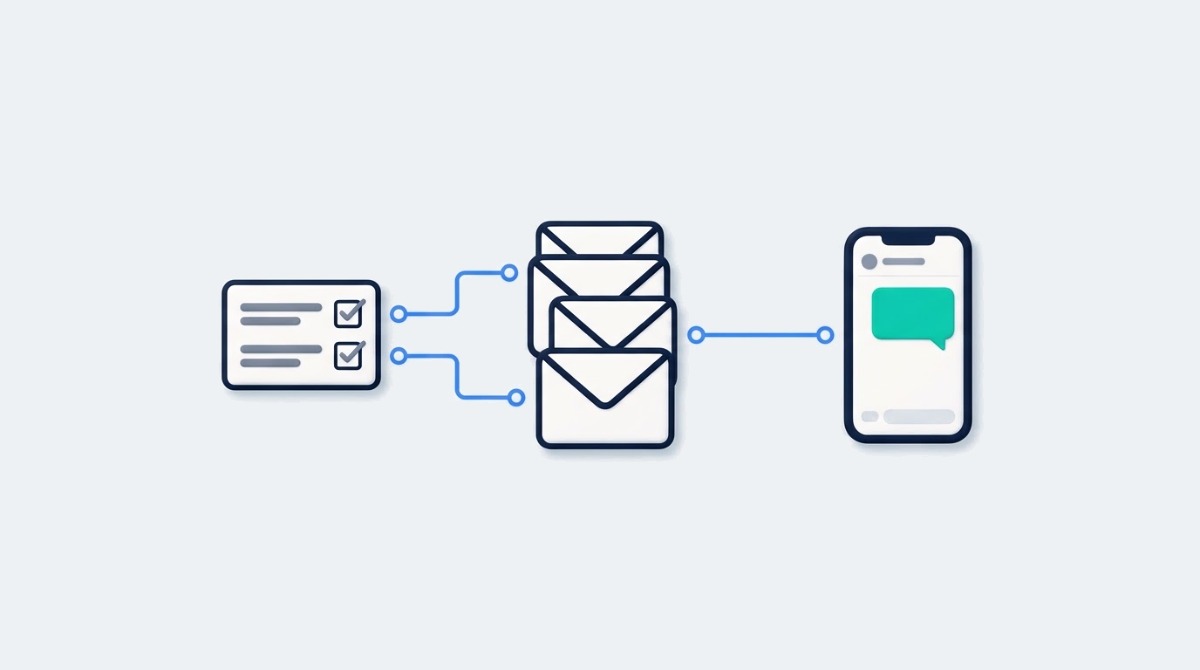
Shopify email marketing is four jobs: collecting contacts with consent, running automated flows, sending campaigns, and measuring what any of it caused. The platform you choose only changes how well you do the last three, so it is worth deciding after you know what those jobs need.
The automated part is where most of the money is. Klaviyo’s 2026 email benchmarks, built from more than 183,000 of its customers, found that flows produced nearly 41% of email revenue from just 5.3% of sends, with revenue per recipient nearly 18 times higher than campaigns. That’s a vendor measuring its own customers with its own attribution, so treat the exact figures with some care. The direction holds up anyway: a welcome email sent the minute someone subscribes is read in a different frame of mind than a Tuesday newsletter.
The fourth job is the one stores skip. Every email platform reports revenue it “drove,” and that number includes orders that would have happened without the email. A store that only reads the attributed number can’t tell whether a new flow helped or just took credit for buyers who were coming back anyway. The measurement section below covers the fix, and it’s simpler than it sounds.
Two things sit outside this guide on purpose. Deliverability, meaning whether your emails reach the inbox at all, is covered in Fastlane’s breakdown of Gmail’s bulk sender rules, and it’s worth reading before Black Friday if you send to more than a few thousand people. And if you’d rather hire the work out, the guide to choosing a Shopify email marketing agency covers what to ask for.
Checkout is one of the best places to grow a Shopify store’s list, because buyers have a reason to give an address they actually check. Turning on the marketing checkboxes at checkout, and wording the fields well, is the first list building job, before any popup or lead magnet.
In your Shopify admin, go to Settings, then Checkout, and find the marketing options. Shopify’s help page on collecting customer contact information covers both settings: an email marketing checkbox and a separate SMS marketing checkbox, each with its own consent. You can choose whether the email box is preselected and in which regions, and you can activate double opt-in for subscribers. If you sell into regions with strict consent rules, leave preselection off there; a slightly smaller list of people who chose to hear from you is worth more than a bigger one that complains.
Matt’s field labels sit on top of this. On the same episode he said his team also put “phone required for shipping notification” under the phone field, because SMS recovery had turned into a real revenue stream for them. Telling people why you want the number gets you more accurate numbers.
There’s a line here that’s easy to cross without noticing. A phone number collected for shipping updates is not permission to send marketing texts. SMS marketing needs its own opt-in, which is why Shopify keeps it as a separate checkbox, and US text marketing rules are stricter than email rules. Use the shipping label to get a working number, and use the SMS checkbox, with clear wording about what you’ll send, to get permission. Keep the two separate in your head and in your platform.
If you’re Starting, checkout consent plus one signup form on your site is enough list building. If you’re Scaling, check that every place you collect contacts (checkout, forms, quizzes, the Shop app) sends consent into the same customer record, because a split list is how people end up texted twice or not at all.
Build a welcome flow, an abandoned checkout flow and a post purchase flow first, in that order, and build them in Shopify Messaging unless you already pay for another platform. Shopify’s built-in app covers all three, and abandoned checkout emails cost nothing.
Shopify Messaging, formerly Shopify Email, is available on the Basic, Grow, Advanced and Plus plans. According to Shopify’s email pricing page, as of November 2026, every store gets 10,000 free emails a month, then pays $1 (USD) per 1,000 additional emails up to 300,000, with lower rates above that. Campaigns and automations share that free 10,000, with one exception that matters: abandoned checkout emails are always free and don’t count toward the limit. If a flow needs something Messaging doesn’t offer, Shopify points you to Shopify Flow for custom workflows.
The welcome flow converts people who subscribed but haven’t bought. Two or three emails over the first week is enough: who you are and why the product exists, the question most people ask before buying, then a clear first offer if you use one. The abandoned checkout flow reaches people who entered their details and left, which is where Matt’s working email address pays off. Two emails, one within a few hours and one the next day, cover most of it; a discount in the second is a margin decision, not a default.
The post purchase flow is where email meets retention, and the timing of it (the confirmation, the note before delivery, the check-in after it arrives, the invitation to buy again) is laid out in the second order guide. One part of it lives in a different place in your admin. Your order confirmation is a Shopify notification, edited under Settings, then Notifications, not a marketing email. On episode 461 I called it “the highest attention moment that you’ll ever have with that customer,” and said that “almost every merchant that I’ve ever worked with treats that email honestly like a receipt.” Rewriting that template costs nothing and doesn’t touch your email platform at all.
Browse abandonment, win-back and birthday flows come after these three are live and you’ve read their numbers for a month or two. Building eight flows in week one is how stores end up with eight flows nobody checks.
For the composite store below, Shopify Messaging costs a few dollars a month and Klaviyo’s Email plan costs over a hundred, so the upgrade has to earn its fee through what it lets you do, and you should know in advance how many extra orders that means. Your own send count decides your numbers.
The store below is a labelled composite, not a real brand, and every figure in it is an assumption for illustration. All prices are in US dollars. It sells candles, does about $35K a month, and has 6,000 email subscribers, of whom about 4,000 have opened or clicked in the last 90 days. It sends one campaign a week to that engaged group and runs the three flows above.
On Shopify Messaging, four weekly campaigns to 4,000 people is 16,000 emails. Assume the welcome and post purchase flows add about 1,500 more in a month, with roughly 300 new subscribers getting three welcome emails and about 200 first-time buyers getting three post purchase emails. Abandoned checkout emails are free. That’s 17,500 counted emails, 7,500 over the free allowance, or about $7.50 for the month.
On Klaviyo, the pricing calculator showed the Email plan at $130 a month for 6,000 active profiles (with up to 60,000 emails), as of November 2026. Klaviyo’s tiers are set by active profiles, each with an email allowance, so the bill mostly follows the size of the list you keep active; sending past the allowance moves you to a bigger tier. The difference is about $122 a month, or roughly $1,470 a year.
The money isn’t the point at this size. $122 a month is small next to most ad budgets. What matters is what the upgrade is for. Assume, for illustration, that the store’s average order is $45 and each order leaves about 40%, or $18, as contribution margin after product, shipping and fees. The Klaviyo plan then needs about seven extra orders a month that would not have happened otherwise. That’s a low bar if the new tool lets someone build something the store can’t build today, and an impossible one if the same three flows simply move to a more expensive tool. Shopify’s own customer segments and Shopify Flow already handle a fair amount of conditional logic, so check what they can do before treating segmentation as the reason to switch.
Bobby Palmieri, co-founder and CEO of Lilo Social, put the common failure plainly on episode 417: “the biggest challenges that we see when we audit brands is they have flows that have been set up and no real test is being run.” For this store, I’d stay on Shopify Messaging, rewrite the order confirmation, and get the three flows working first. The move to a paid platform comes when there’s a named job the current setup can’t do, a test plan for it, and a way to check it worked.
A paid email platform earns its fee when you can name a job your current setup can’t do well, such as built-in testing on flow messages or predictive segments, and someone has the hours to use it every week. List size alone is rarely the trigger, because Shopify Messaging stays cheaper per email at the volumes most Growing stores send.
Write the job down first. “We want to test two versions of the welcome email against each other,” “we want a post purchase flow that splits by which product people bought,” “we want to stop emailing people a model says are about to lapse.” Then check whether Shopify Messaging, Shopify’s customer segments and Shopify Flow can do it, or can do it without hours of workarounds. If they can, the upgrade is buying a nicer interface. If they can’t, it’s buying a capability, and that’s worth pricing.
Choose Shopify Messaging if you’re Starting or early in Growing, you send fewer than a few tens of thousands of emails a month, and your program is the three core flows plus a weekly campaign. At 60,000 emails a month it would cost about $50, as of November 2026, and the data already lives in Shopify, so there’s no sync to break. If you already pay for another platform and it works, stay put; a migration costs more in rebuilt flows and lost history than the fee difference saves.
Choose Klaviyo if you’re Growing toward Scaling, email has become one of your top two revenue channels, and someone owns it enough to use the jobs you wrote down: segments on browsing and purchase behavior, flows split by what people bought, and tests run on them every month. Fastlane’s Klaviyo review for Shopify brands at every stage goes deeper on what its higher plans add, including SMS in the same platform.
Choose another dedicated platform, such as Omnisend, if you want more than the built-in tool but find Klaviyo heavier than your team needs. The comparison of Klaviyo alternatives covers that middle ground.
Whichever you pick, check two things before signing. First, that you can export your subscribers and their consent status cleanly, because consent records are the asset; the templates can be rebuilt. Second, how the bill grows: Klaviyo by active profiles, Shopify Messaging by emails sent. A store that emails a large list rarely will find one model much cheaper than the other.
And don’t switch platforms in November. Moving tools in the weeks before Black Friday means rebuilding flows and warming up sending in a hurry, on the days you can least afford a mistake. Note what’s missing, and move in January.
SMS earns its place once your email flows are running and you have moments where a few hours matter, such as a restock, a limited drop or a shipping cutoff. Before that, it adds a per-message cost and a second consent list to an email program that isn’t finished yet. The exception is a brand whose sales are built around drops or restocks that sell out in hours; there, texting can be worth testing alongside the first email flows.
The cost is per message, not per subscriber. Shopify’s SMS pricing page, as of November 2026, lists $0.012 (USD) per text to US numbers and $0.025 (USD) to Canadian numbers, plus a $2.15 monthly fee for each toll-free number used for US and Canadian SMS marketing. A text that runs past the single-message character limit is charged as more than one message per recipient, and confirmation texts to new subscribers are charged too. Shopify also notes that SMS marketing to Spanish numbers paused in September 2026 and to Austrian numbers in October, a reminder that this channel changes country by country.
Back to the candle store. Say checkout consent has built a list of 1,200 SMS subscribers, and the store sends four short texts a month: two launches, one restock and one reminder. That’s 4,800 messages, about $57.60, plus the $2.15 number fee, or roughly $60 a month on Shopify Messaging. With the same $18 contribution per order, the texts need about four extra orders a month to pay back. A dedicated SMS app such as Postscript lists its Starter plan at $0/month with a $49 monthly minimum spend and $0.009 per SMS plus carrier fees, as of November 2026, so at this size the bills land in a similar place. The dedicated app earns its keep with tools for growing and managing the SMS list once texting becomes a top revenue channel, not with a lower price per text.
What I’d hold this store back from is sending every email campaign as a text too. Four texts a month that each carry news is a different program from twelve that repeat the inbox, and the second one is how SMS lists shrink.
If you’re Starting, skip SMS marketing and collect the consent anyway, so the list exists when you need it. If you’re Growing, test four texts a month on Shopify Messaging for one quarter. If you’re Scaling, compare a dedicated SMS platform or Klaviyo’s SMS on what it lets you build, then decide.
To know what email and SMS caused, hold a small random group back from a flow or campaign and compare their orders with everyone else’s over the same weeks. The platform’s attributed revenue only tells you which message got credit when an order happened.
Attributed revenue is generous by design. If a loyal customer was going to reorder on Friday and happened to open your Thursday email, the email gets the credit. That’s fine as a dashboard, but it’s not proof, and it’s the number most upgrade decisions are made on. Fastlane’s walkthrough of measuring email and SMS incrementality with Klaviyo shows the method in detail: a random holdout, usually 10% to 20% of the people who would have received a flow, kept out for a few weeks, with revenue compared from Shopify orders rather than the email platform’s own reporting. The same idea works on Shopify Messaging with a customer segment and an order export.
Two details make the result trustworthy. Compare revenue per person in each group, counting everyone in the group including people who didn’t buy, because the groups are different sizes. And keep the groups fixed for the whole test. A store the size of the composite, with a few hundred new subscribers a month, may need several months before the difference is bigger than the noise, and an inconclusive result is a real answer: it means the flow isn’t clearly earning yet.
Run it once on your biggest flow. If the holdout group buys almost as much per person as the group that got the emails, the flow is mostly collecting credit, and the fix is better content or timing, not a bigger tool. Testing an upgrade is a separate question. To judge the Klaviyo move in the composite, build the one new thing it bought (say, a post purchase flow that splits by product) and compare it with the old flow on a random split. A flow holdout tells you whether a flow works; only that comparison tells you whether the new tool added anything. This is the same contribution margin thinking Fastlane’s guide to ecommerce accounting for Shopify applies to every other spend.
Starting stores need checkout consent, a welcome flow and a rewritten order confirmation. Growing stores add abandoned checkout and post purchase flows and one holdout test. Scaling stores add a paid platform or SMS when a named job calls for it. Leading stores manage email and SMS as a measured channel with an owner.
If you’re Starting, under about $10K a month, stay on Shopify Messaging, turn on both checkout consent boxes, and build the welcome flow before you send your first campaign. Leave out SMS campaigns, paid platforms and any flow beyond the first three.
If you’re Growing, $10K to $100K a month, get the three flows working, run one holdout on the biggest of them, and send campaigns to people who engaged in the last 90 days rather than the whole list. Test SMS for one quarter if you have moments that need it. This is the stage where I’d watch most closely for apps added faster than anyone can manage them (the app audit in Fastlane’s Shopify pricing guide is a good place to start), because an email platform, an SMS app, a popup tool and a reviews request app can all be installed in a week and left half set up for a year.
If you’re Scaling or Leading, above $100K a month, email and SMS are often top revenue channels, and a paid platform tends to pay for itself when someone owns it: segments by behavior, branching flows, a testing calendar and a holdout every quarter. Fastlane’s guide to building a full lifecycle program in Klaviyo covers that architecture.
Across every stage, the order doesn’t change. Consent first, then flows, then a way to measure them, and only then a bigger tool. More of this, applied to one store at a time, lives in the Email & SMS section.
Disclosure: some product and company names on this page may link through eCommerce Fastlane’s /recommends/ links, which can earn a commission.
Shopify Email, now called Shopify Messaging, is good enough for most stores doing under about $100K a month that run a welcome flow, an abandoned checkout flow, a post purchase flow and weekly campaigns. It’s built into your admin, it uses your Shopify customer and order data directly, and as of November 2026 it includes 10,000 free emails a month, with abandoned checkout emails free and uncounted. It stops being enough when you can name a job that it, Shopify’s customer segments and Shopify Flow can’t handle well, such as built-in testing on flow messages, and someone on your team has the hours to use a replacement every week. That’s the point to compare a dedicated platform such as Klaviyo or Omnisend.
Shopify Messaging costs nothing for the first 10,000 emails each month and $1 (USD) per 1,000 emails after that, up to 300,000 emails, as of November 2026. Abandoned checkout emails are always free and don’t count toward the allowance, while other automations do. SMS is charged per message: $0.012 (USD) per text to US numbers and $0.025 (USD) to Canadian numbers, plus a $2.15 monthly fee for each toll-free number used for US and Canadian SMS marketing. Long texts that split into several messages are charged per message, so keep marketing texts short. You can set a monthly spending threshold to get an email alert when combined costs reach an amount you choose.
Switch from Shopify Email to Klaviyo when you can name a segmentation or testing job that Shopify Messaging, customer segments and Shopify Flow can’t handle well, and someone will use the new features every week. List size alone is a weak trigger, because Shopify Messaging is usually cheaper per email at Growing store volumes. Price the move with your own numbers: as of November 2026, Klaviyo’s Email plan was $130 (USD) a month for 6,000 active profiles. Divide the extra monthly cost by your contribution margin per order to see how many extra orders the upgrade must produce, then test the new flow it enables against your old one on a random split. Avoid switching in November, right before Black Friday.
SMS marketing is worth adding once your email flows are working and you have time-sensitive moments, such as restocks, limited drops or shipping cutoffs, where a text arriving within hours makes a difference. Until then, collect SMS consent at checkout so the list exists, but hold off on sending. SMS costs money per message (as of November 2026, $0.012 USD per US text on Shopify Messaging), needs its own opt-in separate from email, and follows stricter rules. A phone number collected for shipping updates is not marketing consent. Start with about four texts a month that each carry real news, and measure the orders they add.
A Shopify store should set up a welcome flow first, an abandoned checkout flow second and a post purchase flow third. The welcome flow reaches new subscribers during their first week, while interest is highest. The abandoned checkout flow reaches people who entered their details and left, and on Shopify Messaging those emails are free. The post purchase flow carries a first-time buyer toward a second order. Also rewrite your order confirmation under Settings, then Notifications, because it’s one of the most opened messages you send and most stores leave it reading like a receipt. Add browse abandonment and win-back flows only after the first three have run for a month or two.