

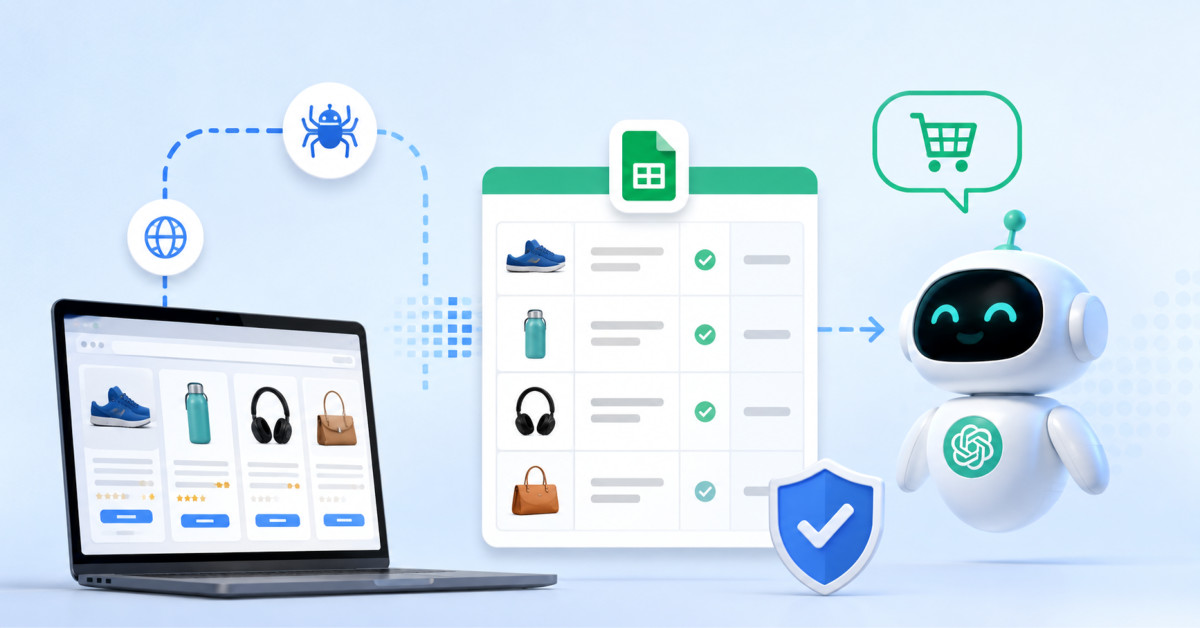
For Shopify brands, agent-ready product data means maintaining verified price, availability, shipping cost, and delivery estimates across the customer journey. Monitor those facts continuously, reconcile drift before it spreads, and use compliant collection practices that protect both performance and trust.
AI shopping agents do not reward the strongest brand claim. They reward the store whose facts are easiest to verify at the moment a buyer asks.
Shopify ops teams already track price, stock, and ship speed. AI shopping agents now compare those facts at scale and fast. That shift changes what “good data” means for a DTC brand.
EcommerceFastlane often talks about AI Visibility and what to do when ChatGPT, Claude, and Google AI sit between you and the shopper. Those agents pick winners with fresh facts, not brand claims. If your product data drifts, you lose rank before a human even sees your page.
Agents do not browse like humans. They pull, score, and cross-check product facts across many sites. They favor sources that stay stable and match what buyers see at checkout.
Bots also drive a huge share of web hits. Imperva reports that bots make up about half of all internet traffic. Your stack must treat bot access as a core load case, not an edge case.
Most Shopify teams already run ad and email tests each week. You should treat data feeds the same way. A tight scrape and clean merge loop can fix bad facts before they spread.
Start with the job, not the tool. You need a feed that answers three questions for each SKU: can I buy it, what will I pay, and when will it arrive. Your scrape plan should map to those answers.
Agents punish drift between PDP, cart, and checkout. Scrape the PDP, then add a cart step for a small set of SKUs. Capture price, compare-at, stock state, ship fee, and ship ETA.
Keep field names strict across brands and rivals. Use one unit for weight, one format for money, and one clock for time. Your merge step should reject rows that break rules.
Price tests can flip in hours. Stock can change in minutes on fast drops. Run short pulls often on head SKUs, then run long pulls less often on the full set.
Track how long each page stays “true” in your feed. Use that number to set pull rates by class. That gives you fresh facts without spiking cost.
Your proxy choice shapes how well this works at scale. Byteful teams often start with a split pool by site risk, then grow it as blocks rise. Use this guide for a clear baseline: Private vs Public Proxies: Differences & Which to Use.
Most block pain comes from two errors: too many hits from one IP, and a browser stack that looks fake. Fix both before you add more threads. You want fewer bans, not more retries.
Use sticky sessions for cart and ship checks. Use rotating IPs for broad catalog pulls. Keep a steady user agent set, and match it to real TLS and header order.
Route high risk sites to higher trust IPs. Route low risk sites to cheaper pools. This split keeps your unit cost sane while you protect the flows that drive margin.
A scrape feed only helps if it lands where teams work. Push clean facts into a sheet or warehouse that your growth and merch teams use daily. Then wire alerts to Slack or email when key SKUs drift.
Connect facts to actions. If a rival undercuts your hero SKU, queue a review, not an auto price cut. If your ship ETA looks worse than a peer, flag the ops lead to check carrier rules.
Baymard puts cart abandon at about 70%. Treat ship fee and ship ETA as conversion levers, not footnotes. Your feed should surface ship gaps as fast as price gaps.
Scrape with clear guardrails. Respect robots.txt where it fits your risk bar, and avoid paths that hit accounts or pay walls. Keep your pulls light on small sites, and skip pages that carry user data.
Log your intent and scope. Write down which sites you track, which fields you take, and why you need them. That doc helps you brief counsel and onboard new team members.
Set a hard rule on data retention. Keep only what you need for trend and proof. Drop raw HTML fast when you can, and keep parsed facts with timestamps.
Pick twenty SKUs that pay your bills. Scrape your own PDP, cart, and ship quote for those SKUs each hour. Scrape three close rivals on the same loop.
Define one “truth” view per SKU with price, stock, ship fee, and ETA. Set one alert that fires when any field changes past your limit. Review those alerts in the same meeting you use for ad and email ops.
After two weeks, you will see which fields move and which do not. Use that to tune pull rates and proxy spend. You will also build the habit that keeps AI agents from quoting stale facts about your store.
Shopify brands should monitor current price, currency, compare-at price, variant availability, shipping fee, delivery estimate, and the product attributes that determine whether a product meets a buyer’s request. Those facts should be checked across the product page, cart, checkout, product feed, and structured data because a discrepancy in any customer-facing source can create an unreliable recommendation. Start with your top revenue or margin-driving SKUs, then expand based on volatility and business value. Keep the feed focused on facts a buyer can verify, not broad marketing claims that agents cannot consistently compare.
You should check Shopify price and inventory data at a frequency that matches the SKU’s revenue importance and observed volatility. Hourly checks are reasonable for hero SKUs, promotion-sensitive products, or fast-moving inventory, while daily or weekly checks suit stable long-tail products. Begin with a two-week pilot and measure how often each field actually changes before increasing collection frequency. The right cadence is not the fastest one. It is the lowest-cost interval that detects changes early enough for your team to correct customer-facing errors and make a better commercial decision.
No, you should not automatically match competitor prices based only on a monitoring alert. A competitor’s observed price can reflect a bundle, membership rule, location-specific offer, clearance event, subscription condition, or stock position that does not justify reducing your own margin. Route the alert to a pricing review that considers contribution margin, product differentiation, shipping cost, return rate, inventory position, and the customer segment you are protecting. Monitoring should shorten the time from market change to informed decision, not turn every competitor movement into an automatic price cut.
Collecting competitor product facts requires a documented, jurisdiction-specific risk assessment rather than a blanket assumption that public information is always safe to automate. Review the target site’s terms, robots guidance, applicable laws, technical controls, collection frequency, and whether any workflow touches accounts, paywalls, or personal data. Keep the program narrow, proportional, and tied to a legitimate business purpose. Do not bypass access controls or collect information from protected areas. Before scaling collection across markets or high-risk sites, have qualified legal counsel review the precise program and your data-retention practices.
You prevent stale AI shopping information by keeping your Shopify catalog, storefront, Merchant Center feed, structured data, inventory records, and checkout experience aligned whenever price, stock, shipping, or product specifications change. Monitor your top SKUs through the same public paths a customer uses, then assign an owner to resolve differences quickly. Test real buyer prompts in several AI surfaces to see whether your products appear and whether the quoted facts are accurate. A recurring audit is more effective than a one-time cleanup because promotions, app changes, fulfillment updates, and feed failures continuously introduce new drift.




