On Shopify, page 2 and beyond of a collection exist so Google can reach your products, not to rank on their own. Keep the theme’s numbered ?page= links and self-referencing canonicals, keep sort and filter URLs out of the index, and split oversized collections before reaching for infinite scroll.
Most pagination problems on Shopify are not missing tags. They are collections so large that the products worth finding sit a dozen or more pages deep, behind a button Google will never press.
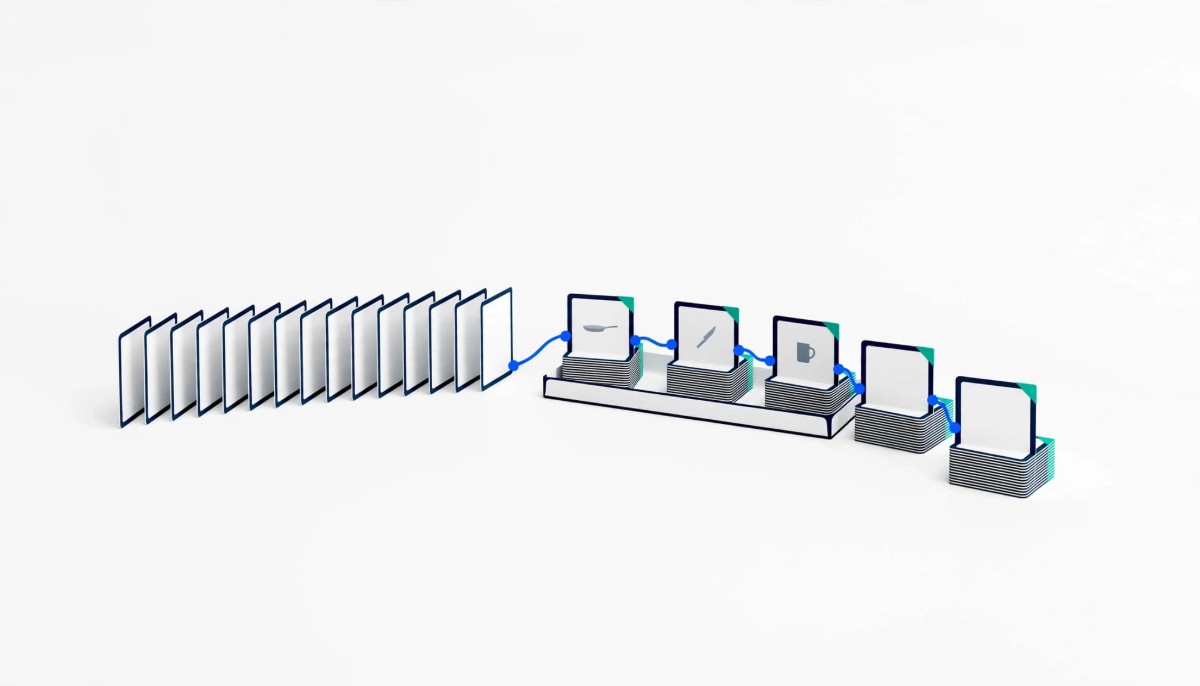
A merchant with 400 products in a single “Shop All” collection, showing 24 per page, has built a 17 page sequence. The best seller sits on page 1. The new arrivals the team photographed last month sit on page 14. A shopper will almost never reach them, and neither will much of the link equity the store has earned, because every product past page 1 is only linked from a page that is itself buried.
That is the real pagination problem on most Shopify stores, and it is why the old advice about tags misses. The markup Google cared about in the past is gone, Shopify’s defaults already handle most of what it cares about now, and the decisions that actually move results are about collection size, sort order, and what happens when a theme or app swaps numbered pages for a scroll.
Whether you are doing $10K months on a 60 SKU catalog or running a $5M store where every collection has a filter rail, the questions are the same. What changes is how much it costs you to get them wrong.
Google reads a paginated collection as a set of separate pages joined by ordinary links, and it no longer uses rel=”next” or rel=”prev” to stitch them together. Google’s own guide to pagination and incremental page loading states that it no longer uses those tags, although other search engines may. What it asks for instead is plainer: link each page to the next with a normal anchor link, give each page its own URL (a ?page=n parameter is fine), and give each page its own canonical. It also suggests linking each page back to page 1, which hints that page 1 is the better landing page.
That last point is where most of the damage gets done. Google’s guide says not to use the first page of a paginated sequence as the canonical page. A canonical tag on page 3 that points to page 1 tells Google that page 3 is a duplicate of page 1. Page 3 is not a duplicate. It lists different products. If Google honors the hint, it has fewer reasons to crawl page 3, and the products only linked from page 3 lose their most direct path in.
The same guide covers two other details merchants trip on. Page numbers carried in a URL fragment (#page=2) are invisible to Google, because Google ignores fragments, so a next link that changes only the fragment may never be followed. And paginated pages do not need unique titles or descriptions. Google tries to recognize the sequence on its own, so there is no reason to buy an app that rewrites “Page 2 of 17” into every title tag.
The practical conclusion is that pages 2 and beyond are crawl paths. Their job is to get Googlebot from the collection to every product in it. Page 1 is the page that ranks, the page that earns links, and the page a shopper lands on. Treat them that way and most of the pagination decisions below make themselves.
A standard Shopify theme already handles most of what Google asks for: numbered pages on a ?page= parameter, self-referencing canonicals on each page, and robots.txt rules that keep sort order URLs out of the crawl. The Liquid paginate tag that themes use to split a collection supports between 1 and 250 items per page and stops at the 25,000th item. Shopify’s canonical_url object, which most themes print in the head, stays self-referencing on paginated pages in standard themes, so page 3 points at page 3 rather than at page 1; the check at the end of this section confirms it on your store in a minute.
Sort orders are handled at the crawl level. The robots.txt Shopify generates includes Disallow rules for collection URLs containing sort_by, and for the old tag combination URLs that use a plus sign. Shopify’s documentation on customizing robots.txt says the default file works for most stores, and editing it through a robots.txt.liquid template replaces the generated output entirely. That is a reason to edit carefully, not a reason to avoid editing.
What Shopify leaves to you is filters. Storefront filters, the ones Shopify’s Search and Discovery app manages, write their choices into the URL as parameters like filter.v.option.color=red or filter.v.price.gte, per Shopify’s storefront filtering documentation, and a store can run up to 25 filters. The default robots.txt on current stores blocks URLs that stack more than one filter, but a single filter URL stays crawlable, and each one shows a subset of the same collection. On a collection with color, size, material, and price filters, that can still be dozens of near duplicate pages per collection, and on many themes the canonical on those URLs is the filtered URL itself rather than the clean collection.
Check your own store before deciding anything: open yourstore.com/robots.txt and look for the sort_by and filter lines, then open ?page=2 and a filtered view of a collection, view source on each, and read the canonical. The rules Shopify generates have changed over the years, and the file on your store is the one that counts.
The pagination problem most Shopify stores actually have is depth: collections so long that the products at the end are only reachable through a chain of page links, and are rarely crawled or seen. The math is simple. A collection with 400 products at 24 per page is 17 pages. If the store also links products from nowhere else, a product on page 17 is sixteen sequential hops from the collection, and every hop is a page Google has to decide is worth fetching.
Products in that position tend to be the ones a merchant can least afford to bury: new arrivals, restocked sizes, higher margin lines the team has not built demand for yet. A sitemap still lists them, and Google’s guide suggests a sitemap or a Google Merchant Center feed as a backstop for exactly this reason. But a sitemap tells Google a URL exists. It does not tell Google the product matters to the store the way a link from a well linked collection page does.
Depth matters most for new or lightly linked products. A store with a few hundred URLs is rarely short of crawl capacity overall; the issue is that the products with no other links pointing at them depend on the collection to be found and weighted.
Sort order decides who ends up deep. A collection sorted by best selling keeps last year’s winners on page 1 and pushes everything new toward the back. A collection where sold out products stay in their original position wastes the first rows, which I covered in detail in the piece on why out-of-stock products show first on Shopify and how to fix collection sorting. On episode 471, Julia Wawrzynek, marketing manager at Mezereon, the company behind the SortWise collection sorting app, framed the first page this way:
“So those first, let’s say 10 or 20 product slots are your real prime estate.”
She also put the share of shoppers who never scroll past the first page of a collection at 95 percent. That is a vendor’s figure stated on a podcast, not a published study, so treat it as a direction rather than a benchmark. The direction is the useful part: whatever is not on page 1 is, for most shoppers and for much of a crawler’s attention, not really on the collection at all.
The fix for depth is rarely a pagination setting. It is fewer products per collection, a sort order that rotates the right products forward, and more paths into the catalog than one long list.
Numbered pages are the safest default for a Shopify collection; load more and infinite scroll are fine for shoppers only if every batch they reveal also exists as a crawlable ?page= URL linked with a normal anchor. Google’s guide is direct on the reason: Googlebot generally follows the URLs in href attributes on anchor elements, and it does not click buttons or trigger the JavaScript that runs when a shopper scrolls. A load more button that fetches products with JavaScript and no link behind it shows Googlebot the first batch and nothing else.
Many themes that offer load more do it the safe way: the button is progressive enhancement on top of real pagination links, so the ?page=2 link still exists in the HTML. The risk usually arrives with a third-party infinite scroll app or a custom theme edit that removes the pagination block and replaces it with a scroll listener. You can check in two minutes. Load the collection, view the page source (not the inspector, which shows the page after scripts run), and search for “page=2”. If it is not in the source, the products beyond the first batch have no crawlable path from this collection.
The risk is not only Google. In the same episode 480 conversation, I made the point that many AI tools still struggle with content that only appears after JavaScript runs, so products loaded by a scroll script may also be missing from what AI shopping answers can read. The shopper experience argument cuts both ways. Infinite scroll suits browsing categories where people graze, like apparel or home decor, and frustrates shoppers who want to compare, return to a product they passed, or reach the footer. Numbered pages give a shopper a position they can come back to. Neither choice is a growth lever on its own.
If you want the browsing feel, keep the numbered links in the HTML and let the theme’s load more button sit on top of them. If an app cannot do that, the app is the thing to remove.
A collection that runs past three or four pages is usually a sign the collection is doing the work of several collections, and splitting it into subcollections helps shoppers and search more than any pagination setting. Rob Langenback, President and COO of Eight Oh Two, a search agency that works with Shopify brands, made the case for this on episode 480, describing granular subcollection pages organized around the specific needs people search for inside a broader category. He explained why that level of the store matters:
“On that level up, when we’re on the category or collection page, a lot of that traffic that’s coming to your site, they haven’t really decided what they want yet.”
That is the shopper a 17 page collection fails. Someone searching for waterproof hiking boots for wide feet does not want page 9 of “Footwear.” They want a collection that already narrowed it, with copy that helps them choose. In the same conversation I described how most themes treat the collection page:
“It’s more of a holding area that’s filterable.”
Splitting turns the holding area into pages with a purpose, as long as each child collection matches something people actually search for; six thin subcollections that compete with each other are not an improvement. Each subcollection is a page 1, with its own title, its own copy, its own internal links, and a chance to rank for the narrower query. The products that were on page 14 of the parent are now on page 1 of a child. This is also the honest answer to filter URLs: when a filtered view like “red dresses” deserves to rank, build it as a real collection with its own handle and copy, and let the filter URL stay out of the index. The case for doing this work before writing more blog posts is in the guide to competing in search without an enterprise SEO budget, which argues collection pages are often closer to revenue for a small store than another blog post.
In this composite store, an infinite scroll app and a page 1 canonical hid most of a 380 product collection from Google, and the fix was removing both and splitting the collection. It is a labelled composite, built from patterns that come up in Shopify store audits and podcast conversations, not a single real store; the numbers are illustrative and every assumption is stated.
The store sells home and kitchen goods at about $1.5M a year on a free Shopify theme with two paid apps touching collections. Its main navigation points to one large collection, “Kitchen,” with 380 products shown 24 per page, which makes 16 pages. Six months ago the team installed an infinite scroll app because a competitor’s site felt smoother. Separately, an SEO app was set to “canonicalize paginated pages to the first page.” The team’s complaint is that new cookware lines get almost no organic traffic, even though they are in the sitemap.
What I would look at first is the page source of the Kitchen collection. In this composite, the infinite scroll app has removed the theme’s pagination block, so there is no ?page=2 link in the HTML at all. Googlebot sees the first 24 products. The other 356 are reachable only through the sitemap and the occasional product recommendation block. Then the canonical: the SEO app has pointed every paginated URL at page 1, so even where a page 2 URL is discovered, the store is telling Google it is a copy.
The call is subtraction first. Remove the infinite scroll app and restore the theme’s numbered pagination, or switch on the theme’s own load more button if it keeps the links in place. Turn off the SEO app’s paginated canonical setting so Shopify’s default self-referencing canonical comes back. Neither change costs money; both remove a monthly charge or a setting someone added to solve a problem the store did not have.
Then the structural change: split Kitchen into five or six subcollections (cookware, bakeware, knives, utensils, storage, small appliances) linked from the navigation and from a short Kitchen landing page, each at 40 to 90 products, which is two to four pages at 24 per page. The new cookware line now sits on page 1 of Cookware. Sort each subcollection so sold out items drop and new arrivals rotate forward. Illustratively, assuming a developer at $100 an hour and a day of copywriting, that is roughly 10 to 15 hours of work, or $1,000 to $1,500, plus the time to write a short intro for each subcollection.
What I would not do is add rel=”next” tags, buy a pagination SEO app, or rewrite the titles on pages 2 through 16. None of it addresses why the cookware was buried.
The right pagination work depends on catalog size more than revenue: under a few hundred products, the job is protecting Shopify’s defaults; past that, the job is collection architecture and filter control. If you are just starting, with a catalog that fits on two or three pages per collection, leave pagination alone. Do not install apps that touch canonicals or collection loading, check page source once to confirm the ?page=2 link exists, and spend the time on page 1: the sort order and a short block of copy that helps a shopper choose.
If you are in the $500K to $2M range with a growing catalog, this is where the composite above lives and where the premature complexity usually shows up. A second sorting app, an infinite scroll app, and an SEO app with aggressive defaults can all be running against one collection at once. Audit what each one changes, remove the ones that duplicate what the theme already does, and start splitting the one or two collections that run past four pages. The roundup of Shopify collection merchandising apps is useful here, but read it to choose one tool, not to stack three.
If you are running a larger catalog with filters on every collection, the work moves to filter URLs. Decide which filtered views deserve to be real collections, build those, and handle the rest one of two ways: a noindex tag in the theme keeps them out of the index, while a carefully tested robots.txt.liquid rule keeps them from being crawled. Do not use both on the same URLs, because a crawler blocked by robots.txt never sees the noindex tag. Watch Search Console’s page indexing report for filtered URLs piling up under “Crawled, currently not indexed.” That report, more than any tag, tells you whether Google is spending its time on your products or on your filter combinations. Broader architecture choices are covered in the Shopify SEO tactics that drive sales, including site architecture and filtered navigation.
No, Google no longer uses rel=”next” and rel=”prev” tags, so adding them to a Shopify collection will not change how Google crawls or indexes it. Google’s pagination guide says other search engines may still read them, so a theme that already outputs them does no harm, but there is no reason to install an app or edit the theme to add them. What Google needs instead is a normal anchor link from each page to the next, a unique URL for each page such as ?page=2, and a canonical on each page that points to that page itself. Most standard Shopify themes already provide all three, so the usual job is confirming nothing has removed them.
No, page 2 of a Shopify collection should carry a canonical pointing to page 2 itself, not to page 1. Google’s own guidance says not to use the first page of a paginated sequence as the canonical page, because page 2 lists different products and is not a duplicate. Pointing it at page 1 can reduce how often Google crawls the deeper pages and the products only linked from them. In standard Shopify themes the default canonical_url output is already self-referencing on paginated pages, so this problem usually comes from an SEO app setting or a theme edit. View the source of ?page=2 on your largest collection and read the canonical tag to check.
Infinite scroll is not bad for SEO on Shopify as long as every batch of products it loads also exists as a crawlable ?page= URL linked with a normal anchor tag. Google generally does not click buttons or trigger scroll events, so products loaded only by JavaScript, with no link behind them, may never be crawled from that collection. Many current themes add load more on top of real pagination links, which is safe. The risk usually comes from third-party infinite scroll apps or custom code that removes the pagination block. Search your collection’s page source for “page=2” to confirm the link is still there.
Most Shopify collections work well showing roughly 24 to 48 products per page, with the exact number set by how fast the page loads on mobile rather than by any SEO rule. Shopify’s paginate tag allows up to 250 items per page, but loading that many product cards with images slows the page for shoppers. A higher number does reduce how many pages deep the last products sit, which helps crawling on long collections. If you find yourself raising the number to make a collection shorter, that is usually a sign the collection should be split into subcollections instead, each with its own page 1.
Yes, most Shopify filter URLs should be kept out of Google’s index, while the filtered views that deserve to rank should be rebuilt as real collections. Storefront filters create URLs with parameters like filter.v.option.color, and each filtered view is a near duplicate of the same collection. A noindex meta tag added in the theme when filter parameters are present keeps them out of the index, while a robots.txt.liquid rule keeps them from being crawled; pick one per URL pattern, because a blocked URL never shows Google its noindex tag. When a filtered view such as red dresses has real search demand, create a dedicated collection with its own handle and copy instead of relying on the filter URL.