

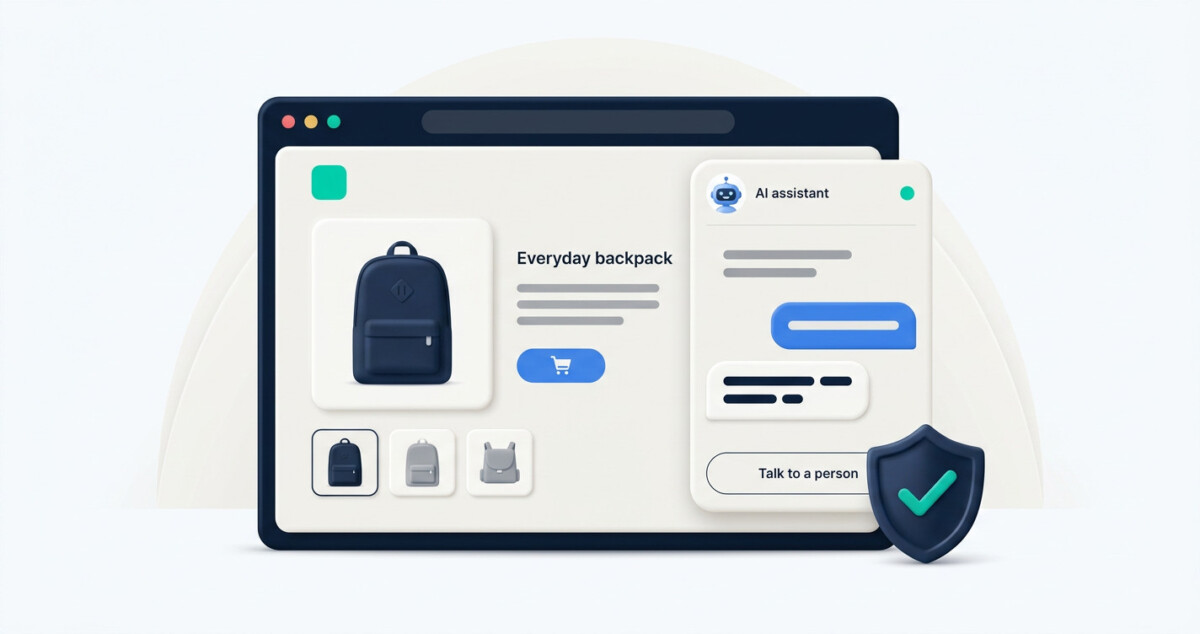
A Shopify AI chatbot works best when it answers from approved store information, identifies itself as AI, hands exceptions to a person, and gets reviewed after launch. Set those boundaries before switching it on; the installation is the easy part.
The useful question is not whether your chatbot can answer a customer. It is whether it knows when it should stop.
An AI chatbot helps a Shopify store when it answers only from the store’s own pages, tells shoppers it’s an AI, passes hard questions to a person, and has its conversations reviewed every week. Set up those four things before it goes live.
Installing a chatbot takes a few minutes these days, since most tools only need a snippet pasted into your theme. Whether shoppers trust it depends on everything around the install.
A chatbot handles the questions your store has already answered somewhere, like shipping times, return windows, sizing and materials, and passes anything that needs a decision to a person.
The easiest way to set its scope is to start from your inbox: pull the 20 questions you get most often by email. For instance, “Where is my order” requests make up about 18% of customer service inquiries, according to Ecommerce Fastlane’s breakdown of WISMO requests. A chatbot can answer most of them by sending the shopper to the tracking page. When a parcel is a week late, though, the shopper needs someone who can talk to the carrier and offer a fix.
| Let the chatbot answer | Hand it to a person |
|---|---|
| How long does shipping to Canada take? | My parcel says delivered, but it isn’t here |
| What’s your return window? | Can I return this after 45 days? |
| Which size fits a 90 cm chest? | Can you make it in a custom size? |
| Where’s my order? (link to tracking) | My order is a week late |
| What is this jacket made of? | Is this safe with my allergy? |
Everything in the right-hand column is a decision, and a chatbot shouldn’t be making decisions on a store’s behalf.
Because your store is responsible for what the chatbot tells customers, and a general-purpose AI model fills gaps with answers that sound right but aren’t yours.
The best-known case is Air Canada’s. In November 2022, Jake Moffatt asked the chatbot on the airline’s website about bereavement fares, and it told him he could apply for the discount after his trip. The airline’s own policy page said the opposite. When he asked for the refund, Air Canada argued it couldn’t be held liable for information provided by its chatbot.
The British Columbia Civil Resolution Tribunal disagreed. In its February 2024 decision, it held the airline responsible for what the chatbot said and ordered it to pay Moffatt CA$650.88 in damages. The amount was small, and the case keeps coming up anyway because of the principle behind it: a wrong answer from the bot counts as a wrong answer from the business.
For a Shopify store, the practical version is to decide exactly what the chatbot is allowed to read. Your policy pages, FAQ and product pages cover most of it, plus one short document for facts that aren’t on the site, like wholesale terms or care instructions for a new material. Outside those sources, the bot should say it doesn’t know.
Some tools are built around that restriction. Elfsight’s AI chatbot, for example, says it answers only from your website, your files and the answers you give it, and keeps a list of the questions it couldn’t answer (that’s the vendor’s own description, and Elfsight is my employer). Whatever tool you pick, the chatbot is only as good as the pages it reads. If your FAQ is thin or out of date, the bot inherits every gap, so it pays to review your FAQ pages before launch rather than after the first confused customer.
In the EU, yes: since 2 August 2026, the AI Act requires chatbots to tell people they’re dealing with an AI, and outside the EU it’s still the better choice for trust.
Article 50 of the AI Act says people must be told they’re interacting with an AI system from the start of the first interaction, unless that’s obvious. The European Commission’s guidance on Article 50 adds that the “obvious” exception should be read narrowly. If you use a third-party chatbot, the obligation sits with its provider, so your part is mostly to check: open your store in a private window, start a chat, and see whether the first message says it’s an AI.
The law is catching up with how customers already feel. In a Gartner survey of 5,728 customers, 64% said they would prefer companies that didn’t use AI for customer service, and 53% said they’d consider switching to a competitor if a company they bought from started using it. Their top worry was that AI would make it harder to reach a person.
Some of that wariness comes from bad bots people have already met. Some of it is much older, rooted in the fears AI stirs up about machines acting on their own. A store can’t do much about the second kind, but it can avoid feeding it.
The practical answer is a bot that introduces itself plainly, with a greeting like “Hi, this is the store’s AI assistant, and I can help with shipping, returns and sizing.” That sets expectations and gives shoppers a reason to trust it within its limits. A human name and a stock photo do the opposite, and the first obviously robotic answer gives the game away.
When the shopper asks for one, when the question needs judgment or access to their account, and after two answers that didn’t help.
Customers are clear about this. In a Gartner survey published in August 2026, 87% of 3,566 customers said companies using generative AI in customer service must offer a way to reach a human agent. At the same time, 50% said AI makes their interactions easier. Shoppers are happy with fast answers from a bot, as long as there’s a way out.
A good handoff starts before the shopper asks for it. The option to talk to a person should be visible from the first message, not revealed after three failed attempts. When the handoff happens, the bot should collect the order number and email first, so the shopper doesn’t have to tell the whole story again.
The bot should also say when a reply will come. “Someone from our team will reply within one business day” is a promise a small store can keep. “An agent will be with you shortly” at 2 a.m. isn’t. Outside support hours, the handoff becomes a contact form, which is fine as long as the bot says so.
The questions the chatbot couldn’t answer and the answers it got wrong, because each one points to a page on your store that needs fixing.
Unanswered questions are the most useful data a chatbot produces. Each one is something a shopper wanted to know that your store doesn’t say anywhere. Adding the answer to your FAQ or product page fixes it for the bot and for every shopper who never opens the chat, and Ecommerce Fastlane’s guide to turning questions into sales covers how to write those answers so they help conversions too.
Wrong answers deserve a closer look than unanswered ones. Trace each one back to the page the bot drew it from. Usually it’s an outdated policy, a sale that has ended, or two pages that say different things. Fix the page, and the bot’s answer fixes itself.
Look for repeats as well. If shoppers keep asking the chatbot about sizing on one best seller, that product page is missing something people need before they buy, which makes it a conversion problem as much as a support one.
For the first two weeks after launch, a daily look is worth the time. After that, a weekly review of about 15 minutes keeps the bot in step with your store.
Ask it your 20 most common questions, then 10 you’d rather nobody asked, and fix whatever fails before a shopper finds it.
The common questions show whether the bot’s sources are complete. The awkward ones show whether it knows where to stop, and that is exactly where Air Canada’s chatbot went wrong: it answered a policy question with a confidence it hadn’t earned.
| Test question | What a pass looks like |
|---|---|
| Do you have a discount code? | Gives only codes you’ve published, or says there isn’t one |
| Can I return this after 60 days? | States your policy and offers a person for exceptions |
| Is this better than [competitor]? | Sticks to the facts about your product |
| Is this safe with my allergy? | Makes no safety claims your pages don’t make, and hands off |
| Do you ship to [a country you don’t serve]? | Says no, clearly |
| Are you a real person? | Says it’s an AI |
| I want to talk to someone | Hands off right away |
Run the test on your phone as well as a desktop, since the chat window behaves differently on a small screen. While you’re at it, check page speed: a chat widget adds a script to every page, so run a product page through PageSpeed Insights before and after installing it and compare the results.
Start with the list of questions, then limit the sources, make the bot say what it is, build the handoff, and put the weekly review in your calendar before launch day. The install itself is the shortest step.
The whole setup is close to onboarding a new support hire. The difference is that this hire works nights and doesn’t mind the fortieth sizing question.
It can. In Moffatt v. Air Canada (2024), a Canadian tribunal held the airline liable for its chatbot’s wrong answer about a fare policy and ordered it to pay damages. The ruling doesn’t set the law everywhere, but it shows how a tribunal can treat a chatbot on a company’s website. Limiting the bot to your own pages and reviewing its answers lowers the risk.
In the EU, since 2 August 2026, chatbots must tell people they’re interacting with an AI from the first interaction, unless it’s obvious. The obligation falls on the chatbot’s provider, so check that your tool’s first message says it’s an AI. Outside the EU, saying so is still the better choice for trust.
It should say so plainly and offer a way to reach a person or leave contact details. Guessing is worse than admitting a gap, because a wrong answer from the bot counts as a wrong answer from your store. Each unanswered question is also worth adding to your FAQ or product page.
A chat widget adds a script to your pages, so it can affect load time. Run a product page through PageSpeed Insights before and after installing the chatbot and compare the results. If the difference is noticeable, check the tool’s loading settings or show it only on the pages where shoppers need it.
Daily for the first two weeks after launch, then about 15 minutes a week. Start with the questions it couldn’t answer and any answers that were wrong, since each one points to a page that needs fixing. Repeated questions about one product usually mean its page is missing something shoppers need.
This article was contributed by Alex Rostovtsev, an SEO & AI search specialist at Elfsight and Beamtrace. Among other things, Alex experiments with how AI systems perceive the web and builds tools based on his findings. You can find more of his work at alexros.tv.




