If you sell on Shopify plus eBay, Etsy, Amazon or TikTok Shop and ship your own orders, the reason to change shipping tools before BFCM isn’t cheaper labels. It’s one order queue, rules that batch the repetitive work, and tracking that syncs back to Shopify automatically.
Peak season rarely breaks shipping because labels cost too much. It breaks it because the same order lives in three dashboards, and someone has to remember which one is true.
Black Friday lands on November 27 this year, which leaves most stores two to three weeks to change anything about how orders leave the building. That is enough time to fix the shipping workflow, but only if you fix the right part of it.
This guide is written for one kind of store: you ship your own orders, and Shopify is not your only sales channel. Maybe Etsy brings in a steady trickle, maybe TikTok Shop took off this year, maybe eBay is where you clear older stock. If that is you, the rest of this piece is a play you can run before the rush. If a 3PL ships everything for you, you can stop here; your label problem belongs to them.
If you sell only on Shopify, price alone is a weak reason to switch shipping tools this close to Black Friday, because Shopify Shipping already gives you deep carrier discounts. Shopify’s own rate calculator guide gives an example of discounts of up to 77% on the Basic plan and up to 88% on Grow and Advanced (as of November 2026). With Shippo, you get up to 90% off retail rates across more than 40 carriers. On a headline basis, that gap is a couple of points, and the real difference on any given label depends on the package, the zone and the service.
Peak pricing also lands on everyone. Supply Chain Dive’s report on 2026 holiday fees shows UPS joining FedEx and USPS with higher peak charges than last year, with many UPS fees at their highest between November 22 and December 26 and active through January 16, 2027. No shipping app removes a carrier surcharge. Whatever tool you use, your average label will cost more in December than it did in September.
The cost that does change with your tooling is time. Here is an illustrative example, assuming a store ships 200 orders a day at peak and spends an extra 45 seconds per order switching between marketplace dashboards, retyping weights and pasting tracking numbers. That is 9,000 seconds, or two and a half hours of someone’s day, every day of the busiest stretch of the year. Your numbers will differ, but the shape holds: the waste in multichannel shipping lives in the clicks around the label, not the label itself.
So run the comparison honestly. Price your five most common shipments in both tools before you decide anything. If the rates come out close, as they often will, make the decision on workflow, which is where the rest of this guide goes.
Multichannel shipping breaks first at the handoff between channels: orders from eBay, Etsy or TikTok Shop sit in separate dashboards, so someone buys labels in each one and copies tracking back by hand. In a normal week, a careful person can juggle that. At three or four times the volume, with a temporary packer helping out, the juggling is where mistakes come from.
The failure patterns are predictable. An order gets a label in two places and ships twice. An Etsy order sits unnoticed until the customer messages to ask where it is. A batch of TikTok Shop orders goes out on time but the tracking gets uploaded a day late, which looks like a late shipment to the marketplace. TikTok Shop sellers in particular work against a two business day dispatch window, which Shippo’s TikTok Shop integration announcement was built around, so a missed upload has a direct cost to account health.
Two honest caveats before going further. First, a shipping platform does not fix overselling. If the same last unit sells on Shopify and eBay in the same minute, that is an inventory sync problem, and it needs its own solution. Second, not every second channel needs to be in the system. If eBay brings in a handful of orders a week, logging in once a day to ship them may be perfectly fine, and adding an integration you will not maintain is just another moving part before peak.
The test is simple. Count how many separate places your team buys labels on a busy day. If the answer is two or more, and the second place carries real volume, the handoff is your weak point, and it is worth closing before Black Friday rather than after.
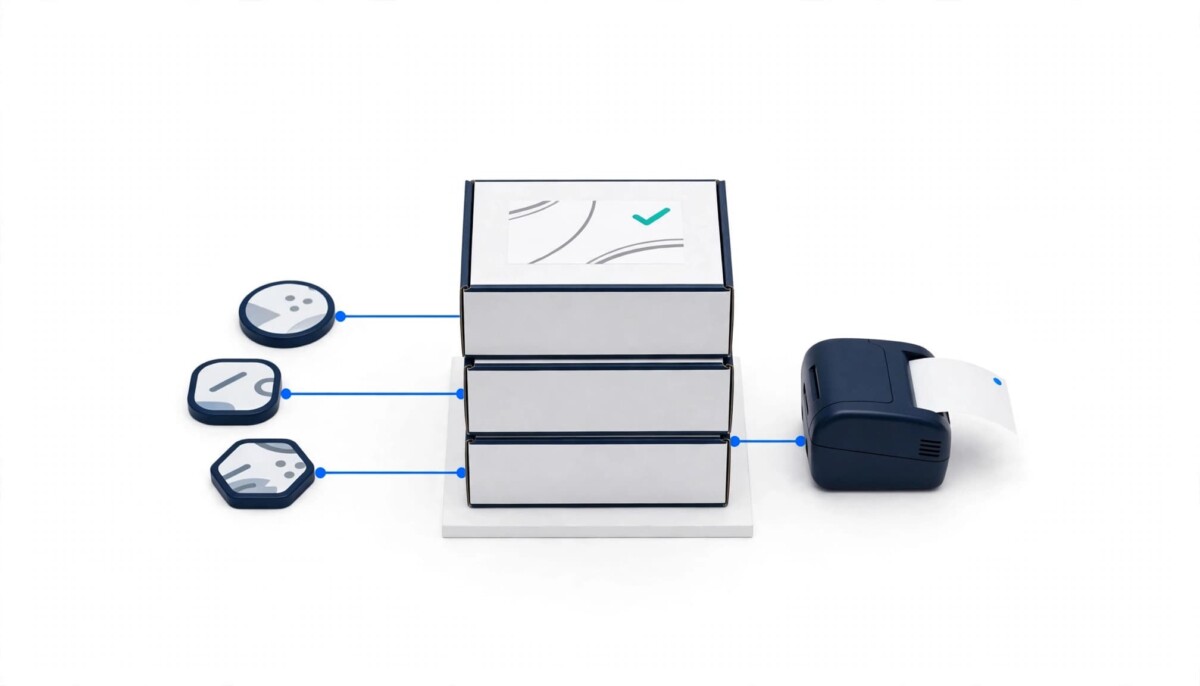
When every channel feeds one queue, you buy every label in the same place, with the same rates, rules and printer, whichever marketplace the order came from. That is the core of what Shippo’s multichannel shipping does: it connects Shopify alongside Amazon, eBay, Etsy, TikTok Shop, Walmart and more than 80 other store integrations, so orders import automatically and fulfillment happens from one dashboard.
The practical change shows up at the packing station. One screen, one set of package presets, one thermal printer setup, and one batch to print each morning. If you are still choosing hardware for the rush, Fastlane’s guide to thermal label printers for Shopify stores covers what to look for in a 4×6 printer that works with shipping apps.
The last row matters more than it looks. Most stores bring in extra hands for the holidays, and every additional tool is something that person has to learn under pressure. Fastlane’s piece on building an efficient ecommerce team makes the case for finishing peak hiring before Q4 starts, and a single shipping workflow makes that new hire useful on day one instead of day four.
Carrier choice is the other quiet win. With rates from many carriers side by side on each order, you can pick the service that fits that specific package rather than defaulting to whatever a marketplace offers. For a deeper look at why that choice matters for margin and delivery promises, see Fastlane’s breakdown of choosing the right shipping carrier in Shopify.
Set up three rules before Black Friday: a default package and service by weight, a carrier or protection choice by destination or order value, and a priority rule for the channel with the tightest dispatch window. Leave everything else until January. Shippo lets you apply shipping rules, route orders by weight, value or destination, and batch print thousands of labels at once, but the value at peak comes from a few rules you trust, not dozens you set up in a hurry.
Here is how that might look for an illustrative store selling candles on Shopify, Etsy and TikTok Shop. These rules are an example, not a recommendation for your products.
Rule one handles the bulk of the queue. Any order under one pound gets the store’s standard mailer preset and USPS Ground Advantage, so most labels need no decisions at all. Rule two protects the expensive orders. Anything over $150 gets signature confirmation or shipping insurance added automatically, because a lost $200 gift set in December costs more than the label, the product and the customer’s goodwill combined. Rule three manages the clock. TikTok Shop orders get grouped and printed first each morning, so the dispatch window is never the thing that slips.
Then the store prints one batch at 9am and a second at 2pm, ahead of the carrier pickup. Two batches a day is a rhythm a temporary packer can learn in an afternoon.
Why stop at three? Because every rule is a decision you made in advance, and a rule you have not tested on real orders will be wrong at the worst possible moment. A rule that misroutes ten orders a day in October misroutes forty a day on Cyber Monday. Branded tracking pages, rate shopping rules for every SKU and international routing are all useful, and Shippo supports them, but they are January projects for most stores. The goal for the next three weeks is fewer clicks per label with no new surprises.
Two-way sync matters because it keeps Shopify as the single source of truth: when you buy a label in Shippo, the tracking number and fulfillment status write back to the Shopify order, so your customers and your support team see the same thing. When someone emails to ask where a package is, whoever answers can open the Shopify order and find the tracking number already there, whichever tool printed the label.
According to Shippo’s guide to using Shopify with Shippo, you turn this on under Settings, then Stores, by checking the option to sync tracking numbers and mark orders as fulfilled in Shopify. A second option triggers your Shopify shipping confirmation email when the order is marked fulfilled. Pick one notification source, either Shopify’s email or Shippo’s, so customers do not get two messages for the same package.
The same guide lists the conditions that quietly stop sync from working, and they are worth checking now rather than on Black Friday morning. Every item in your Shopify inventory needs to be set to manual fulfillment. Your sender address must be a location imported from Shopify, because if you ship from a different address the tracking will not post back, and inventory must be assigned to that location. Orders with items fulfilled by a third party, and partially fulfilled orders, are exceptions to automatic fulfillment, so a store that splits orders between its own shelf and a fulfillment partner needs to know which orders will need a manual check.
Run five real orders through and confirm the tracking appears on each Shopify order before you trust it with five hundred. That one check prevents the most common peak season support headache: a customer with a tracking email, a Shopify order marked unfulfilled, and an agent who cannot tell which is right.
The support question to ask any shipping tool before peak is simple: when a label fails or a carrier rejects an address at 4pm on Cyber Monday, who answers, and do they know shipping? A general help desk can reset a password. It usually cannot tell you why a carrier is rejecting a dimensional weight or how to reroute a batch around a missed pickup.
Shippo’s support team is made up of shipping specialists, available through email and live chat, and that matters most in exactly the week you can least afford to wait. Still, the best support call is the one you never need to make, so put a short failure plan on paper before the rush.
Know your daily carrier pickup times and the last batch time that still makes them. Save the support contact somewhere your packers can find it without asking you. Decide in advance what happens if a carrier service goes down: which alternative service you switch to, and who is allowed to make that call. And for Shopify orders specifically, remember that Shopify Shipping stays available in your admin, which gives you a fallback for your largest channel if you ever need one.
Shipping is one part of a wider pre-BFCM checklist. If you have not yet thought about what happens when a bulk product edit goes wrong the week before Black Friday, Fastlane’s guide to protecting your Shopify store before BFCM covers the other kind of undo button you will want ready. And if you are still finalizing promotions, its companion on stacking Black Friday offers on Shopify explains how discounts, including free shipping thresholds, combine at checkout.
It is not too late if you start this week: two weeks is enough to connect your channels, set three rules and run real orders through before Black Friday on November 27. If you cannot finish a full test week before Thanksgiving week begins, stay with what you have for the holidays and make the switch in January, when a mistake costs a few orders instead of a few hundred.
The plan, in order:
How far you take this depends on where you are. If you ship a few orders a day across two channels, steps one and two plus a single weight rule are enough this year. If you are shipping hundreds of orders a day, all five steps matter, and the batch schedule is where you will feel the difference. And if your volume has grown past what your team can pack, the real decision is not which shipping tool to use but whether to bring in fulfillment help; Fastlane’s guide to choosing a 3PL provider is the place to start that conversation, ideally in the new year.
If you decide to try it, new accounts can sign up for Shippo free and get $25 in credit after spending their first $25 on labels, with up to 90% off retail rates from day one and no volume requirements to get started.
Shippo can be cheaper on some labels, but the difference is usually small, so price alone should not drive the decision. Shopify’s own example shows discounts of up to 77% on the Basic plan and up to 88% on Grow and Advanced, while Shippo offers up to 90% off retail rates across more than 40 carriers. The real gap on any label depends on the package size, weight, destination zone and service. The best approach is to price your five most common shipments in both tools. If the rates come out close, decide on workflow instead: whether you sell on more than one channel, how many repetitive steps each label takes, and whether tracking needs to sync back to several marketplaces.
Yes, Shippo connects Shopify alongside eBay, Etsy, TikTok Shop, Amazon, Walmart and more than 80 other store integrations, so orders from every channel import into one dashboard. You buy labels for all of them in the same place, with the same package presets, rules and printer. That matters most at peak, when switching between marketplace dashboards adds time to every order and creates room for mistakes like double shipping or missed orders. One limit to know: a shipping platform manages labels and fulfillment, not inventory, so if the same unit can sell on two channels at once, you still need a separate inventory sync to prevent overselling.
Yes, Shippo can send the tracking number back to Shopify and mark the order fulfilled automatically when you buy a label, once you turn on the sync setting under Settings, then Stores. A second setting can trigger your Shopify shipping confirmation email. For sync to work, every item must be set to manual fulfillment in Shopify, and your sender address must be a location imported from Shopify with inventory assigned to it. Orders with items fulfilled by a third party, and partially fulfilled orders, are exceptions. Test five real orders and confirm tracking shows on each Shopify order before peak volume arrives.
You should switch before Black Friday only if you can finish a full test week first; otherwise, wait until January. A switch that starts in early November leaves time to connect channels, check sync settings, build a few rules and ship real orders through the new workflow while the old one stays available. A switch made during Thanksgiving week leaves no room to catch a misconfigured rule or a sync setting that silently fails. For Black Friday on November 27, 2026, that means starting setup in the first half of November and freezing settings a few days before the rush.
Usually not, because when a 3PL packs and ships your orders, it buys the labels through its own systems and carrier contracts. Your label workflow is already outsourced, so a shipping platform has little to fix. The exception is a hybrid setup, where a 3PL handles most orders but you ship some yourself, such as oversized items, custom orders or a marketplace the 3PL does not support. In that case, a shipping tool can handle the orders that stay in house. Note that Shopify sync treats items fulfilled by a third party as an exception, so check how your mixed orders will flow before peak.