
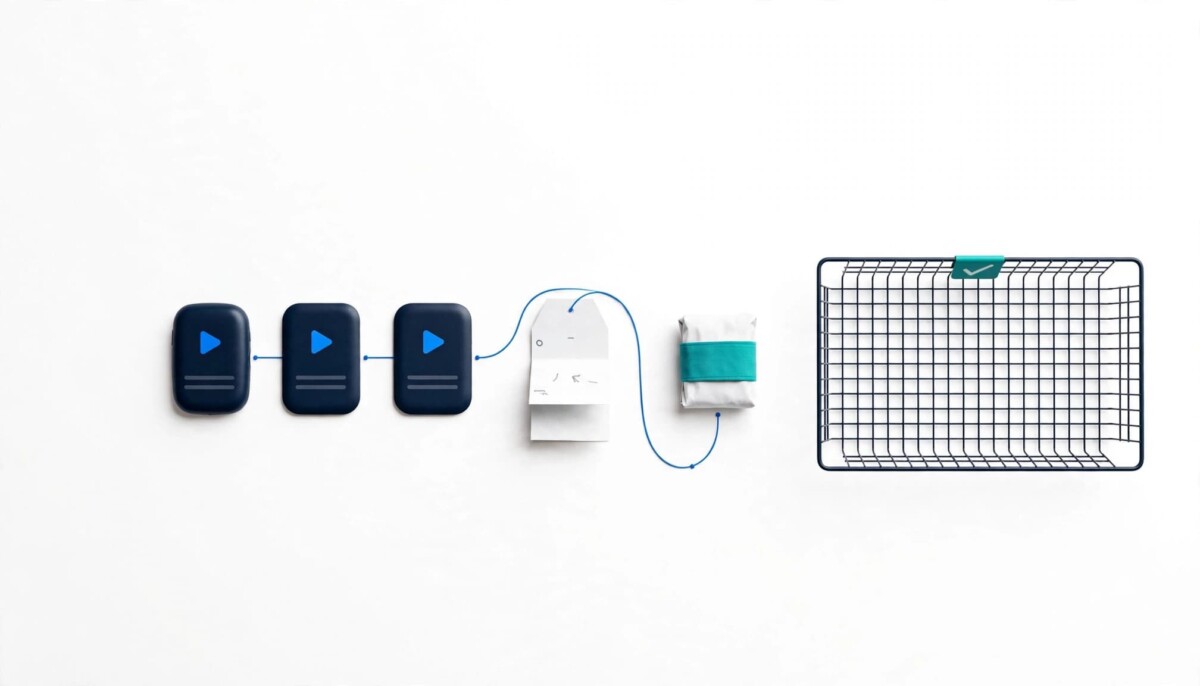
Shopify brands can turn their most repeated support answers into 20 to 45 second lip-synced avatar videos and place them where each question comes up: product pages, order emails and help articles. Start with stable, high volume questions, keep every video identical to written policy, and measure tickets per order.
Most brands make video to sell. The brands that quietly win peak season also make video to answer, and they measure it in tickets that never get opened.
Support teams answer the same questions every peak season. Where is my order, does this run small, how do returns work, will it arrive before the holidays. An AI Avatar Generator lets a Shopify brand turn those repeat answers into short, lip-synced talking videos that sit on product pages, in emails and inside support replies, so the answer reaches shoppers before they open a ticket.
With Black Friday landing on November 27 this year, the window to build that library is about four weeks. That is enough for a focused set of answers, and not enough for a sprawling video project. This playbook is built for the focused version.
FAQ videos are worth building before BFCM because peak season concentrates a month of repeat questions into a few days, and short video reaches the shoppers who never scroll to your written FAQ. Those shoppers message you instead, which costs agent time exactly when it is scarcest.
Video meets shoppers where they already look. According to Wyzowl’s State of Video Marketing report, “96% of people have watched an explainer video to learn about a product or service,” and “63% of people would most like to learn about a product by watching a short video.”
The same research carries a useful reality check. In the 2026 edition, 57% of video marketers say video has reduced support queries, while every other benefit Wyzowl tracks (brand awareness, user understanding, leads, sales, traffic) sits at 82% or higher. That gap is the opportunity here: most brands make videos to sell, not to answer. A focused set of FAQ videos aimed at your actual ticket drivers is a different job, and it should be measured differently, by tickets avoided rather than views.
The timing also matters for your support team. Peak season is when response times slip and shoppers lose patience, and the usual preparation (extra staff, tighter macros, longer hours) only scales so far. Self-serve answers are the lever that does not need more headcount, which is why guides to improving customer support quality during BFCM treat self-service and FAQ content as a core lever. Video is simply the format that more shoppers will actually watch.
If you want the broader picture of where avatars fit across a store, the site’s guide to AI avatars for Shopify covers product pages, onboarding and more. This playbook stays on one scenario: support content.
The questions that deserve a video first are the ones that are frequent, stable and answerable in under a minute, and your own ticket data decides which those are, not a template. Export the last 90 days of tickets from your helpdesk and group them by tag or topic. Then pull your return reasons from wherever you log them.
Good first candidates usually fall into four buckets. Order and shipping questions cover delivery windows, holiday cutoffs, tracking and international duties. Size and fit questions cover how a product runs, how to measure and what to do between sizes. Returns and exchanges questions cover the window, the process and who pays shipping. Product use and care questions cover setup, washing, refills and compatibility.
Rank each question by volume, then cross out anything that changes often. A promo-specific answer that expires on December 2 is a poor fit. “We ship in 1 to 2 business days” is a great fit, as long as you are confident it holds through peak. Order tracking deserves its own look, because “where is my order” is often one of the largest categories, and a video only helps if the underlying tracking emails are already doing their job. If they are not, start with the fixes in this guide to reducing WISMO requests before you film anything.
Return reasons deserve special attention. If “too small” leads the list for a hero product, a 30-second fit video on that product page targets the problem before the order happens, not after. That is the same logic behind most ways to reduce ecommerce product returns: set accurate expectations on the page and fewer orders come back.
Stage matters here. A store doing $20K a month might have three questions that drive most tickets, and three videos is a complete project. A brand doing $1M a month may have twenty, split across several product lines, and should still start with the top five and expand only what moves the numbers.
A 20 to 45 second FAQ script runs roughly 50 to 110 words, which assumes a conversational pace of about 150 words a minute, and that is enough for one question and one clear answer. Two questions in one video means neither gets remembered.
Use a simple four part structure:
Pull wording straight from your best support macros. Your agents have already tested those phrases on real customers, and the macros that get the fewest follow up replies are the best raw material you have. Read each script aloud before production. Anything that makes you stumble will make the avatar sound stilted too.
Keep numbers and policies identical to your written FAQ and policy pages. A video that says “30 days” while your returns page says “14 days” creates the exact ticket you were trying to prevent. The simplest control is to keep every script in one shared document with a link to the policy page it mirrors, so whoever owns policy can check both in one pass.
Step three is where most of the value sits. The restated question and the direct answer are what a shopper expects; the one extra detail is what stops the second message. For a shipping video, that detail might be the order cutoff time. For a returns video, it might be who pays return shipping. If you cannot name the detail that prevents the follow up ticket, the question may not be worth a video yet.
The right presenter for support videos is one that clearly speaks as the brand: a consented founder or team member photo, a brand mascot, or an illustrated or 3D character. The presenter is the face of your support team, so the choice signals tone.
A founder or team member photo is familiar and personal, and it suits small brands where the founder already appears in marketing. Get written consent and use a clear, front-facing image. A brand mascot is strong for playful categories like pet supplies, snacks or kids’ products, and a mascot also never leaves the company. An illustrated or 3D character is a neutral middle ground that can match your visual identity without tying support content to one person, which matters for growing teams where staff change.
Whichever you choose, the presenter speaks as the brand. It should never pose as a customer, give a “testimonial” or imply a real buyer’s experience. The FTC’s final rule banning fake reviews and testimonials, announced in August 2024, covers reviews that misrepresent that they are by someone who does not exist, such as AI-generated fake reviews, and a synthetic face saying “I love these joggers” sits squarely in that territory. “Here’s how our sizing works” does not.
Consistency matters more than polish. Pick one presenter for the whole FAQ set so shoppers learn to recognize it as the brand’s support voice. Switching faces between videos makes the library feel like a collection of ads rather than a help system.
An AI avatar generator turns a single image and a typed script into a lip-synced talking video, which removes the filming step that stalls most FAQ video projects. Filming 15 short clips used to mean scheduling a shoot. With an AI Avatar Generator, the workflow becomes closer to editing a document.
You start from a single image: a founder photo, an avatar from a built-in library or an illustrated or 3D mascot. Then you type the FAQ script, or upload audio someone on your team has already recorded, and the lip-synced video is ready to download a few minutes later. Face styles in the Fish Audio AI Avatar Generator range from photorealistic people to anime characters, 3D mascots and illustrations, so the presenter can match your brand rather than a generic stock face.
Check the plan before you build. As of October 2026, Fish Audio’s free plan covers avatar portrait images for personal, non-commercial use, while talking avatar video generation and commercial use sit on its paid plans. The same rule of thumb applies to any talking avatar tool you evaluate: confirm commercial rights on the plan you are paying for, whether captions can be exported, and how quickly you can regenerate a single changed line.
The real benefit is iteration. When your shipping cutoff changes, you edit one line and regenerate instead of rebooking a shoot. AI makes that kind of revision cheap. It will not rescue a confusing returns policy, though, so fix the policy first.
Producing FAQ videos in batches over three short sessions keeps the project from eating your week and keeps the set visually consistent. On day one, finalize 10 to 15 scripts in one shared document, approved by whoever owns support and policy. On day two, generate every video with the same presenter, framing and background so the set feels like one library. On day three, add burned-in captions, a small brand bug and a closing card that points to the written policy.
Captions matter more than many teams expect. Product page videos often autoplay muted, and a talking photo with no captions communicates nothing without sound. Captions are also an accessibility baseline: the W3C’s guidance on captions for prerecorded video sets them as a baseline success criterion for prerecorded video with audio, so a captioned FAQ library serves shoppers who are deaf or hard of hearing as well as shoppers scrolling on a train.
Name every file by topic and version, for example “returns-window-v2”. When a policy changes, you will want to find and replace one video in minutes, not hunt through a folder of identical thumbnails. A simple tracker with the question, the script, the placement and the date it last matched policy is enough at most stages.
If you are a small team, the three sessions can fit inside one week alongside normal work. A larger brand with several product lines can run the same rhythm per line, but it is worth finishing one line completely, placed and measured, before starting the next.
FAQ videos should live at the exact moment each question comes up, with one primary metric per placement so you can tell whether each video prevented tickets or just exists. A sizing answer belongs next to the size selector, not on a help page three clicks away.
Support replies are the sixth placement. Add the video link to your existing macros so agents answer faster, and the shopper gets a clear visual answer instead of a wall of text. This one is often the quickest win, because it needs no theme changes at all.
Keep the written answer next to every video. Shoppers who prefer reading, shoppers on slow connections and search engines all rely on the text, and the video should say the same thing the text says. On a product page, a short collapsible FAQ block with the video at the top and the written answer underneath covers both.
To measure whether FAQ videos work, record a baseline before anything goes live and then change one placement at a time. Record tickets per 100 orders for each topic you cover, plus product page conversion and return reasons for the products that get videos.
Tickets per 100 orders is the fairest measure during peak, because raw ticket counts rise with order volume whether or not your videos are working. If shipping tickets climb from 40 to 60 a day while orders double, your rate actually fell, and that is the number to report.
Change one placement at a time. If you add a fit video and a new size chart to the same product page in the same week, you will not know which one moved the numbers. Where your theme or apps allow it, A/B test the video block on a few high-traffic products.
Watch for second-order effects too. A good digital presenter on a product page can lower fit-related returns even if conversion stays flat, and that still pays off in margin. Review results two weeks after peak, retire videos that show no movement and rewrite the ones with high views but unchanged ticket counts. A video with plenty of views and no change in tickets usually means the script answered a slightly different question than the one shoppers are asking.
Localized FAQ videos help most where your support team does not speak the shopper’s language, because questions about duties, delivery times and sizing conversions multiply with every market you sell into.
Write a master script in English, then adapt the facts per market before translating: duty rules, carrier names and delivery windows differ by region. Generate each version in the local language with lip sync AI so the mouth movement matches the new audio. The tool covered above supports more than 30 languages, which covers most storefronts a growing DTC brand runs.
For a deeper look at the dubbing side, see this guide on turning one product video into 50 localized ads. Always have a native speaker review policy wording before publishing, since a mistranslated return window becomes a dispute.
Sequence matters. Localize only the videos that have already proven themselves in your primary market. A video that did not move tickets in English will not move them in German, and every extra language multiplies the work of keeping policy wording current.
Label every AI presenter clearly, with a short on-screen line such as “AI-generated presenter” or a caption note under the video, because shoppers trust support content precisely because it comes from the brand. For most stores, that one line is enough.
Labelling also keeps your team honest about use. AI video avatars belong in explanations, instructions and policy walkthroughs, where the brand is speaking. They do not belong in reviews, user-generated content sections or anything that implies a real customer.
Disclosure costs almost nothing and protects the asset you are building. A shopper who later learns an unlabelled presenter was synthetic may start to doubt the answer as well as the face. A shopper who saw the label from the start judges the video on whether it answered the question, which is the only test that matters for support content.
An FAQ video should run 20 to 45 seconds, which is roughly 50 to 110 words at a conversational pace. That length fits one question, one direct answer, one detail that prevents a follow up ticket and one next step, such as pointing to the size chart below the video. Anything longer usually means the script is trying to cover two topics, and shoppers tend to remember neither. If you find a script running past 45 seconds, split it into two videos and place each one where its own question comes up.
The first video should go to the topic with the highest ticket volume that also has a stable answer. For many stores that is shipping times or order tracking, but your helpdesk export decides, not a template. Export the last 90 days of tickets, group them by tag, and cross out anything that changes often, such as promo terms. Then check your return reasons, because a fit question on one hero product can outrank a general shipping question once returns are counted alongside tickets.
Yes, a founder photo can be used as the presenter, as long as the person has given written consent. A clear, front-facing photo with even lighting works best for lip sync. Founder presenters suit small brands where the founder already appears in marketing, because shoppers recognize the face. For growing teams, a brand mascot or illustrated character can be a safer long term choice, since it does not depend on one person staying with the company or staying comfortable with the use.
No, FAQ videos do not replace the written FAQ page. Keep the written version for search engines, accessibility and shoppers who prefer reading or are on a slow connection. The AI spokesperson video sits next to the text and should say exactly the same thing, with the same numbers and policy terms. When a policy changes, update the written answer and regenerate the video in the same pass, so the two never drift apart and create the confusion you were trying to remove.
No, an AI presenter should not share a product review or testimonial. It should speak as the brand and explain policies or products. Presenting a synthetic face as a happy customer risks breaking the FTC’s final rule on fake reviews and testimonials, which covers reviews that misrepresent that they are by someone who does not exist, including AI-generated ones. Keep avatars in explanations and walkthroughs, label them as AI-generated, and leave reviews to real buyers.
A small team should start with its top five ticket drivers this week, one script for each, produced in a single session. Place each video where its question comes up, record tickets per 100 orders for those topics before launch, and measure for two weeks. Expand only what moves the numbers. A handful of focused answers from an AI Avatar Generator, ready before peak, beats a large library that arrives in January after the busiest weeks of the year have already passed.




