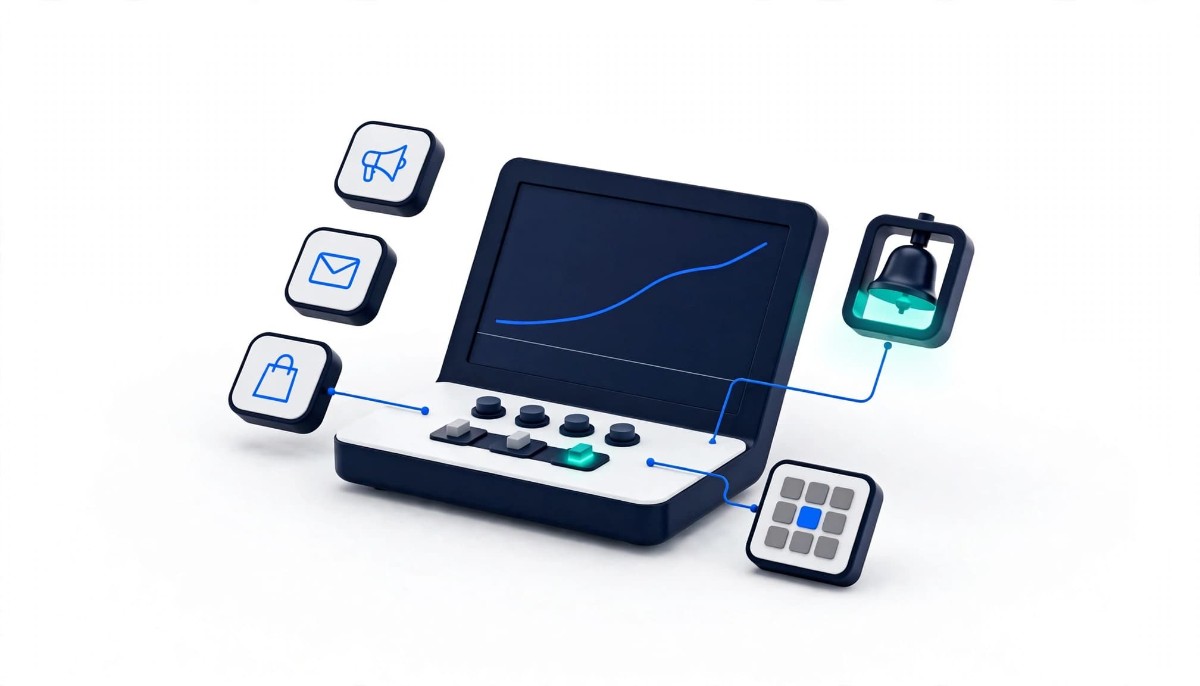
The most useful thing a free BFCM dashboard can do is not make decisions for you. It is to tell you, at 10am on Black Friday, that you are 10% behind the plan you wrote in calm weather.
A free BFCM command center matters right now because brands make the most costly Black Friday decisions in the first few hours, and most teams make them by flipping between five ad and email dashboards that each claim a different version of the truth. Black Friday falls on November 27 this year. Most brands will lock their apps and theme well before then, so the window to set anything up is the next week or two, not Thanksgiving week.
Now, I asked Anthony DelPizzo, VP of Marketing at Triple Whale, on episode 497 of the podcast, Your BFCM War Room Needs an AI Teammate, about exactly this timing. My worry was the code freeze. As I put it to him, “At some point there’s going to be a code freeze both on Shopify and all the apps.” He said now is a good time to connect, and that everything he walked through, including the BFCM Command Center, is free for new and existing users. That changes the decision for many brands in the $1M to $20M range. The question is no longer whether to pay for a holiday tool. It is whether an afternoon spent writing a plan and setting alerts is worth it, and what to leave off.
Triple Whale’s BFCM Command Center is a seasonal workspace inside the Triple Whale platform that combines a BFCM plan built from your prior year data, live tracking of performance against that plan, monitoring of competitors’ Meta ads, and Moby, Triple Whale’s AI assistant, which recommends and can carry out changes. On the show, Anthony described it this way: “We launched an AI-powered BFCM command center that gives teams one place to plan, monitor, and optimize your holiday strategy.” The October 2026 product update from Triple Whale lists it as available on all plans, as of November 2026.
The name causes confusion because Triple Whale ran a different BFCM offer last year. The 2025 version, which Smart Marketer walked through as the BFCM Workspace, combined three planning agents, prebuilt dashboards such as Mission Control and Hourly Performance, and Moby’s chat. AdLeaks covered the 2024 BFCM templates and prompts library before that. If you read either, treat them as history. Here is how the three things differ as of November 2026:
The standard Triple Whale free plan is the ongoing product: first and last click attribution, live blended metrics, web analytics, a basic post-purchase survey, up to ten users and 12 months of data, with Moby listed as a paid feature. The Command Center sits on top of it for the season. Anthony was explicit that the seasonal access goes further than usual: “Set up those automations for free, which normally are part of a paid plan, but we’re giving everyone automations during BFCM as well as the ability to take actions.”
The four parts of the BFCM Command Center that change outcomes are the plan baseline, pacing alerts, competitor ad monitoring, and approved actions, in that order of importance for most brands. Here is what each does, what it gets you, and what it needs to work.
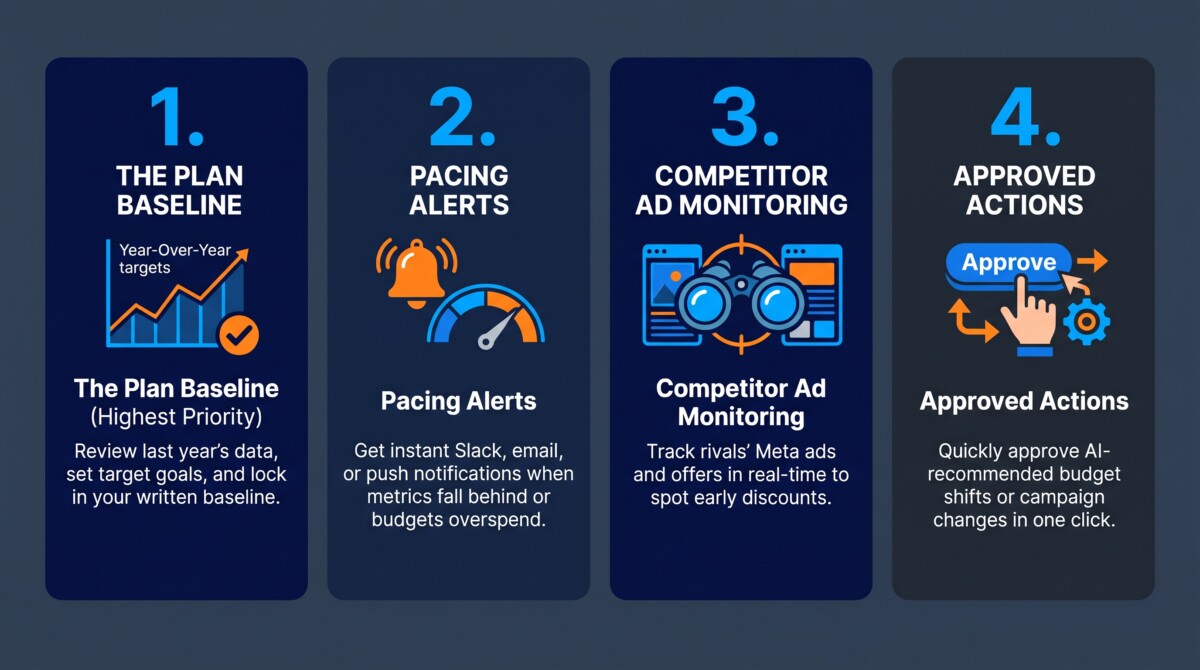
The Plan Baseline. Pull in last year’s BFCM results (revenue, orders, AOV, and revenue by channel) and set this year’s targets and channel budgets beside them. Anthony described feeding Moby your goal, whether that is maximum profit, new customers,s or repeat purchases, then pressure-testing plans before you commit to targets for ROAS, repeat purchase rate, and new-customer ROAS. The outcome is a written plan your team agrees on before the rush. It needs clean historical data from Shopify and every ad and email platform you connect, so the more integrations you add, the better the baseline.
Pacing Alerts. Once your sale starts, the live tracking tab shows how you are pacing against each target, and you choose what triggers an alert. Anthony gave four examples on the show: “So, say if you want to alert when revenue falls 10% behind plan, or if channel overspend is above 20% of your daily budget.” He added an AOV floor and stock cover below a set number of days. Alerts can go to Slack, push,h or email. I’d set this up even if I ignored everything else, because it replaces the person refreshing dashboards every 20 minutes.
Competitor Ad Monitoring. The 2026 version adds a view of the Meta ads, offers, and landing pages that competitors you follow put into market, according to the BFCM Command Center page. It helps you spot when a rival drops a deeper discount early. It is also the easiest part to overwatch. Pick three competitors, check once a day, and don’t rewrite your offer just because someone else changed theirs.
Approved Actions. When pacing slips, Moby recommends changes, such as raising a campaign’s spend by 40% or shifting budget between channels, and you can approve them from the same tab so Moby can execute them. Anthony also mentioned free ad credits for testing new channels through Triple Whale’s partnerships. The capability needs connected ad accounts with edit permissions and someone available to approve.
For a typical $3M Shopify brand, the right setup is one plan, four alerts,s and approval on every action, started this week so you have time to check the imported numbers before the sale. To make that concrete, here is an illustrative example, a composite rather than a real store, assuming last year’s BFCM weekend did $240K in revenue at a $95 average order across Meta, Google,e and Klaviyo.
Start by connecting Shopify, Meta, Google, and Klaviyo through the Shopify App Store install or the Triple Whale BFCM page; Anthony said both lead to the same onboarding. Invite the two or three people who will actually be on shift that weekend. Then open the plan and enter last year’s numbers as your baseline: $240K revenue, roughly 2,500 orders, a $95 AOV, and your blended ROAS for those four days.
Set the target from the business, not the tool. If inventory and margin support 15% growth, that is $276K. Split the paid budget by channel based on last year’s attribution, then add each campaign’s start and end dates to the plan. Now set the alerts. In this example, set alerts for revenue more than 10% behind plan by noon on Black Friday, any channel spending more than 20% above its daily budget, AOV dropping below $85, and stock cover on your top five products falling below ten days. Those four cover the failures that hurt most on a peak weekend: an offer that is not converting, a runaway campaign, discounting that is eating your order value, and selling out of what is working.
What I would leave out is just as important. I would not let Moby act on its own, whatever level of autonomy your account offers this season. Anthony described an autonomy ladder on the episode, from approving every action up to full autonomy, and the sensible place for a team using it for the first time is the bottom rung: Moby recommends, a person approves. I would also skip building new custom dashboards. The whole point is to stop adding views during the busiest week of the year. This is the same instinct behind Fastlane’s 20-minute Shopify app audit before Black Friday: fewer moving parts in November, not more.
The BFCM Command Center is a poor fit for brands without last year’s data in good shape, and for teams already running BFCM from another analytics platform, because its value depends on the history and integrations you bring to it. A few limits are worth knowing before you connect anything.
First, a tracking pixel only records visits from the day it is installed. Triple Whale imports historical order and ad platform data through its integrations, which builds the plan baseline, but the multi-touch view from its pixel starts when you install it. A brand connecting for the first time three weeks before Black Friday plans off imported platform history, not Triple Whale’s own attribution from last year.
Second, the free plan offers a 12-month data lookback, while Anthony talked about comparing last year and the year prior. Last year’s BFCM weekend sits inside that window when you build your plan this month, but it starts to age out of a rolling 12-month window during this year’s sale, and a two-year comparison may not be there at all. Build the baseline now, save or export last year’s numbers, and check inside your account what stays visible through Cyber Monday.
Third, seasonal access is seasonal, and the terms after the holiday are not published. Anthony said automations and actions are included during BFCM, while the free plan page still lists Moby as a paid feature. Ask Triple Whale what happens to anything you set up once the season ends, and use the season to decide whether the platform earns a place, not as a reason to keep it by default.
If it is not a fit, there are honest alternatives. Under $500K on one channel, Shopify’s built-in analytics and Live View will show you sales as they land, and that is enough. If your team already lives in Polar Analytics or Northbeam, keep BFCM there; switching tools three weeks out adds premature complexity, which I warn merchants about all the time. Fastlane’s full Triple Whale review compares paid plans.
Disclosure: Triple Whale is a sponsor of the eCommerce Fastlane podcast, and this spotlight and the BFCM Command Center banner on this site are part of that partnership. It does not change the advice above, including the parts that tell you not to use it.
This week, decide whether you will run BFCM from one plan with alerts, and if so, connect your data and write that plan before your code freeze starts. Connecting accounts is quick. Checking that the imported numbers match Shopify and agreeing on the targets takes time, so start there.
If you are under $1M, write your BFCM targets on one page: revenue, orders, AOV,V and ad budget by day, and watch them in Shopify. You do not need a new platform to know you are behind. If you are between $1M and $20M and running two or more paid channels, the Command Center is worth an afternoon this week: connect your data, check last year’s numbers against Shopify, set the four alerts, keep actions on approval, and check the margin side with Fastlane’s guide to POAS vs ROAS and break-even ROAS before you raise budgets. If you are larger and already measure through another platform, I’d test competitor ad view alongside your existing setup.
Other coverage worth your time: Eric Bandholz’s piece in Practical Ecommerce, Triple Whale’s Moby AI Gets Things Done, explains how Moby builds a BFCM plan from a single prompt, and the DTC Podcast’s BFCM 2025 recap with Triple Whale covers what the live data showed last year, including the Shopify outage. For a brand that turned skeptical attribution into a scaling decision, see how Origin tested a Meta ROAS in the twenties before scaling spend, and for the thinking behind the AI side, my earlier conversation with co-founder Maxx Blank on episode 467, From Dashboards to Doing.
Yes, Triple Whale’s BFCM Command Center is free for new and existing users for BFCM 2026, as of November 2026. Anthony DelPizzo, VP of Marketing at Triple Whale, said on episode 497 of the eCommerce Fastlane podcast that it is entirely free and that automations and Moby actions, normally part of paid plans, are included during BFCM. Triple Whale’s October 2026 product update lists the Command Center as available on all plans. Triple Whale has not published what happens after the season, and the standard free plan still lists Moby as a paid feature, so check before you rely on any automation past BFCM.
The BFCM Command Center is a seasonal planning and live tracking workspace, while the Triple Whale free dashboard is the ongoing free plan. The free plan includes first- and last-click attribution, live blended metrics, web analytics, a basic post-purchase survey, up to 10 users, and 12 months of data. The Command Center adds a BFCM plan built from last year’s results, pacing alerts against that plan, competitor Meta ad monitoring,g and Moby recommendations you can approve. Last year’s version was called the BFCM Workspace and had a different set of agents and dashboards.
It is not too late to set up the BFCM Command Center before Black Friday on November 27, 2026, as long as you do it before your own code freeze. Connecting Shopify, Meta, Google, and Klaviyo imports the history the plan needs, and writing targets and alerts takes an afternoon once the data is in. You can’t get a year of Triple Whale pixel history in three weeks, because a tracking pixel only records visits after it is installed. Plan off imported platform data, keep Moby’s actions on approval, and leave structural attribution changes for January.
The alerts worth setting for BFCM are revenue falling behind plan, a channel overspending its daily budget, AOV dropping below a floor, and stock cover running low on your best sellers. Triple Whale’s Anthony DelPizzo gave examples on the podcast of alerting when revenue falls 10% behind plan, or channel spend runs 20% over its daily budget. Set the AOV floor slightly below last year’s average order, and set stock coverage to enough days to reorder or swap the hero product. Send alerts to the Slack channel or phone of whoever is actually on shift.
Most brands should not let Moby make changes automatically during BFCM if this is their first season using it. Triple Whale offers an autonomy ladder from approving every action to full autonomy, and approval mode still gives you the speed of ready-made recommendations without handing over the budget on the highest-spend weekend of the year. Brands that have already run Moby with clear guardrails for months are in a different position. For everyone else, approve each change, watch the result, and decide in January how much control to hand over.