
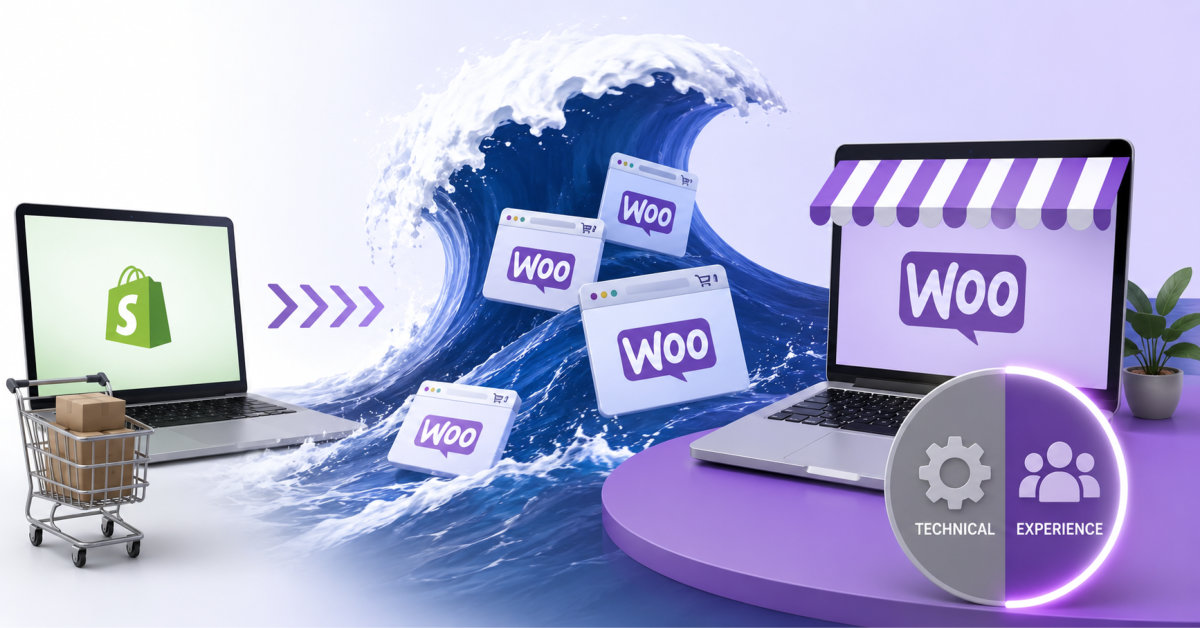
A WooCommerce to Shopify migration is only successful when it pairs clean data transfer with deliberate conversion‑rate optimization, turning the platform switch into a chance to improve checkout performance instead of just moving existing leaks to a new system.
If you treat WooCommerce to Shopify as a data‑transfer project, you keep the same leaks in a more expensive bucket; treat it as a conversion project with a migration attached, and the move pays for itself.
WooCommerce still runs a huge share of ecommerce. Depending on whose crawl you trust, it powers somewhere between 33 and 39 percent of all online stores by count, according to BuiltWith and StoreLeads data compiled through 2026. But narrow that view to the top one million highest-traffic ecommerce sites, and the picture flips. Shopify leads that segment at roughly 29 percent, with WooCommerce trailing near 18 percent. Store count and store scale are telling two different stories, and the gap between them is where a lot of founders currently sit: running a WooCommerce operation that has outgrown the platform’s comfort zone, staring at a Shopify migration, and treating it as a data-transfer problem.
It is not a data-transfer problem. It is a conversion problem wearing a migration costume.
Ask ten agencies what a WooCommerce to Shopify migration involves and nine will start with the catalog. Products, variants, customer records, order history, the mechanics of getting data from one database into another. That part is genuinely solvable. Shopify’s own migration documentation walks through the CSV import paths, the Store Migration app, and the redirect tooling built into every plan, standard stores support up to 100,000 URL redirects out of the box.
The part that gets skipped is what happens after the data lands. A WooCommerce store carries years of accumulated checkout friction: plugin-stacked carts, custom fields nobody remembers adding, a mobile experience that was patched together plugin by plugin rather than designed once. None of that friction migrates automatically to a better state just because the underlying platform changed. If your WooCommerce checkout was losing 74 percent of carts before the move, and the average ecommerce site loses roughly 70 percent according to Baymard Institute’s meta-analysis of checkout studies, a clean data migration alone will not fix that number. You will have moved the leak to a nicer-looking bucket.
This is the part most migration vendors are not built to catch, because migration and conversion optimization are usually sold as two separate line items by two separate teams, sometimes at two separate agencies. The brands that come out ahead treat the move as one project with two outcomes: the store moves, and the store converts better than it did before, measured against a real baseline, not a vibe.
Product data, customer accounts, and order history move cleanly in most cases, whether you use Shopify’s native tools or a specialist. What does not move cleanly:
Passwords never transfer between platforms, by design, on any ecommerce system. Every migrated customer needs a password reset flow on day one, and if that flow is clunky, you will lose repeat buyers in the first week for a reason that has nothing to do with your product.
URL structure changes even when your product names stay identical. WooCommerce lets you build almost any permalink structure you want. Shopify locks the prefixes: /products/, /collections/, /pages/, /blogs/. That mismatch is exactly where organic traffic gets lost if redirects are treated as a post-launch cleanup task instead of a pre-launch requirement. A detailed WooCommerce to Shopify migration guide covering plugin-to-app mapping and the redirect sequencing that avoids this is worth reading before you touch your DNS settings, not after.
Checkout customizations are the biggest silent casualty. WooCommerce merchants often stack five or six plugins to get one-page checkout, custom shipping logic, and upsell prompts working together. Shopify handles a version of all of that natively through Shopify Functions and checkout extensibility, but the logic has to be rebuilt with intent, not copy-pasted. Teams that skip this step end up with a technically successful migration and a checkout that converts worse than the one they left behind.
Cart abandonment sits near 70 percent industry-wide, and mobile abandonment runs even higher, close to 80 percent by most 2026 estimates. Shopify stores tend to land a few points better than that average thanks to Shop Pay and accelerated checkout options, but a few points off a 70 percent baseline still leaves most visitors walking away with a full cart. Baymard’s research puts the recoverable revenue from better checkout design at roughly $260 billion across US and EU ecommerce combined, a number large enough that ignoring it during a platform switch is a real cost, not a rounding error.
The brands doing this correctly treat launch week as the start of an optimization cycle, not the finish line. That means instrumenting the new Shopify checkout for funnel drop-off from day one, running structured tests on the product page and cart rather than guessing at fixes, and comparing conversion rate against the pre-migration baseline instead of assuming a newer platform automatically performs better. A Shopify CRO program built around real experiments, not app-store guesswork, is where that 20 to 40 percent of recoverable revenue tends to live.
Shopify’s own checkout has documented conversion advantages when configured properly. One-click and accelerated checkout options, when active, correlate with meaningfully higher completion rates compared to multi-step forms, a pattern Shopify has published data on and that most CRO practitioners see repeated across client stores. The mistake is assuming that flipping a setting on is the same thing as optimizing a funnel. It is a starting point, not a program.
The migration agencies doing serious volume in this space, firms like Swanky, Netalico, Shugert, and Elogic Commerce, tend to be judged less on whether they can move a catalog (most competent shops can) and more on whether they protect search rankings and revenue continuity through the cutover. That is the right lens. A botched replatform costs months of recovery, not days, and the brands that get burned rarely blame the platform. They blame the plan.
The pattern that separates a clean migration from a costly one comes down to sequencing. Redirect mapping happens in the planning phase, not as a fire drill after launch. Checkout logic gets rebuilt with Shopify’s native tools rather than force-fitted from WooCommerce plugin behavior. And conversion rate gets tracked against a real pre-migration baseline from week one, so any dip or lift can be attributed correctly instead of guessed at three months later when the data trail has gone cold.
For a WooCommerce brand doing real volume, this is not a project you want to run as two disconnected workstreams handled by whoever answered the RFP fastest. Shopify Experts who have shipped both sides, the platform switch and the conversion program that follows it, tend to catch the failure points that split teams miss, simply because nobody owns the seam between “the store moved” and “the store performs.”
WooCommerce is not going anywhere soon, and neither is the steady stream of brands outgrowing it. The ones who treat the move as a single project, with a single measurable outcome, are the ones who come out the other side converting better than they did on day one. The ones who treat it as a data transfer are the ones writing “why did our numbers drop after migration” posts six months from now.
Samuel Noriega, Founder & CEO, Shugert. Shopify Select Partner since 2015, 30+ major migrations shipped since 2016. linkedin.com/in/samuelnoriega
You should treat WooCommerce to Shopify as a conversion project because a platform switch alone does not fix checkout leaks, plugin‑induced friction, or mobile UX issues that have been depressing your numbers. When you pair the migration with deliberate CRO work, you use the move to streamline your funnel and unlock revenue you were previously leaving on the table.
The parts most likely to cause problems are password handling, URL structure, and heavily customized checkout flows. Passwords cannot be migrated by design, URL paths change because Shopify enforces fixed prefixes, and multi‑plugin checkout setups rarely map one‑to‑one, so you need explicit plans for reset flows, redirects, and rebuilding your funnel using Shopify’s native capabilities.
You protect SEO by auditing your existing URL structure, mapping every important path to its new Shopify equivalent, and implementing redirects before launch instead of as an afterthought. Testing those redirects in a staging environment, monitoring for 404s in the first weeks, and keeping page intent and content quality aligned across the move further reduces the risk of losing organic traffic.
You should track conversion rate, average order value, and revenue per visitor alongside organic traffic, indexation, and key rankings, comparing each against your pre‑migration baseline. If those metrics hold steady or improve within a reasonable bedding‑in period, you can be confident the migration worked; if they drop, you have an immediate signal to investigate redirect gaps, checkout friction, or performance issues.
It is often better to stay on WooCommerce if your store is still small, your team is comfortable managing hosting and plugins, and you are not experiencing performance or reliability pain at your current scale. In that situation, you may get more impact from focused CRO and UX work on your existing stack than from a platform change that consumes time and budget without addressing a pressing constraint.





