Free every Thursday · 60,261 Readers
Fastlane Insider Newsletter: What's working for Shopify in the AI era?
Free every Thursday · 60,261 Readers
Fastlane Insider Newsletter: What's working for Shopify in the AI era?
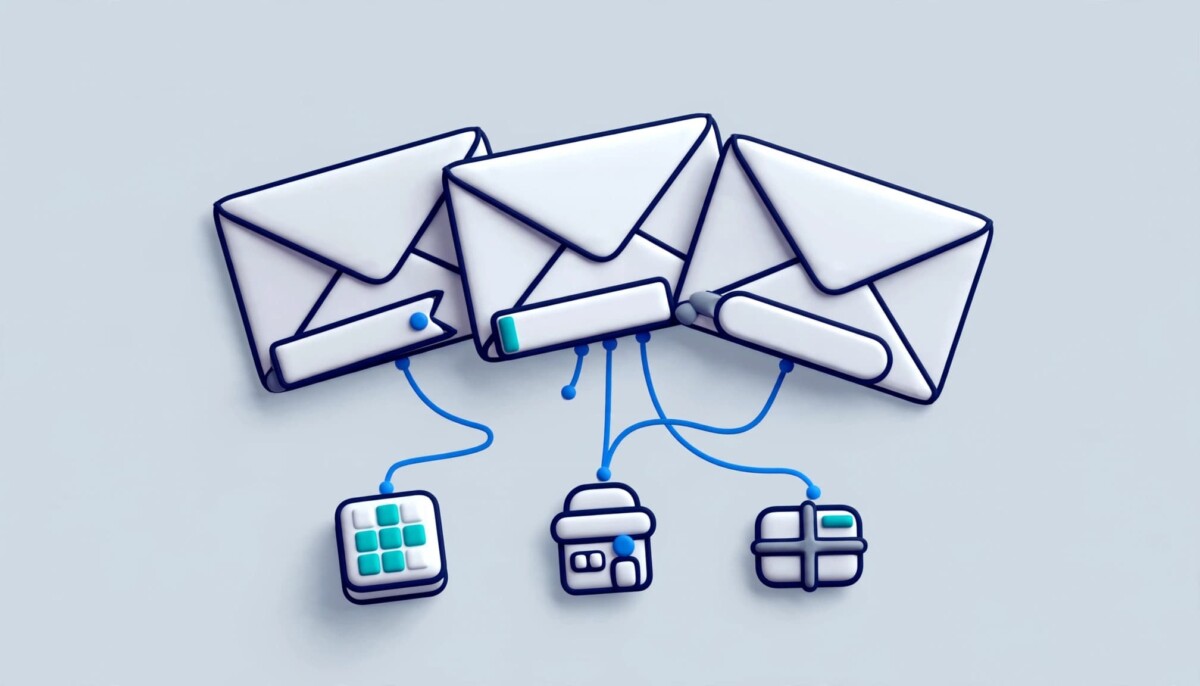
A wholesale buyer who asked for your line sheet reads your reply all the way to the bottom. Most brands put nothing there but a phone number.
Open the last email your wholesale manager sent and scroll to the bottom. You will probably find a name, a job title, a logo and a phone number. On Cyber Monday it will look exactly the same as it did in March.
That sign-off travels with every message your team sends, and November is when your team sends the most. The National Retail Federation forecasts that US retail sales in November and December will grow 4.2% over 2025 to about $1.013 trillion. Last year, Shopify merchants recorded $14.6 billion in sales over the Black Friday Cyber Monday weekend, and more than 94,900 of them had their highest selling day ever on the platform.
With Black Friday on November 27, most brands have their Klaviyo flows built and their paid creative approved. The team inbox can still be set up in an afternoon.
Your team’s inboxes reach a different group of people than your marketing list does, and that group gets busier as the holidays approach. Your newsletter gets the big campaign. Your people get the conversations.
Think about who is on the other end of those conversations this month. Wholesale and boutique buyers are placing last minute reorders before their own holiday rush. Creators and affiliates are confirming holiday codes and posting dates. Gift guide editors are asking for samples and product shots. Suppliers, 3PLs and freight partners are chasing purchase orders and pickup windows. And customers who wrote in with a question are getting a personal reply from a named person on your team.
Plenty of these people never joined your newsletter. They are already in a conversation with your brand, and they read the email because they asked for it. That is a very different reading moment from a promotional send landing in a crowded Promotions tab. A small, relevant message at the bottom of that email reaches someone paying attention.
The wholesale group deserves special attention. Business buyers tend to reorder on a predictable rhythm, which is why Fastlane’s look at the wholesale channel DTC brands keep skipping treats them as one of the steadier revenue lines a growing brand can add. In November that rhythm compresses. A buyer who misses your trade reorder deadline does not come back in January for the holiday line; they fill the shelf with something else.
If you are just getting started, the exercise here is simple: list your teams, then write next to each one who it emails most in November. If you are running several departments and a wholesale book, that list becomes the targeting plan for everything that follows.
Each team should carry a banner written for the people it emails, because one banner for everyone wastes the space. A “25% off sitewide” graphic means nothing to your freight forwarder, and it may irritate a wholesale buyer who pays trade prices.
Match the message to the recipient. Your wholesale team’s emails can carry the trade reorder deadline and a link to the holiday line sheet. Customer support can show the last order date for Christmas delivery and your extended returns window. The partnerships lead can point to the gift guide or the creator landing page, and the founder’s emails can link to recent press. If your shipping cutoffs are still moving, settle them first; Fastlane’s guide to BFCM shipping and tracking fixes covers which ones still fit before Black Friday.
Doing this by hand means asking every person to paste a new image into their Gmail or Outlook settings, then asking again the following week. Signature management moves that job to one person. Exclaimer, which manages signatures centrally for Google Workspace and Microsoft 365, lets a marketer assign campaign banners by department, sender or recipient, and exclude groups that shouldn’t see a particular campaign. The wholesale team’s emails carry the reorder deadline, the support desk’s emails carry shipping cutoffs, and nobody on either team opens a settings menu.
Recipient domain targeting is useful for B2B. Set a rule so that any email to your top retail accounts shows the trade banner, whoever on your team sends it. One detail to plan around: according to Exclaimer’s Campaigns documentation, when two campaigns overlap in date and audience, only the first matching campaign is applied to an email. Keep each team’s rules from colliding.
Schedule every banner with a start and end date now, because a stale banner does more harm than no banner. A Black Friday graphic still showing on December 9 tells a buyer that nobody is watching the details.
Scheduling solves this. Exclaimer’s campaign banners take start and end dates, so you can load the season in one sitting and let it run. Date range scheduling comes with the Standard plan, and the Pro plan adds more advanced schedules for things like a monthly product drop.
Here is an illustrative calendar for a brand selling gifts this year. Your dates will shift with your own shipping cutoffs, but the shape holds for most product brands:
Notice what the calendar does for the support team in particular. Between December 1 and the cutoff, every reply a support agent sends answers the question customers ask most in that stretch (“will it arrive in time?”) before they have to ask it again. After the cutoff, the same space stops promising delivery and starts selling the one product that cannot arrive late.
Keep the design simple. Banners sit at the bottom of the signature, below any legal disclaimer, and neither width nor height can go past 600 pixels; Exclaimer’s documentation also caps each banner image at 300 KB. Animated GIFs work, but put the key line in the first frame, since some desktop versions of Outlook show only that frame. Email on Acid’s guide to GIFs in Outlook gives the same advice for any email: if the animation never plays, the first frame has to carry the message on its own.
Tag every banner link with UTM parameters so signature clicks show up in Google Analytics next to your other channels. Treat the signature like a paid placement: if it is not tagged, it does not get judged.
A clean setup uses email-signature as the source, email as the medium, a campaign name such as bfcm-2026, and the team name in the content field. That lets you compare wholesale against support at a glance. Google documents each of these fields in its guide to collecting campaign data with custom URLs, and the same tagging habit works anywhere you place a link; Fastlane’s breakdown of Instagram bio links walks through it for a bio link.
A tagged wholesale banner link might look like this: yourstore.com/pages/holiday-line-sheet?utm_source=email-signature&utm_medium=email&utm_campaign=bfcm-2026&utm_content=wholesale. Swap the last value for each team and you have a per team report without any extra setup.
Exclaimer’s Pro plan includes an engagement dashboard with click-throughs and A/B testing. You could run two versions of the support banner in mid-November and keep the stronger one for the weekend itself.
Expect modest numbers. A signature banner reaches far fewer people than your main campaign send, so judge it on who clicked. A reorder from a wholesale account, a sample request from an editor or a second order from a customer who wrote in about the first one all count for more than raw volume. Also expect analytics to undercount: consent choices shrink what GA4 records, which is why Fastlane’s guide to BFCM reporting recommends treating Shopify’s own order totals as the source of truth and using tagged clicks for direction.
For most brands with a real team, the cost of signature management is small next to the inbox volume it covers; the deciding factor is mailbox count, not revenue. Exclaimer licenses per mailbox, and its pricing page sets a ten user minimum.
Here is a worked example, using list prices as of November 2026 billed annually. Campaign banners and scheduling start on the Standard plan at $1.45 per user per month. A brand with 12 mailboxes would pay about $17.40 a month, or roughly $209 a year. The Pro plan, at $1.75 per user per month, adds the engagement dashboard, A/B testing and more advanced scheduling; the same 12 mailboxes would cost about $21 a month. Check the pricing page before you buy, since list prices change.
How that plays out by stage:
If you are under about ten people, the minimum means you pay for mailboxes you do not have. Edit signatures by hand this season and revisit next year.
If you run a growing team of ten to fifty, with wholesale or creator programs, Standard covers the plan in this article: per team banners, recipient targeting and dated campaigns. Most of the value comes from the scheduling, which stops stale banners without anyone remembering to change them.
If you are an established brand with several departments and a sales team that lives in a CRM, Pro is where the reporting and testing live. That is the point at which comparing wholesale clicks against support clicks becomes a weekly habit rather than a one time check.
Signature banners are not worth setting up when your team is too small, when your customer replies leave through a help desk, or when the banner would clash with the message above it. Three situations call for a second look before you commit.
Team size comes first. Exclaimer licenses by mailbox and sets a ten user minimum, so a two person brand will do better editing its own signatures by hand this season.
Help desk replies are the second. If your support replies go out through a help desk platform and not through Google Workspace or Microsoft 365, check where those messages are actually sent from before you count them in your plan. Your help desk’s own signature settings may be the better home for a shipping cutoff note. In that setup, the banner plan above still works for wholesale, partnerships and leadership, and support simply runs on its own tool.
Tone is the third. A discount banner under a reply to a lost package complaint reads badly. Give the support team a service message, such as delivery dates or the returns window, and keep the offers on wholesale, partnerships and leadership emails.
There is a fourth, quieter case: brands that already feel stretched in November. If your team is fixing checkout bugs and chasing inventory, adding a new tool ten days before Black Friday is the kind of complexity that costs more attention than it returns. Load the simplest version (one service banner on support, one trade banner on wholesale) and leave A/B testing for the spring.
The banner setup keeps paying off after the holiday weekend, because your team’s email keeps going when the promotion stops. January brings returns questions, spring reorders from wholesale accounts and creators planning Valentine’s Day content.
Once your team banners are set up for BFCM, switching to returns information or a new collection is a single change in one place. If your holiday returns window is longer than usual this year, that is the first banner to load for January; Fastlane’s piece on BFCM returns covers the window and exchange decisions that banner should point to.
Before you switch, pull the per team numbers from the content field in Google Analytics and write down which team’s banner earned the most valuable clicks. That note is what makes next year’s plan faster than this one. Run your next launch the same way, and every person on your team becomes part of the rollout without changing a thing on their end.
Put a message matched to the person reading the email, not one sitewide offer for everyone. Wholesale emails should carry the trade reorder deadline and a link to the holiday line sheet. Customer support emails work best with a service message, such as the last order date for holiday delivery or the returns window, because a discount under a complaint reply reads badly. Partnerships and founder emails can point to the gift guide, a creator landing page or recent press. Keep each banner to one short line and one link, schedule it with a start and end date so it never runs stale, and tag the link with UTM parameters so you can see which team’s banner earned clicks.
Track signature banner clicks by adding UTM parameters to every banner link before it goes live. A clean setup uses email-signature as the source, email as the medium, a campaign name such as bfcm-2026, and the team name in the content field. Those clicks then appear in Google Analytics alongside your other channels, and the content field lets you compare wholesale against support. Expect the numbers to be modest and somewhat undercounted, since consent choices reduce what analytics records. Judge the banner on the value of the clicks, such as a wholesale reorder or a press sample request, and use Shopify’s own order totals as your source of truth for revenue.
Keep an email signature banner no wider and no taller than 600 pixels, and keep the file small. In Exclaimer, campaign banners cannot exceed 600 by 600 pixels or 300 KB, and they appear at the bottom of the signature, below any legal disclaimer. A short, wide banner usually reads best, because most of the email above it is text and a tall image pushes the conversation off screen. Upload the banner at the exact size you want it to display, so email clients do not scale it unpredictably, and add alt text so the message still comes through when images are blocked.
Animated GIFs work in many email clients, but some desktop versions of Outlook show only the first frame. That means the first frame has to carry the whole message on its own: the offer, the date or the deadline should be visible before any animation starts. A GIF that opens on a blank frame or a logo reveal will look empty to those Outlook readers. If your banner carries a hard deadline, such as a trade reorder date or a holiday shipping cutoff, a static image is the safer choice, since every recipient sees the same thing regardless of their email client.
Email signature marketing is worth it once your team has around ten or more mailboxes, and usually not before. Exclaimer licenses per mailbox with a ten user minimum, so a two or three person brand pays for seats it does not use and will do better editing signatures by hand. Brands with wholesale accounts, creator programs or a busy support inbox get the most from it, because those teams email people who already asked to hear from them. If most of your customer replies go out through a help desk, check where those emails are actually sent from first, since your help desk’s own signature settings may be the better place for a shipping note.