Free every Thursday · 59,694 Readers
Fastlane Insider Newsletter: What's working for Shopify in the AI era?
Free every Thursday · 59,694 Readers
Fastlane Insider Newsletter: What's working for Shopify in the AI era?

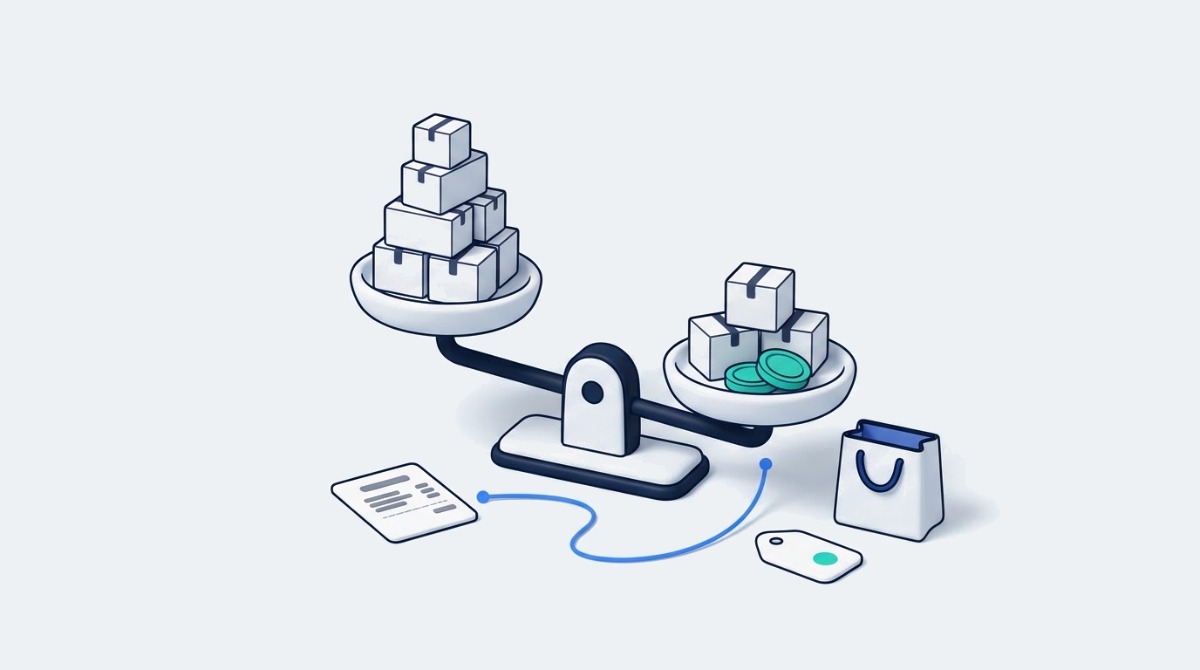
The ad that earns your highest ROAS can be the product making you the least money. The expensive way to learn that is after you have already doubled its budget.
A winning ad loses you money when ROAS looks healthy while discounts, returns and product costs quietly eat the margin behind it. ROAS divides the revenue an ad platform credits to your ads by what you spent. It says nothing about what the product cost to make and ship, the refunds that come in weeks later, or the fact that your best seller might carry the thinnest margin in the catalog. Depending on how your store passes order values to Meta and Google, a heavy discount code may not show up in that number either.
Now, this is the conversation I keep having with Shopify merchants and agency partners heading into the busiest quarter of the year. Somebody opens the Meta dashboard, sees one product carrying a 4x ROAS, and moves budget toward it. On paper it is the obvious call. Then the month closes, the accountant runs the numbers, and the product that “won” barely covered its own ad spend.
Matt Raminick, Founder and CEO of Sunnyside, put the trap plainly when he joined me on episode 454 of the eCommerce Fastlane podcast on profit first marketing: “It’s really easy to inflate ROAS.” The easiest way, he explained, is to aim ads at past customers. His point was that in-channel metrics reward whatever is easiest to count, and the platform is happy to take credit for buyers who were coming back anyway.
That is the gap Valentin Radu and his team at Omniconvert built Commander to close. When Valentin sent me the launch details, the story he wanted to lead with was exactly this one: a product that looks like a winner until discounts, returns and margin enter the picture, and the value of spotting that before you raise the budget. I’d argue that is the right place to start, because it is an easy decision to get wrong in November and pay for in January.
If you are earlier in your journey, the idea still applies even without a tool. eCommerce Fastlane’s breakdown of POAS versus ROAS walks through how to work out a break-even ROAS for each product by hand, which is the same math Commander runs for you every day.
Omniconvert Commander is an AI command center for Shopify brands that reads your store, ad and customer data and turns it into a ranked list of profit-focused actions. It was previously called Nexus and went public in late October 2026. You install it from the Omniconvert Commander listing on the Shopify App Store, connect your accounts with a few sign-ins, and it starts building a picture of what is actually making money.
The company behind it has been around since 2013. Omniconvert is known for its experimentation tool Explore and its CRO Benchmark audits, and Valentin is the author of a book on customer lifetime value. That history matters here, because Commander is less about building another dashboard and more about pulling testing, customer research and ad data into one place where the next move is obvious.
According to the Commander product page, it connects today to Shopify, GA4, Meta, Google Ads, Klaviyo and Gorgias, and the product page describes those connections as read only. The App Store listing also names Okendo reviews and requests broader store permissions at install, so read the permission screen before you approve it. Under the hood, Omniconvert describes Commander as a team of specialized AI agents, and its public roadmap groups the work into modules for data, customer research, anomaly detection, experiments, ad intelligence, campaign execution and profit reporting.
Omniconvert’s own site names Shopify brands doing $5M to $200M a year as the core customer, with growth, performance, creative and retention teams using it day to day. The free plan, and an App Store review that recommends it for small brands, show smaller stores are getting value too, which I cover in the plans section below.
One note on how I put this together: it comes from Omniconvert’s product pages, roadmap and App Store listing, plus my emails with Valentin. I haven’t run Commander on a store myself, so treat the feature descriptions as what Omniconvert says the product does today.
Commander works by calculating True Profit for every product and campaign, spotting what changed, and handing you a short list of actions to approve, ranked by how much profit each one could add. It runs in a loop that is easy to follow once you see it.
A daily brief and an action queue. Each day Commander tells you what changed in the business, why it likely changed, and the single most valuable thing to do about it. Behind that sits an action queue sorted by True Profit, which Omniconvert defines as revenue minus product costs, shipping, returns, discounts, ad spend and platform fees. That makes it a contribution measure rather than full net profit: salaries, rent and agency retainers sit outside it. The outcome for a growing brand is a morning routine that starts with a decision instead of six browser tabs. It needs your Shopify cost per item filled in to be accurate.
Anomaly detection and opportunity mining. The live agents watch for things like a best seller that has no ads behind it, a product whose returns are climbing, or a segment of loyal customers your campaigns ignore. One App Store reviewer called out exactly that flag, a best seller with no ads running, as the moment the tool earned its place. The outcome is catching quiet leaks and quiet wins before they show up in the monthly report.
Customer voice built into the plan. Commander pulls in reviews, NPS and support tickets, then runs jobs to be done and objection mining on them. So when it suggests a new angle for an ad, the angle comes from what your customers actually say about the product. This is where Omniconvert’s years in research and testing show up.
Creative, landing pages and competitor ads. This is the part Valentin is most excited about. Commander studies the ads your competitors are running, drafts a stronger ad for your product, and builds a matching landing page for each one so the click lands on a page that repeats the promise. These creative and landing page features are in beta for selected customers as of November 2026, and nothing publishes until a person approves it.
Here’s a short Omniconvert video aimed at agencies running 20 Shopify stores shows the same loop from the agency side: nightly research on each client store, fixed formulas to pick the winners, AI to explain results and draft content, and a queue of actions waiting for approval.

Working the numbers through True Profit can flip which product deserves more budget, even when the ad account says the opposite. Here is an illustrative example, assuming two products that each received $5,000 in ad spend last month. The figures are made up to show the math, not taken from a real store.
Product A carries the headline ROAS, but it leans on a heavy discount code and it gets sent back a lot. Product B sells less, rarely gets discounted and rarely comes back. After those variable costs, B contributed $1,120 on the same $5,000 while A contributed $800. If you followed the ad account and moved B’s budget into A, you could be scaling the thinner margin.
That makes B the stronger candidate to test with more budget, not a guaranteed winner. Last month’s numbers don’t tell you how B responds to the next $5,000, how many of its buyers are new customers, whether you have the inventory, or whether A’s buyers come back often enough to justify a thin first order. Matt made that last point on the same episode: some brands happily break even on a first order because they know the average customer comes back and buys several more times. A profit view tells you where to look first. A controlled budget test tells you whether you were right.
Spotting that gap is what Commander is designed to do on its own, every day, across your whole catalog. A merchant can do this math in a spreadsheet for two products. Doing it for 200 products and three ad channels, and redoing it when a discount goes live, is where most teams give up and fall back on ROAS.
The second half of the story is what happens next. Once Product B looks like the better bet, Commander can study the competitor ads in that category, draft a stronger creative for B, and build a landing page that matches it. Omniconvert’s product page notes that ROAS can fall while profit rises, which is exactly the trade you would make here. If you want to sanity check any AI generated ad before it runs, eCommerce Fastlane’s guide to choosing an AI ad generator for Shopify lays out the cost fields to insist on.
Commander is free to install, with fixed price plans from $49 to $499 USD a month billed through Shopify as of November 2026, plus a custom quoted Unlimited plan. Each plan comes with a monthly credit allowance, and the plan you need is set mostly by your yearly order volume.
The Founding Free plan costs $0, includes 900 credits a month, and covers stores up to 9,999 orders a year. Creator is $49 a month with 4,000 credits for up to 50,000 orders a year. Growth Ideas is $199 a month with 15,000 credits for up to 100,000 orders. Scale is $499 a month with 35,000 credits for up to 500,000 orders. Optional usage charges sit on top of the paid plans, capped at $300, $450 and $750 per 30 days respectively, and extra credit packs start at $29 for 1,000 credits. Each paid plan lists a 30 day free trial for stores in its order range, and there is no minimum contract.
The App Store listing ties features to each plan: ad and landing page creation, competitor ad libraries, RFM segments and review sentiment from the free tier, then creative fatigue tracking, automations that pause, scale or restart campaigns, and forecasting on Creator, and a weekly plan on Growth Ideas. Some of those, like landing pages and automated scaling and pausing, are labelled beta or coming next on Omniconvert’s own site, so ask which ones are switched on for your account before you pick a plan for them.
Setup is a set of sign-ins rather than a project. Omniconvert says it takes under an hour, needs no developer or API keys, and the minimum useful setup is Shopify plus Meta Ads or Google Ads. Visibility into what is happening arrives within days, and experiment recommendations arrive in about a week.
Here is how I would think about it by stage. If you are under about 10,000 orders a year, start on the free plan and use it as a second opinion on where your ad budget goes. If you are a growing brand between 10,000 and 100,000 orders with someone owning paid media, Creator or Growth Ideas gives you the order headroom and credits to run it across the whole catalog. Above that, the Scale plan is built for teams who want the most credits and the highest order limits as the creative and campaign features roll out.
Commander fits best on a single Shopify store with paid ads running and product costs filled in, and it is still growing into the most hands off parts of its vision. Knowing where it shines today helps you get value from it in the first week.
It is built for one Shopify store. Commander works with Shopify only, and supports a single store per account today. Multi store support is on the roadmap. If you run regional storefronts or sell on WooCommerce or BigCommerce, it is worth waiting for that update.
The newest creative features are still rolling out. The data connections, anomaly detection, opportunity ranking and profit reporting are live. Creative generation, landing pages and campaign packages are in beta for selected customers, and fully autonomous ad launching, video ads and email campaigns are listed as coming next on the Commander roadmap. I like that Omniconvert labels this openly, and I like that every action waits for your approval.
Your True Profit is only as good as your costs. If cost per item is blank on half your catalog, the rankings for those products can’t be trusted. Shopify’s help center explains how to add cost per item to your products, and it is worth an afternoon before you connect any profit tool. Shopify records cost at the time of each order, so filling it in today won’t fix last month’s orders; ask Omniconvert how Commander handles older orders before you lean on historical rankings. eCommerce Fastlane’s guide to why Shopify reports don’t show your real profit covers which other costs to gather.
Other good options, depending on what you need. If you mainly want attribution across several paid channels with an AI assistant on top, our Triple Whale review covers where its Moby agents fit for brands doing $2M to $20M. If you want a simple daily net profit number and no creative tools, TrueProfit for Shopify is a lighter starting point for stores doing a few hundred to a few thousand orders a month. And if your team lives in reporting and wants a data layer to build on, Polar Analytics is another name worth comparing. Triple Whale and Polar have their own AI agents that recommend and act too, so the real comparison is on your data and channels. Where Commander stands out is how tightly it ties everything to one True Profit ranking, then builds the customer research, creative and landing page around the move at the top of that list.
Before you raise budget on your top ROAS product this week, pull its True Profit for the last 30 days, line by line, and compare it to your second best seller. Check first that those orders carry product cost, shipping, refunds and fees, because a blank cost line will flatter whichever product is missing it. That one exercise tells you whether you need a tool like Commander or whether your ad account has been telling you the truth all along.
If you are just starting out, do it by hand for your top three products using the table above as a template. If the ranking flips even once, you have found something worth testing, and the free Commander plan is a low risk way to keep watching it across the whole catalog.
If you are a growing brand with a media buyer and a creative team, connect Commander to Shopify and your main ad account, let it run for a week, and compare its top three recommendations to what your team was planning to do anyway. Where they agree, you move faster. Where they disagree, that conversation is usually where the margin has been hiding.
Either way, the habit is the point. A brand that checks profit before it scales a winner makes calmer decisions in November and has fewer surprises when the books close in January.
Omniconvert Commander is a Shopify app that connects your store, ad and customer data and ranks your next marketing actions by True Profit rather than ROAS. It reads Shopify, GA4, Meta, Google Ads, Klaviyo and Gorgias data, flags what changed in your business each day, and builds a queue of opportunities sorted by how much profit they could add. Newer beta features draft ad creative and matching landing pages based on competitor ads and customer reviews. Commander was previously called Nexus and comes from Omniconvert, the company behind the Explore testing tool and CRO Benchmark audits, founded in 2013. Nothing it builds goes live until a person on your team approves it.
Omniconvert Commander is free to install, with fixed price plans from $49 to $499 USD a month as of November 2026 and a custom quoted Unlimited plan above that. The Founding Free plan includes 900 credits a month for stores up to 9,999 orders a year. Creator costs $49 a month with 4,000 credits for up to 50,000 orders, Growth Ideas costs $199 with 15,000 credits for up to 100,000 orders, and Scale costs $499 with 35,000 credits for up to 500,000 orders. Optional usage charges can add up to $300, $450 or $750 per 30 days on those plans, and extra credit packs start at $29. Billing runs through Shopify with no minimum contract.
True Profit is the money left after you subtract product costs, shipping, returns, discounts, ad spend and platform fees from revenue, while ROAS only divides ad attributed revenue by ad spend. ROAS can look strong on a product that is heavily discounted or often returned, because it ignores those costs. True Profit shows what each product contributed after its variable costs, though overhead like salaries and rent still sits outside it. That is why two products with the same ad spend can swap places once those costs are counted, with the lower ROAS product contributing more. Commander ranks its recommendations by True Profit, and it notes that ROAS can fall while profit rises when you shift budget toward better margin products.
Yes, Omniconvert Commander works for small Shopify stores through its Founding Free plan, which covers stores up to 9,999 orders a year at no cost. Omniconvert’s core target is brands doing $5M to $200M a year with dedicated growth teams, but the free tier lists ad and landing page creation, competitor ad libraries and review sentiment, and at least one App Store reviewer recommends it for small brands. To get useful results you need at least Shopify plus Meta Ads or Google Ads connected, and accurate cost per item on your products. If you don’t run paid ads yet, the profit rankings will have little to work with, so it makes more sense once ad spend is part of your monthly budget.
Omniconvert Commander takes under an hour to set up, according to Omniconvert, because it connects through standard sign-ins rather than code or API keys. You install the app from the Shopify App Store, then authorize your ad accounts, GA4 and any other supported tools such as Klaviyo or Gorgias. The minimum useful setup is Shopify plus Meta Ads or Google Ads. Omniconvert says you start seeing what is happening in your business within days, and experiment recommendations arrive in about a week. The step that most affects accuracy happens before setup: filling in cost per item on your Shopify products so the True Profit calculations reflect your real margins.