Shopify preorders need an app for deposit or pay later terms, and those checkouts lose Shop Pay, Apple Pay, and Google Pay. Stores taking simple pay now preorders can skip the app and keep accelerated checkout by enabling continue selling when out of stock.
Shopify’s preorder checkout switches off Shop Pay, Apple Pay, and Google Pay for deposit and pay later orders. Most preorder guides skip that detail, and it should decide which model you pick.
Your best seller sells out on a Tuesday. The restock lands in five weeks. For those five weeks, every shopper you paid to bring to that product page sees a grey Sold Out button, and most of them buy the closest substitute somewhere else. Nobody on your team decided to turn that demand away. It happened by default.
Preorders turn that dead page back into orders, but the setup has changed since most guides on the topic were written. Shopify now runs deposit and pay later preorders through its purchase options framework, which changes what your checkout can do. One of the best known preorder apps stopped offering a self serve Shopify app this year. And the federal rules on shipping promises have not moved at all.
If you are pre-launch or doing $10K months, the right answer is probably a setting you already have. If you are past $2M with a launch calendar, the app decision and your fulfillment hold logic matter a lot more. This guide covers both ends, and it is direct about which tools fit which stage.
STOQ helps Shopify merchants recover revenue when products sell out, combining preorders, back-in-stock alerts, and demand and inventory insights in one native app. It’s built specifically for Shopify, which keeps setup light and maintenance low, and it’s landed a spot on Shopify’s Top 25 Built for Shopify apps list, with 30,000+ merchants using it. If you’re losing sales every time a bestseller goes out of stock, it’s worth a look.
A Shopify preorder is an order for a product that is not ready to ship yet, where you collect the full price, a deposit, or nothing at checkout and fulfill once stock arrives. The customer gets a reservation. You get a committed buyer and, depending on the model, some or all of the cash.
Under the hood, Shopify handles deposit and pay later preorders through purchase options. According to Shopify’s preorder documentation, you need a preorder app from the App Store to use them, your store must run Shopify Payments or PayPal Express, and Shopify stores the customer’s payment method so you can collect the balance later without asking for card details again. If you uninstall the app, its preorder data (not the stored payment details) is deleted after 48 hours, which is worth knowing before you trial three apps in the same week.
It helps to separate two situations that usually get lumped together. A true preorder is a product that has never shipped: a new colorway, a first production run, a collaboration drop. A backorder is a product you normally stock that sold out, with a restock on a known date. Both can run through the same tools, but they carry very different risk. A backorder has a supplier with a track record. A first run has a factory quote and a lot of optimism.

Two details trip up first setups. On a purchase option preorder, the customer must confirm at checkout that they understand they are buying a preorder, and the order cannot complete without that confirmation. And depending on the app, inventory is reserved either when the order is placed or when it is fulfilled. That choice matters the moment you run a preorder on one variant while other variants of the same product are still in stock.
Offer preorders when you have a reasonable basis for a ship date and demand worth capturing; skip them when your supplier will not commit to a date or when the cash would be spent before the product exists. That second condition catches more merchants than the first.
The upside is real. A preorder keeps a ready buyer from leaving for a competitor. It gives you demand data by size and color before you place a purchase order, which is the cleanest forecasting input a small brand ever gets. And pay now or deposit models pull cash forward, so a launch partly funds itself. Your most loyal customers tend to respond first, which is why early preorder access for your email list or loyalty members is one of the few genuinely useful brand loyalty perks you can offer without discounting.
The downside is the part enthusiastic guides skip. Cash collected on a preorder is not revenue yet. Until you ship, it is money you may owe back if the timeline slips, and a missed date tends to trigger cancellations at exactly the moment you have already paid your supplier. The last few years of supply chain issues showed how quickly a six week lead time becomes twelve.
Stage changes the calculation. If you have not launched yet, preorders are one of the lowest risk ways to test an idea: you can build a preorder page during a Shopify trial and see whether strangers commit before you order inventory. Between $500K and $2M, I would watch for a different pattern: preorders used as a patch for a forecasting problem, switched on every time a bestseller runs dry because nobody saw the stockout coming. If that sounds familiar, fix your reorder points first. A clear walkthrough of forecasting demand with lead times and safety stock will do more for revenue than a preorder button on your top five SKUs.
Pay now fits restocks with a firm date, deposits fit launches where you need cash but expect some buyers to walk, and pay later fits demand tests where you may never produce the product at all. The model you choose also decides what your checkout can do.
Here is the tradeoff most merchants discover after launch. Shopify’s preorder setup requirements state that preorders cannot be bought with Shop Pay, Apple Pay, or Google Pay, and local payment methods such as Klarna are excluded too. For a mobile heavy store where a large share of buyers check out with a wallet, that is not a small detail. A pay now preorder built on Shopify’s standard inventory setting is an ordinary order rather than a purchase option, so it avoids that checkout. Apps differ in how they build pay now listings, so place a test order on your phone before launch and confirm which wallets actually appear.
Deposits and pay later bring their own mechanics. When one cart holds several preorder items, Shopify applies the earliest due date to all of them, a due on fulfillment term overrides specific dates, and deposits are added together at checkout. Later charges can also fail: a customer’s bank may challenge a charge weeks after the order, and Shopify then emails the customer to reconfirm their payment method. Shopify’s own guidance warns that a charge the customer is not expecting can end in a chargeback, so a reminder email before you bill is not optional.

Pay later is at its best as a demand test. List a new colorway, collect commitments with no money moving, and only produce if the numbers justify the run. For crowdfunding style launches with long lead times, this guide to validating and pre-selling a product with pay later preorders and crowdfunding covers those tradeoffs in more depth.
Set up preorders on Shopify by choosing your payment model first, then either turning on continue selling when out of stock for a simple pay now preorder or installing a preorder app for deposits and pay later. Everything else follows from that one decision.
Start with a ship date you can defend. Get the supplier’s date in writing, add a buffer for freight and receiving, and publish the later date. That buffer is your legal cushion as much as your customer service cushion, as the compliance section below explains.
For a pay now preorder with no app, open the product in your Shopify admin, confirm inventory tracking is on, and select continue selling when out of stock. Shopify lists preorders as a use case for that setting. Then do the work the setting does not do for you: put the ship window in the product title or directly under the price, tag incoming orders so your team and your 3PL do not try to fulfill them early, and send a confirmation email that repeats the date. If you sell from more than one location, check which location will go negative before you launch.
For deposits or pay later, install your app and finish its setup before you touch the product in Shopify. Once the purchase option is attached, decide whether the product sells only as a preorder or as both a preorder and a regular purchase. Check the restrictions before you promise anything in an email: purchase option preorders run only on the Online Store and custom storefront channels, do not work with Buy X Get Y discounts or Shop Promise, and are not supported on stores with customized checkouts.
Then test. Place a real order on mobile, confirm which payment options appear, confirm the order lands with a fulfillment hold, and confirm your 3PL or ERP actually respects that hold. If you relied on Stocky for purchase orders, it shut down on August 31, 2026, so your preorder counts need a new place to live; this conversation on inventory visibility after the Stocky shutdown walks through the options. Shopify’s built-in inventory management tracks committed and incoming stock, and brands with unusual flows can build their own experience on Shopify’s preorder APIs instead of installing an app.
Stores taking a handful of preorders a month can start on STOQ’s free or $10 plan, brands running deposit and pay later launches should look hardest at PreProduct, and Amai PreOrder Manager fits merchants who want preorder dates switched on and off by stock levels. Purple Dot is no longer available as a self serve app.
STOQ, formerly Restock Rocket, pairs preorders with back-in-stock alerts and holds a 5.0 rating across 3,694 reviews. The free plan covers 10 preorders a month, Lite is $10 for 100, and Pro is $29 for 400, with a per-preorder fee above each limit.
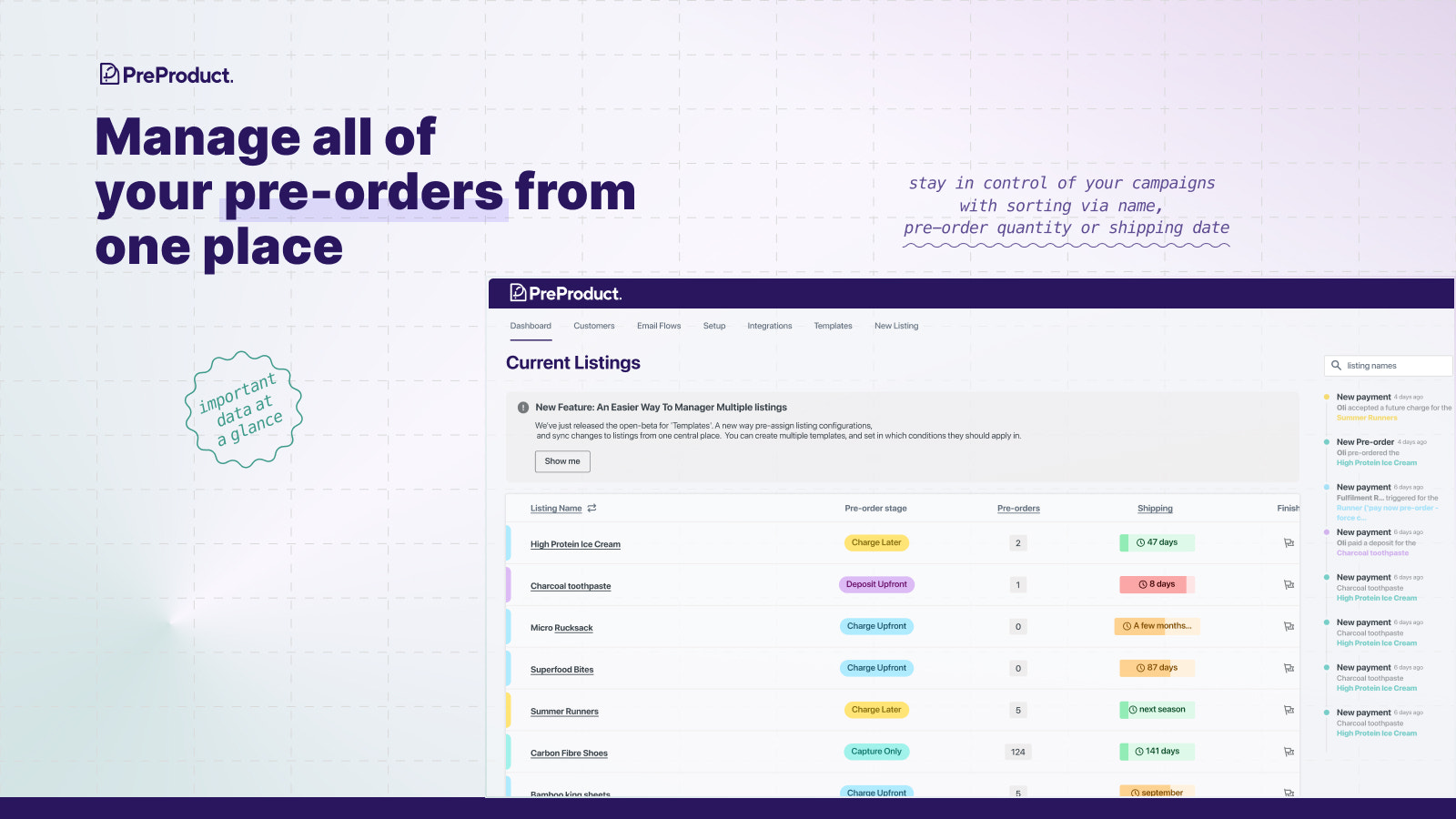
PreProduct is built around deposits, pay later charges, and fulfillment holds. It is free to install at a 5% commission on paid preorder revenue, which drops to 0.5% on the $29.99 Growth plan and to zero on the $259.99 Scale Plus plan, which is worth modeling before a big launch. Endless Blading Co., which makes inline skate frames, has used moneyless preorders to forecast demand and size its vendor orders.
Amai PreOrder Manager, listed as Pre-Order Manager in older guides, starts at $12.95 a month and automates preorder dates based on stock levels. Its 4.2 rating from 543 reviews includes a meaningful share of one star reviews, so read the recent ones. Zero waste retailer EarthBits used it to put products on preorder as they sold out across a catalog of hundreds of items, and credited it with removing a large chunk of customer service work.

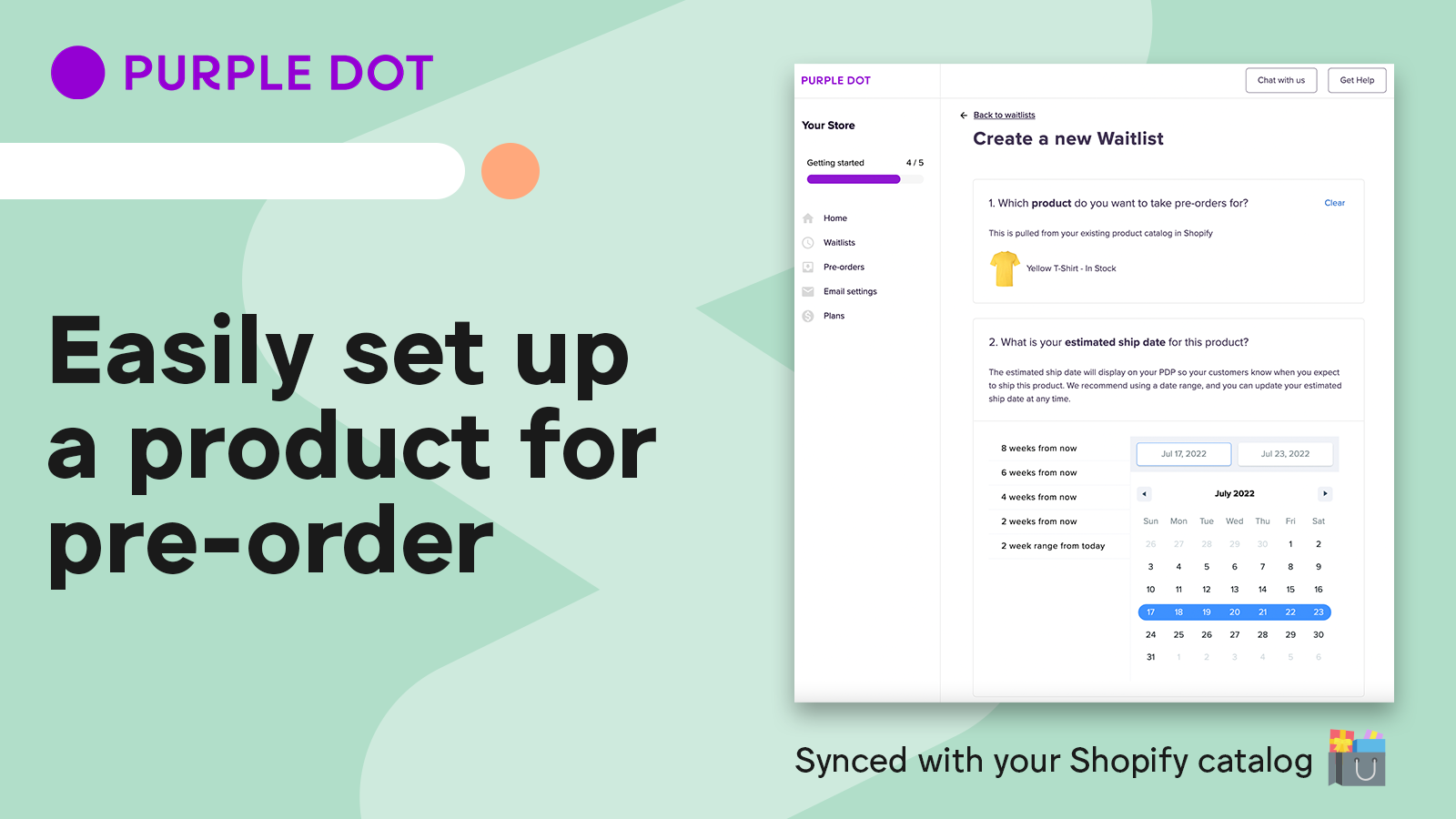
Purple Dot’s App Store listing now says the app is not currently available, and Purple Dot’s own site steers merchants toward booking a demo. Menswear brand SPOKE used it to launch some products in stock and others on lead time. If you run Purple Dot today, confirm your terms with them directly.
Before installing anything, check what you already run. Many back in stock apps now include preorders, and two apps competing to rewrite the same product page button is the kind of duct tape I used to find during app audits at Shopify. This stage by stage guide to building a Shopify tech stack is a good filter, and Shopify’s preorder app collection lists newer options.
In the US, the FTC’s Mail, Internet, or Telephone Order Merchandise Rule requires a reasonable basis for any ship date you state, a 30 day default when you state none, and a delay notice with a cancel option before the promised date passes. Preorders are exactly the orders this rule was written for.
The FTC’s business guide to the rule is specific about what a first delay notice must contain: a revised ship date (or a statement that you do not know, with the reason), the customer’s right to cancel for a full and prompt refund, and a way to cancel at your expense. Silence only counts as consent when the revised date is 30 days or less past the original. When a refund is owed on a card paid through a third party, it goes back within seven working days. Two details surprise merchants. The seller is responsible even when a fulfillment partner caused the delay, and a notice posted only on an order status page does not reliably count. Civil penalties run up to $53,088 per violation.
A practical cadence keeps you compliant and keeps buyers excited. Send a confirmation that repeats the ship window. Send a progress update at the midpoint, even when nothing has changed. For pay later and deposit orders, send a charge reminder several days before you bill. If the date slips, send the delay notice the day you know, not the day before the deadline. That cadence is illustrative, so adapt the timings to your own lead times.
Outside the US, rules differ. Canadian provinces and the EU set their own cancellation and delivery requirements, so check the markets you ship to. This section is general information, not legal advice. Shopify’s own guide to preorders is a useful companion for campaign ideas, but the ship date you publish is still yours to defend.
Shopify preorders sold through purchase options do not work with Shop Pay, Apple Pay, or Google Pay, and they also exclude local payment methods such as Klarna. That covers deposit and pay later preorders built by most preorder apps. A pay now preorder created with Shopify’s continue selling when out of stock setting is an ordinary order, so it does not go through the purchase option checkout. Because apps build pay now listings differently, the safest move is a test order on your phone before launch to see exactly which payment buttons appear. If wallet checkout drives a large share of your mobile sales, that test should shape which preorder model you pick.
You need an app for deposit or pay later preorders, but not for simple pay now preorders. Shopify’s purchase option preorders only work once a preorder app is installed and configured. For a pay now preorder, you can turn on inventory tracking, select continue selling when out of stock, and add the ship window to the product page yourself. The manual version works well for occasional restocks at low volume. Once you run preorders on many SKUs, need fulfillment holds, want automatic Sold Out to Preorder switching, or send charge reminders, an app such as STOQ, PreProduct, or Amai PreOrder Manager earns its monthly cost.
You can sell preorders before manufacturing starts, as long as you tell customers the product’s real status and you have a reasonable basis for the ship date you publish. The US FTC rule does not require stock on hand; it requires that your shipping promise be grounded in evidence such as a supplier commitment and production schedule. Pay later preorders are the lowest risk way to do this, because no money moves until you decide to produce. If you take full payment for a product that does not exist yet, budget for refunds in case production slips, and never spend preorder cash on anything other than making and shipping that product.
If you cannot ship on the promised date, you must notify the customer before that date passes, give a revised ship date or explain why you cannot give one, and offer the option to cancel for a full refund. Under the FTC rule, a customer’s silence counts as agreement only when the new date is 30 days or less past the original. For longer or open ended delays, orders are cancelled and refunded unless the customer actively agrees to wait. Email the notice rather than relying on an order status page, keep records of what you sent and when, and remember that you remain responsible even if your 3PL caused the delay.
Charge the full price when the ship date is firm and close, and take a deposit when the date is further out or the product is new. Full payment maximizes cash and keeps accelerated checkout available if you build the preorder without purchase options, but it raises your refund exposure if the date slips. A deposit, often a fixed amount or a percentage, lowers the commitment for the buyer and still screens out casual interest. The tradeoff is losing Shop Pay, Apple Pay, and Google Pay at checkout and taking on the risk that the balance charge fails later. First production runs usually suit deposits. Restocks with a confirmed container date usually suit full payment.