Free every Thursday · 60,261 Readers
Fastlane Insider Newsletter: What's working for Shopify in the AI era?
Free every Thursday · 60,261 Readers
Fastlane Insider Newsletter: What's working for Shopify in the AI era?

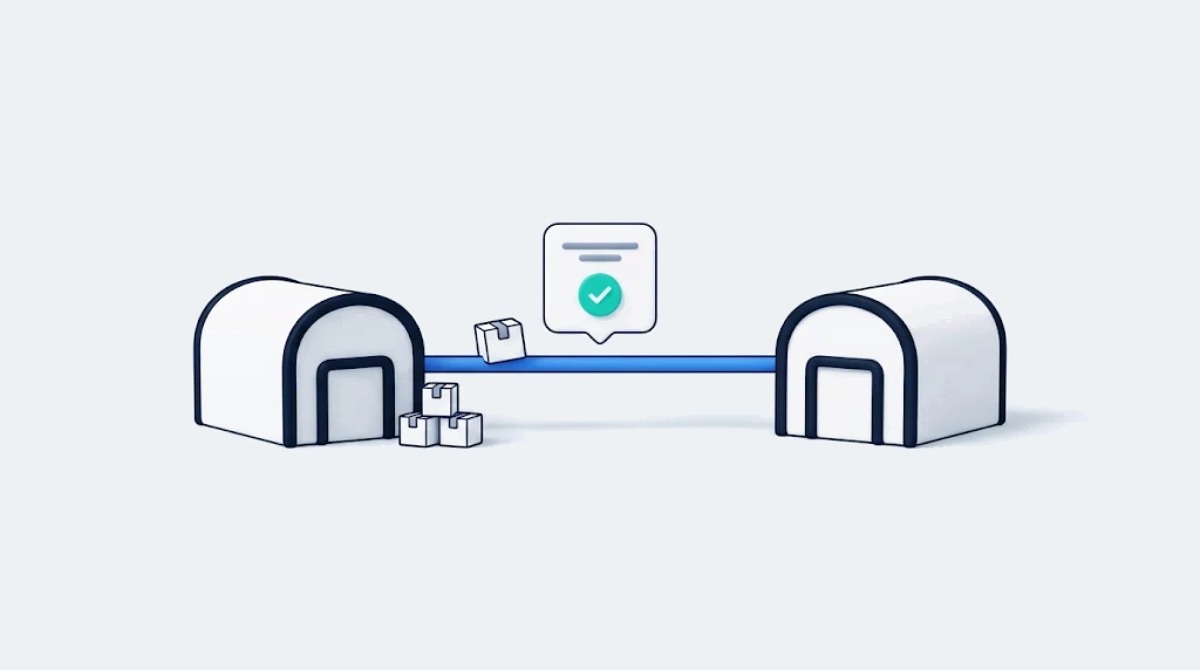
An AI agent that can reroute your shipments is only as safe as two things: the person who has to say yes first, and the inventory counts it reads from.
ShipBob’s AI tools matter this peak because they move fulfillment from reading reports to acting on them, at the exact moment a lean team has the most stuck orders and the least time. On November 10, 2026, ShipBob announced it had opened its Bobby AI agent to every brand on the platform, a little over two weeks before Black Friday. That timing is why I’m writing this now.
Now, think about the Monday after Cyber Monday at a brand doing a million or two a year. Someone on the team opens the dashboard, filters for exceptions, exports a list, checks stock by location, and then fixes orders one at a time. James Solier, ShipBob’s Senior Vice President of Central Operations, walked through what peak looks like from inside the network when he joined me on episode 438 on what ShipBob saw across millions of BFCM orders. His framing of the trade off for a founder has stuck with me: “What’s an evening better spent packing boxes in your garage or thinking through how you’re going to grow either your addressable market or existing top line by another 50%?”
The 2026 releases push that same question one layer up. You’ve already handed off the packing. The question now is whether you should also hand off the clicking, and how much of it. I’d argue the answer for most lean teams is yes, carefully, one workflow at a time. The rest of this piece covers what’s live, what’s still in beta, and the order I’d turn things on.
ShipBob is a fulfillment platform for Shopify and other ecommerce brands, and in 2026 it added an AI agent, a Claude connector, a delivery date engine and a two tier branded tracking page on top of the network it already runs. It stores, picks, packs and ships orders from more than 50 fulfillment centers, using software it has built and run in house since 2014. That last part is why the AI news is more than a chatbot story. ShipBob owns the dashboard, the warehouse management system and the routing logic, so an AI tool connected to it can change the same systems the warehouses run on.
Four pieces shipped or moved forward this year. In August, ShipBob made its MCP the anchor of its AI suite, with more than 70 read and write actions across 10 areas of the operation, and listed an Anthropic-verified ShipBob connector in the Claude directory. MCP is the open standard that lets AI assistants connect to outside systems. By November, Bobby, the agent built into the ShipBob dashboard, had gone from waitlist to available for every brand.
On the shopper side, ShipBob Promise entered beta in May 2026 for US parcel shipments. It is a delivery date engine that shows a specific arrival date instead of a window. TrackBob, ShipBob’s branded tracking page, became generally available for Shopify and ShipStation merchants in the spring, and the Fall ’26 release split branded tracking into a free standard tier and a premium tier entering beta.
Underneath all of it, ShipBob reports more than 1 billion units fulfilled across its network. If you want the vendor’s full feature tour, ShipBob’s Summer 2026 release breakdown, republished here on Fastlane, covers it. I’m more interested in what changes for the person who has to run peak.
Disclosure: Fastlane Media earns commission on ShipBob referrals through Impact, and ShipBob has paid for guest episodes of the eCommerce Fastlane podcast, including the two quoted here. ShipBob did not pay for, review or approve this article.
Bobby and the ShipBob MCP let a brand ask a question about its fulfillment in plain language and approve the fix in the same thread, instead of pulling a report and doing the work by hand. According to ShipBob’s November announcement, Bobby can find orders stuck in exception, swap an out of stock item across affected shipments, reroute batches of shipments to another fulfillment center, create replacement orders, check 30 day stockout risk by location, and hand the conversation to a ShipBob support person without starting over.
The approval step is the part I’d read twice. Bobby shows what it will change and waits for a yes before it runs. Read access is on for every user by default, account owners decide who can make changes, owners can set a monthly usage limit or switch Bobby off, and every action is logged in the ShipBob AI Hub. That design matches the rule I’ve landed on in my own work. I run a good chunk of Fastlane’s day through Claude connectors, including the inbox, the help desk and publishing to this site. Claude can read anything I connect, but nothing gets sent until I say yes to that specific item. Reading is cheap. Writing is where the mistakes live.
The Claude connector is the same action layer outside the dashboard. ShipBob describes it as among the first fulfillment connectors with full read and write access, where most connectors only read. For a two person ops team, that means a morning question like “which SKUs run out in the next 30 days at the East Coast center” can turn into a receiving order or a reroute without opening another tab. As of its November announcement, ShipBob said the MCP had handled more than 1 million requests from thousands of active users.
One thing to get right: Bobby’s controls belong to Bobby. ShipBob documents the confirmation step, owner permissions and usage limit for Bobby inside the dashboard. In Claude, the guardrails are Claude’s own connector settings, so check that the ShipBob write tools ask before they run, and keep the connector to read only questions until you’ve done that check.
If you’re scaling past one channel, this is where the value compounds. The same connector can sit next to your other tools in Claude, so the person who owns ops can work across systems from one place. If you’re earlier, Bobby inside the dashboard is the simpler place to start, because you don’t have to set anything else up.
With ShipBob Promise and branded tracking, shoppers see a specific delivery date before they buy and a tracking page with your brand on it after, instead of a generic window and a carrier’s page. Promise replaces a three to five day range with a specific date, built from ShipBob’s shipment data by fulfillment center and ZIP code. When an order misses a step in the warehouse, the system is designed to switch the carrier service to try to keep the date the customer was shown.
ShipBob’s spring post says fast, accurate delivery dates in general have been shown to lift conversion by 25 to 30%. It doesn’t name the study, and it isn’t a measured Promise result, so I’d treat it as the vendor’s claim until you see it in your own data. The honest status matters more right now. ShipBob announced Promise as a US parcel beta starting in May, and its Fulfilled 2026 recap says general availability is coming in 2027. Ask your ShipBob contact whether your account qualifies before you plan a checkout change around it.
Branded tracking is further along. The standard version is live and free: your logo, brand name and store URL on one timeline from the warehouse to the doorstep. The premium tier, which ShipBob said would enter beta in early November, adds your colors and fonts, product recommendations, brand ads and social links. It’s free during the beta and will be priced per shipment later. The beta is open to Shopify and ShipStation brands headquartered in the US, UK, EU or Australia.
Of the two, I’d switch on standard branded tracking first. It’s free, it’s live, and “where is my order” is one of the most common questions a support inbox gets after a big sale. Promise is the one to watch for 2027 planning.
I’d start with one workflow, the exception queue in Bobby, run read only next to the manual queue first, with changes limited to the account owner and a monthly usage cap, and leave everything else alone until January. This is an illustrative example rather than a real merchant: picture a Shopify brand doing about $1.5M a year on ShipBob, with one operations lead and a founder who owns the account and still approves anything that costs money.
The Monday after Cyber Monday, the ops lead works the exception queue the usual way and, in parallel, asks Bobby which orders are stuck in exception and why. Say both point to the same 40 orders held on one out of stock SKU. That match is the go or no go test. If Bobby finds the same orders, explains why, and the proposed fix is clear, move to one write. If it misses orders or the reason is fuzzy, stay manual through peak and try again in January.
If it passes, the order matters. Ask for 30 day stockout risk by fulfillment center before anything changes, because a substitution only works if the replacement SKU isn’t the next one to run out. Then the owner, signed in as the owner, has Bobby propose the substitution, approves it on one order, and checks the result: the new SKU on the order, the order status and the entry in the AI Hub log. Only then does the owner approve the rest of the batch. That’s the whole pilot, and the thing to measure is how long it took compared with the manual export and clicking.
Before that Monday, I’d do three setup things: confirm who can make changes (owner only to start), set a monthly usage limit so a curious teammate can’t run up surprises, and check the AI Hub log once a day for the first week so you learn what normal looks like.
As for what I’d leave off, I wouldn’t build a custom agent on the MCP during peak, even though ShipBob publishes starter prompts for it. Custom agents earn their keep on a task that repeats every week, and you don’t know which tasks those are until you’ve watched a few weeks of the log. I wouldn’t change the checkout around Promise mid-season either. And I wouldn’t move 3PLs for AI features alone. In my view, brands in the $500K to $2M range most often stall from adding tools before the basics are solid, and an AI layer on top of messy inventory data is still messy.
If you’re closer to $5M or $10M with several channels, run the same Bobby test this peak, then make the Claude connector your first addition in January. Your ops person is already working across Shopify, a marketplace and wholesale, and one place to ask questions across all of them is worth more than a smarter dashboard, as long as it starts read only.
ShipBob’s AI tools only help a brand whose SKUs, inventory counts and receiving are already accurate in ShipBob, because Bobby and the MCP act on that data and will repeat any mistakes in it faster. If your product records are out of sync with Shopify, or inbound shipments arrive without receiving orders, fix that first. It’s unglamorous, but it decides whether an AI substitution sends the right product.
The second prerequisite is a person who owns approvals. The approval step only protects you if the person saying yes knows the operation well enough to catch a bad change. At a very small brand that’s the founder. At a larger one, give change permission to the ops lead once the pilot has run, rather than to whoever happens to be online.
Third, check what your account can use today. Bobby is available to every brand, standard branded tracking is free, the premium tracking beta has platform and location rules, and Promise is still in beta. ShipBob’s announcement doesn’t list a price for Bobby, so ask your account team how usage is billed, if at all, before you set the monthly cap.
Casey Armstrong, now ShipBob’s Chief Business Officer, said something on episode 426 on ShipBob’s Q4 fulfillment playbook that I appreciated: “regardless of who’s touting which solutions, you do need to do your due diligence.” He added that “there are some times when maybe we’re not the right fit.” That applies to the AI too. For the job in this piece, the alternative is the one you already have: the manual exception queue in the ShipBob dashboard, which stays the right call whenever the read only test above doesn’t match it. If you ship in house, Shopify Sidekick already lets you make admin changes with a review step before they apply, which is a fine place to build the same habit. If you’re still deciding whether a 3PL makes sense at all, my guide to when to ship in house, use a 3PL, or switch covers that decision by stage.
If you’re on ShipBob today, your next step this week is to open the dashboard as the account owner, set who can approve changes in Bobby, and ask it about your current exceptions before Black Friday, then compare its answer with your own queue. That single test tells you more than any feature list, including this one.
If you’re between $500K and $2M, stop there until January. Run peak, read the AI Hub log, and note which questions you asked more than twice. Those are your candidates for a standing workflow in Q1. If you’re between $2M and $10M with more than one channel, add the Claude connector in January, read only, and try one cross system question a day for two weeks. If you’re earlier than that and still packing your own boxes, none of this is your priority yet. Get your SKU data clean and your shipping costs understood, because that is the foundation the AI will be reading from when you get there.
And if you’re watching agents show up on the buying side too, my piece on agentic checkout and who owns the order when an AI agent buys covers the other end of the same shift.
Bobby is ShipBob’s AI agent, built into the ShipBob dashboard, that answers questions about your fulfillment in plain language and can take action on the answer once you approve it. ShipBob announced on November 10, 2026 that it is available to every brand on the platform. Typical uses include finding orders stuck in exception, substituting an out of stock item across affected shipments, rerouting shipments to another fulfillment center, creating replacement orders and checking 30 day stockout risk by location. It can also hand a conversation to a ShipBob support person without making you start over. Bobby works on ShipBob’s own systems, so the changes it makes are real changes to your orders and inventory, which is why the approval and permission settings matter.
No, Bobby shows the change it plans to make and waits for your approval before anything runs. Read access is on for all users by default, and account owners decide who is allowed to approve changes. Owners can also set a monthly usage limit or turn Bobby off entirely, and every action is logged in the ShipBob AI Hub so you can see who did what and when. A sensible starting point is to limit changes to the account owner, set a low monthly cap, and check the log daily for the first week. Widen permissions once you’ve seen what normal activity looks like and trust the person approving.
You connect ShipBob to Claude by adding the ShipBob connector from the Claude connectors directory and signing in to your ShipBob account. ShipBob describes the setup as one click OAuth, which starts the connection; you still sign in and authorize access, and no API experience is needed. Once connected, Claude can read your orders, inventory, products and shipments across every fulfillment center on your account, and it can take actions such as creating a warehouse receiving order or rerouting a shipment. The connector uses ShipBob’s MCP, which offers more than 70 read and write actions across 10 areas. Bobby’s approval and usage settings live in the ShipBob dashboard, so check Claude’s own connector permissions and start with read only questions, such as stockout risk.
ShipBob Promise is a delivery date engine that shows shoppers a specific arrival date instead of a range, and as of November 2026 it is still in beta rather than generally available. It is built from ShipBob’s shipment data by fulfillment center and ZIP code, and if an order slips in the warehouse, the system is designed to switch the carrier service to try to keep the date the shopper was shown. ShipBob announced the beta for US parcel shipments starting in May 2026 and has said general availability is coming in 2027. Ask your ShipBob account team whether your account qualifies for the beta before planning any checkout or product page changes around it.
Yes, ShipBob’s standard branded tracking page is live and free, and it shows your logo, brand name and store URL on one tracking timeline from the warehouse to the customer’s door. A premium tier was set to enter beta in early November 2026. It adds your brand colors and fonts, product recommendations, brand ads and social links. The premium tier is free during the beta, and ShipBob says it will be priced per shipment later. The beta is open to brands on Shopify or ShipStation headquartered in the US, UK, EU or Australia. Turning on the free standard tier before the January returns rush is an easy first step.