

Shopify is the leading eCommerce software provider in the United States.
The competition between eCommerce businesses for the spotlight is steeper than ever. To target customers and promote your online store, you must develop a thorough Shopify marketing strategy.
In this article, we’ll discuss techniques for increasing sales, including segmentation, email marketing, paid advertising campaigns, social media, influencer marketing, automation, and affiliate marketing, with expert tips on best practices.
Many Shopify store owners learn marketing on the go. While some succeed this way, poor planning can lead to complications.
We’ll introduce several steps and marketing tools to promote your Shopify store and grow your business into a self-sustaining enterprise.
As you develop your Shopify marketing strategy, define your primary goals: who you want to reach, how you’ll track your progress, and what you’re willing to spend.
Take time to map out the following:
Don’t miss our article explaining how to prepare a business plan.
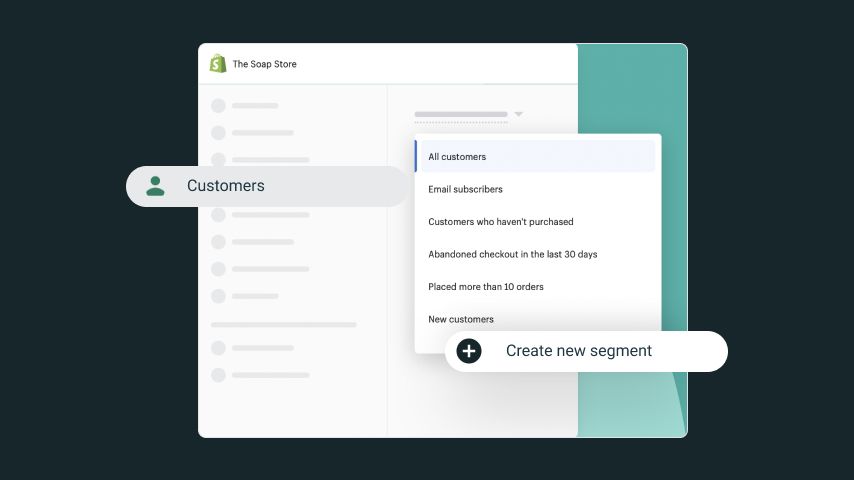
Understanding your customers is key to a successful Shopify marketing strategy. Identify distinct groups within your audience and tailor your messaging and offers to meet their preferences.
Shopify offers an innovative customer segmentation tool, ShopifyQL, to help with this.
It lets you automatically group customers into segments based on specific criteria and automates tasks according to the segments.
Group customers by location, email address, or based on unique behaviors like the amount spent or their purchase frequency. This lets you personalize offers and better reach your target audience.
Take advantage of the Shopify Customer Segmentation tool when starting your store.
This helpful tool lets you easily group your customers based on common characteristics. Want to make a campaign targeting your subscribers in the US who haven’t made a purchase? Go right ahead. Want to create super-targeted marketing campaigns for your subscribers in California who’ve placed at least two orders in the past year and spent over $100? No problem – create any segment you want. Pair this with your marketing efforts, and you’ll be on your way to success.


Email marketing is an effective and affordable communication channel that gives you full control over the content, distribution, and timing. Just ensure you’re only obtaining email addresses and sending messages to customers who have consented.
There are three main kinds of email marketing messages:
Check out our expert tip on the best email marketing strategy for Shopify:
Did you know that 99% of email users check their emails daily? Build your contact list ASAP to have a highly convertible audience before you know it. Shopify Email is one of the go-to Shopify apps for your email marketing needs. And the best part? You can send up to 10,000 emails each month for FREE!
The Shopify email app offers:
Search Engine Optimization (SEO) is the use of relevant keywords in your content to improve your website’s ranking in search results. Applying content marketing and improving your Shopify SEO ranking are the best ways to increase organic traffic to your online store.
Quality content establishes your reputation and helps Google searchers find you. This includes blog posts, tutorials, podcasts, or videos containing relevant keywords.
Content doesn’t have to be strictly sales-focused – it can be anything related to your products or niche. Include it in social media posts, your website, or emails to attract your target audience. Encourage comments on your blog to boost engagement and inspire user-created content. With permission, feature user-generated content on product pages or share it on social media for extra reach.
Research keywords your audience searches for and make content they’ll like. Update your product descriptions with relevant details and meta descriptions to increase your Shopify store’s discoverability.
To maximize your Shopify store’s full Google potential, create a Google Merchant Center account. Next, go back to Shopify, install the Google Channel app, and choose Google as a sales channel in the Shopify admin. Then, connect to your Google Merchant account.
All the configuration is done in the Google sales channel setup, where the products should be selected. Changes made to Shopify products will automatically sync with Google.
Fill in your product data carefully, observing SEO, keyword research, and Shopify’s recommended image sizing to improve your listings’ visibility and promote your Shopify store before spending on ads.
Google provides paid and free listings for Shopify users and eCommerce stores.
Paid Listings
Google Smart Shopping is a paid advertising solution within Google Ads. Product information is synced directly from your Shopify store, allowing Google to automatically create and display ads across various platforms (Shopping, Search, Image, Lens, Gmail, and YouTube).
All order management is handled in Shopify when customers purchase products through these platforms. Smart Shopping integrates with analytics, using the collected data to enhance your ads for maximum impact.
Free Listings
Google’s free listings are displayed alongside paid ads but are only available in fewer than 50 countries.

Social Media Marketing
Products on Shopify can be shared through synchronized social media posts on Facebook and Instagram. Users can navigate and buy directly from social platforms by clicking on posts and using one-click checkout without leaving the sites.
Selling Shopify store products on Facebook and Instagram is free since all Shopify plans include this channel integration. The Shopify admin manages orders and payments.
Disclaimer
As of April 24, 2024, shops in the US that do not have Facebook or Instagram checkout activated (meaning they use messaging-based checkout or checkout on their own website) will no longer be accessible. As a result, features associated with these shops, like product tagging in posts and creating new custom and lookalike audiences from shop visitors, will be discontinued.
Advertise Shopify products on Facebook through single or carousel ads. Carousel ads include up to five products, allowing them to display collections or tell visual stories. This format encourages customers to click and explore.
Paid advertising, which includes Shopify Facebook and Instagram advertising, can be set up either in the Facebook Ads Manager within the Shopify admin interface or directly through the Meta Business Manager on Facebook and Instagram.
Set your daily ad budget, precise targeting, and the period the post or product will be advertised.
There are three common paid ad misconceptions when people start promoting their products on Google, Facebook, and Instagram:
A strategic paid advertising campaign will build brand awareness and increase sales. Many resources can help you learn more about digital marketing strategies, but getting help from a professional in the Printify Experts Program is an excellent idea!
A positive customer experience results in happy, repeat customers. The largest revenue share comes from returning satisfied customers, which loyalty programs encourage.
A loyalty program provides rewards like discounts, coupons, program points, exclusive products, free shipping, and free products.
A customer loyalty program helps you:
There are several Shopify apps for loyalty programs.
Choose one that offers the following features:
Here are a few customer loyalty program apps:
Smile: Loyalty and Rewards by Smile.io is a well-designed, robust loyalty program that helps you create an emotional connection with your audience, retain existing customers, attract potential new customers, and drive higher profits.

Customer reviews are social proof of your brand’s quality. They reassure other potential buyers of your trustworthiness and encourage sales. Reviews increase customers’ engagement with your Shopify store and each other.
The Shopify Product Reviews app is the free, standard app for Shopify stores. It supports Google-rich snippets and structured data, adds aggregate review scores, displays them in Google, and increases organic traffic.
Use Loox Product Reviews & Photos by Loox to display reviews. Social proof is more important than ever. The majority of consumers only make a purchase after checking reviews and will spend more on stores with positive reviews. Loox has everything you need in a review app, including a modern look and feel.

Built-in Shopify automations, available with the basic plan, let you automate many repetitive tasks, saving you time and resources. Set any marketing automation for Shopify with simple trigger conditions and ready-to-use templates.
The Shopify Flow app, available in Shopify paid plans, offers more extensive automation and integration with several apps.
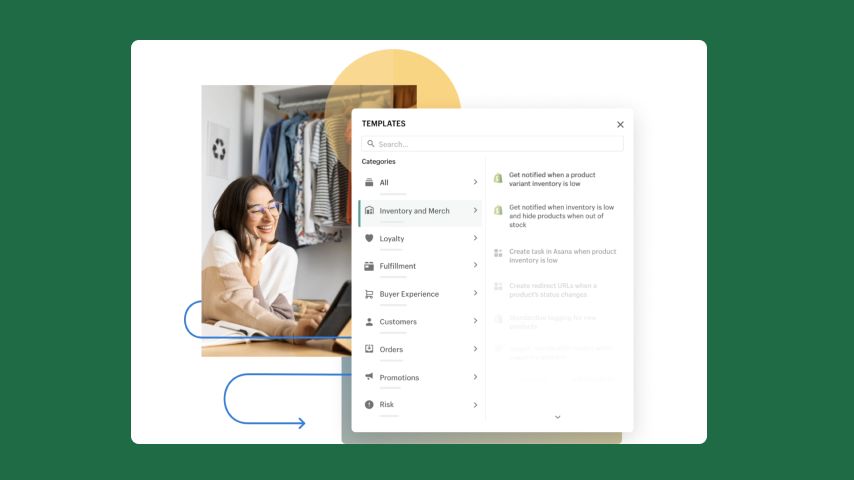
Schedule automations for specific triggers or events. They often activate multiple actions simultaneously, like updating customer groups or launching email campaigns.
For example, you could set up a Shopify automation to send winter sports email campaigns in December to customers living in Northern Hemisphere locations. Customer groups are automatically updated, so if someone moves from a warmer climate to a winter sports region, they’ll receive emails targeted toward colder areas.
Other examples of common automations are:

Tracking the progress of your Shopify marketing campaigns helps you adapt your marketing strategies when necessary.
Metrics will inform you which products are selling and which are not, who your Shopify store visitors are, and how well your campaigns are reaching their targets. Many metrics can be tracked with Google Analytics and Shopify’s built-in analytics tools.
The most important KPIs to track are sales, site traffic, and conversion rate. These broad, high-level KPIs give you a better sense of your Shopify store’s overall performance. You should also monitor low-level KPIs like profit margins, average order size/value, and cart abandonment rate to get a more detailed view of your store’s performance.
Use Shopify and Google Analytics to keep track of:
Shopify offers many educational resources to keep you updated.
You must have a Shopify Account to access Shopify Learn. You can access it with a Shopify free trial, but you’ll need a paid Shopify plan to continue using the resource once the trial ends.
Check the competitors often and learn their strengths and weaknesses. For inspiration, look at our list of the best Shopify clothing stores.
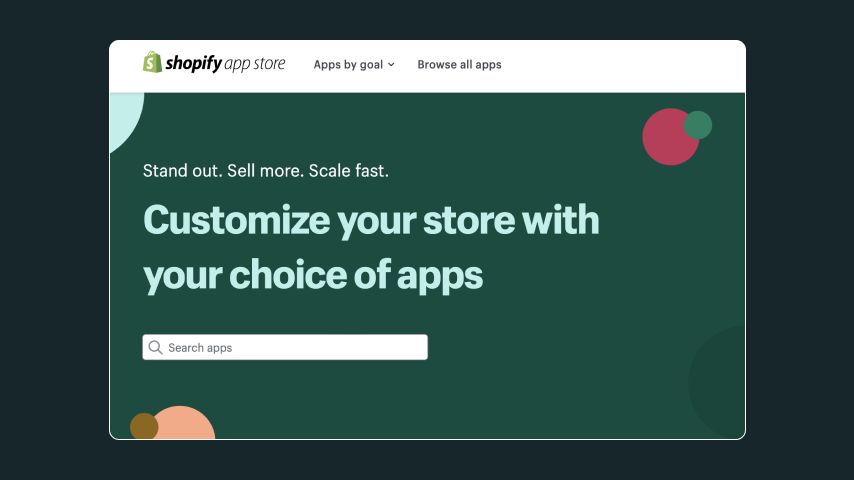
Customize and expand Shopify marketing features through proprietary and third-party apps. The Shopify app store is unbeatable when comparing Squarespace or BigCommerce, offering over 900 marketing and advertising-related apps.
There are some things to consider when adding apps to your Shopify store:
It’s easy to get lost in the vast selection of apps in the Shopify App Store. Here are two of the best Shopify marketing apps:
Finally, we recommend checking out these apps, too:
Printify will connect your eCommerce store to a worldwide network of selected Print Providers. Integrate your Shopify store with the Printify app or directly from Printify’s website, gaining access to the most extensive product Catalog in the industry. Printify handles all fulfillment and logistics, freeing you to focus solely on promoting your Shopify store.
We posted an article on what to sell on Shopify to give you some inspiration.
Learn more about Shopify dropshipping and how to create your Print on Demand store for free on our blog.
Shopify marketing is a suite of tools, strategies, and integrations within the Shopify platform. It helps store owners promote their products across various marketing channels like social media, search engines, and content marketing. The goal is to drive traffic, attract potential new customers, boost conversions, and foster customer loyalty.
Yes! An effective Shopify marketing strategy is essential for the success of any store on the platform.
It provides:
However, the success of your Shopify marketing strategy largely depends on how well you use these Shopify marketing tools.
The “best” Shopify marketing strategy depends on your business type, products, target audience, and marketing budget. Try a mix of different tactics to see what works.
Shopify helps attract customers through various tools and features designed to enhance the visibility and engagement of your eCommerce site.
Include these elements in your Shopify marketing strategy:
Well-thought-out Shopify marketing strategies will help you reach your target audience, increase customer engagement, promote your Shopify store, and increase sales.
In short, these are central components for establishing your Shopify marketing strategy:
Now, it’s time to apply what you’ve learned. Use our tailored Shopify marketing strategies to promote your store, launch a customer loyalty program, and succeed in your online business.




