
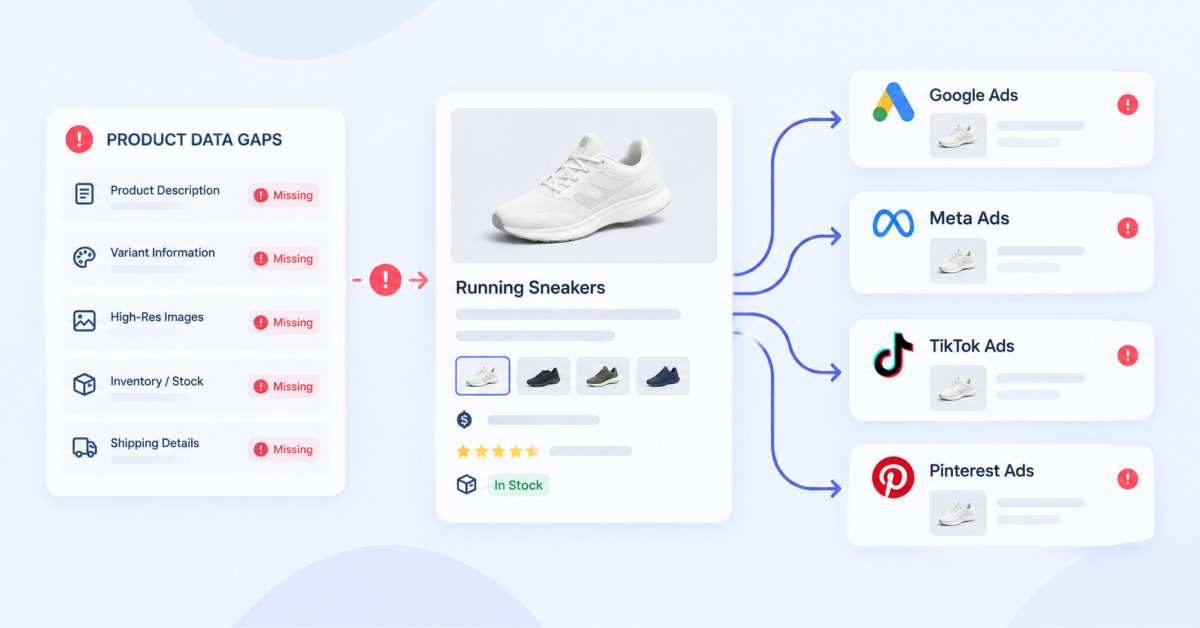
Shopify’s native catalog sync is enough to get products approved, but incomplete, inaccurate, and channel-generic product data limits eligibility, query matching, and conversion across Google, Meta, TikTok, Microsoft, Pinterest, and emerging AI shopping surfaces.
A product feed is not a back-office export. It is the product page, salesperson, and eligibility record that every ad platform and AI shopping system reads before deciding whether your product belongs in the conversation.
The first thing I open in a new ecommerce account is the product feed. Twenty years and hundreds of millions of dollars of ad spend in, it is still the worst-maintained asset I find in most stores.
Shopify makes it easy to never look. Switch on the Google & YouTube channel, add Meta and TikTok, and the catalogue syncs everywhere in about ten minutes. Products appear, ads serve, orders come in, and none of it tells you the data underneath is thin.
A thin feed never fails loudly enough to get anyone’s attention. Your products stay eligible for fewer formats, match fewer searches, and sit below competitors whose data is more complete.
The cost never shows up as a bad number on a dashboard. It shows up as contribution margin you never got the chance to earn, from impressions you were never entered into. There is no report for that, which is why it goes unfixed for years.
The native channel apps are built to get you selling quickly, which means they map the fields every store definitely has and leave the rest empty. Google’s product data specification runs to dozens of attributes across required, recommended and optional tiers. A default Shopify sync populates a fraction of them.
Empty optional attributes rarely block approval, and that is exactly why they go unnoticed. Approval is a low bar. It means your product is allowed into the auction, not that it is competitive inside it.
Think of it the way you think about a product page. A page with a title, one photo and two sentences will be published. It will also convert worse than the same product with six photos, a size guide and forty reviews. Your feed works the same way, except nobody ever looks at it.
Titles written for the product page. Your storefront title exists to look good under a photo, so it is often short and stylish. “The Weekender” tells a matching algorithm nothing. Google’s title attribute is the strongest matching signal you directly control, and the front of the string carries the most weight.
That makes the ordering the lever, brand first and variant last, which is how I set it out in my guide to Google Shopping for Shopify. “Ridge Supply The Weekender Canvas Duffel Bag 40L Olive” is uglier and it wins more auctions. You can change the feed title without touching your storefront, and most owners do not realise that.
Missing or malformed GTINs. The GTIN is how Google matches your listing to the same product sold by everyone else, which is what makes you eligible for comparison surfaces and richer formats. Stores that manufacture their own products genuinely do not have one. Stores that resell usually do, sitting in a supplier spreadsheet nobody imported. I find far more of the second case than the first.
Category left to guesswork. When google_product_category is blank, Google infers it. The inference is decent and it is not yours. Miscategorised products drift into the wrong competitive set and get benchmarked against the wrong prices. Your own product_type field costs nothing and gives you a structure to segment bids and margin reporting against later.
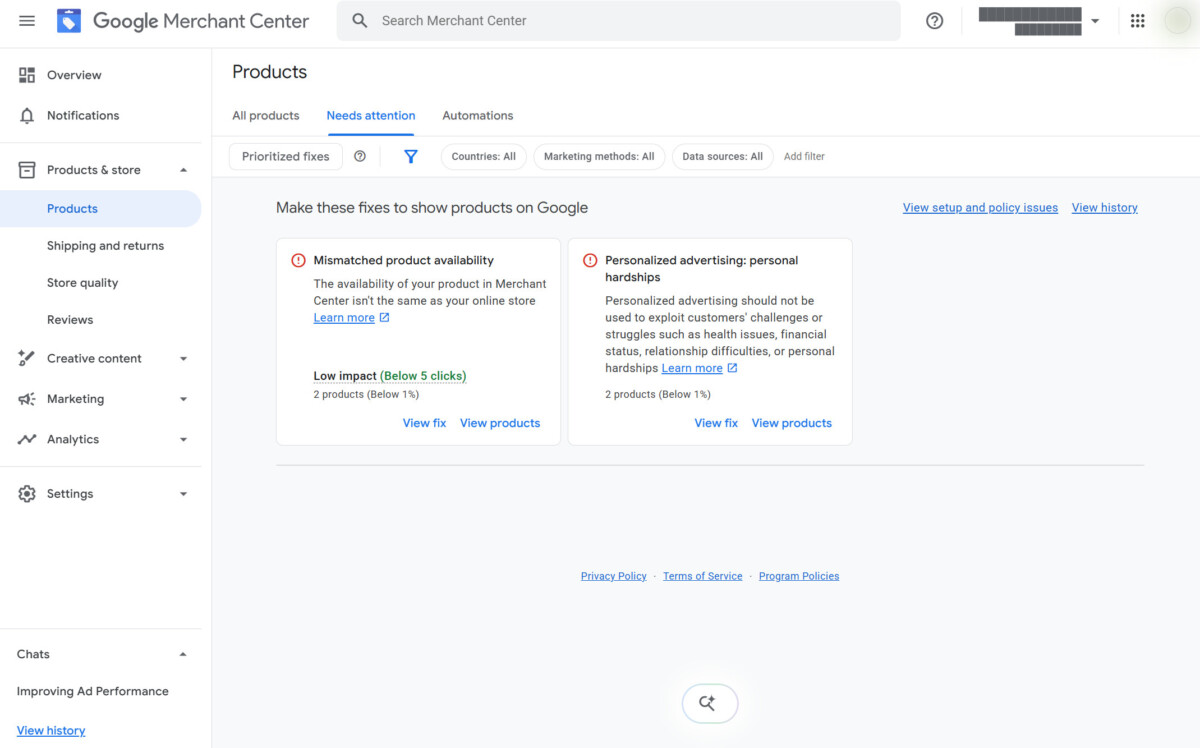
Price and availability that drift. Price and availability have to match what the shopper finds at checkout. Sale prices that expire in Shopify but linger in the feed, or stock counts that update on a schedule rather than in real time, cost you a disapproval at worst and a paid click on a dead end at best.
Fastlane has covered how much Merchant Center policy compliance decides about account health. This is the version that costs money without ever raising a flag, and it widens during a sale, when everything changes at once and your feed refreshes overnight.
One image doing every channel’s job. The white-background packshot Google wants and the lifestyle shot that stops the scroll on TikTok are not the same picture. Google’s image_link rules are strict about overlays and promotional text. Social surfaces reward close to the opposite. Sending one image everywhere means you are underperforming somewhere by definition.
“Syncing your catalogue” implies the channels all want the same thing. They do not.
Google is a specification. It rewards structured completeness, exact attribute names, valid identifiers and accurate values, and it publishes precisely what it expects.
Meta’s catalog leans harder on imagery and on availability accuracy, because dynamic ads retarget individual items and an out-of-stock retarget is money spent driving someone to a dead end.
Microsoft accepts a Google-shaped feed, which makes it easy to switch on and easy to leave permanently unoptimised, because almost nobody revisits an import they configured once.
TikTok’s product catalog and Pinterest’s data source both run their own category taxonomies and both are visual-first, so the fields that decide performance there are not the fields that decide it on Google.
One export cannot be optimal for five destinations with five different ranking systems. It can only be adequate for all of them, which is where most Shopify catalogues sit right now.
So the fix is structural rather than clerical. Something has to sit between Shopify and the channels, rewriting titles per destination, filling attributes Shopify does not expose, and catching errors before a channel sees them. Dedicated feed apps do that job, DataFeedWatch and FeedShine among them, and the category matters more than which one you land on.
If you cannot change how a product title appears on Google without changing how it appears on your own store, you have outgrown the native sync.
AI shopping surfaces and assistant-led buying read structured product data directly. A human shopper forgives a stale price. She notices the difference at checkout, shrugs, and buys anyway. An assistant comparing your product against four others does not forgive it. It reads what you published and either includes you or does not.
Google has already started building fields for this, which Fastlane covered when the conversational attributes landed, and the share of shopping queries carrying an AI answer is the number to watch.
Bad data used to cost you a percentage. Increasingly it costs you the consideration entirely. You are not ranked lower for a price mismatch, you are absent from the answer, and no report anywhere will show you the absence.
Two hours, using nothing you do not already have.
Your competitors’ listings are public, so read them against your own and you will know whether any of this is costing you money.
About the author. Joshua Uebergang founded Digital Darts in 2015 and runs Google Ads for Shopify stores. He has audited over 1,300 online stores, wrote Google Shopping for Shopify: The Definitive Guide, and builds Shopify apps to automate search marketing growth for brands.
Your Shopify product feed is likely hurting Google Shopping performance when Merchant Center shows recurring warnings, your titles do not clearly describe products, valid GTINs are missing, categories are inferred, or live prices and stock differ from submitted data. Start by reviewing 20 priority products, including top-spend and top-revenue SKUs. Check their titles, identifiers, Google categories, product types, images, prices, availability, and variant fields. If the same gap appears repeatedly, treat it as a feed-system problem rather than an individual product-editing task. Approval alone is not evidence that your data is competitive.
Fix price and availability mismatches first, then valid GTINs, descriptive feed titles, explicit Google product categories, and compliant primary images. Price and stock errors can waste spend or trigger policy issues immediately, so they are the urgent priority. GTINs, titles, and categories improve Google’s ability to identify and match products to relevant shopping queries. Once those foundations are stable, enrich product details such as material, dimensions, size, color, compatibility, certifications, and use cases. Start with the SKUs responsible for the most ad spend and gross margin instead of trying to repair the entire catalog at once.
Yes, you can change a Google Shopping feed title without changing the customer-facing Shopify product title by using feed rules, supplemental data, or a feed-management platform. This lets your storefront retain concise merchandising language while Google receives a title designed for matching, such as brand, product type, material, size, capacity, and variant. For example, a storefront product called “The Weekender” can become “Ridge Supply Canvas Duffel Bag 40L Olive” in Google. The useful test is simple: if the title does not tell a shopper or algorithm what the product is without seeing the image, enrich it in the feed layer.
You need a feed management app when native Shopify syncs cannot create destination-specific titles, categories, attributes, images, and rules without changing your storefront data. A small catalog running one channel can often operate successfully with native connections and disciplined manual QA. Brands spending across Google, Meta, TikTok, Microsoft, and Pinterest usually benefit from a feed layer because each destination rewards different data signals. The app is not the strategy, though. First define your taxonomy, attribute standards, image roles, and refresh ownership. Then choose the tool that can enforce those standards reliably.
Audit Merchant Center diagnostics weekly and perform a deeper cross-channel product-data review monthly, with an additional audit before every promotion, seasonal launch, or major catalog change. Weekly checks should focus on disapprovals, warnings, price mismatches, availability issues, and sudden item-count changes. Monthly checks should sample priority SKUs for title quality, GTIN coverage, taxonomy, images, variants, and destination-specific rules. Before a sale, test live prices, sale prices, inventory, checkout behavior, shipping messages, and feed refresh timing. The more frequently pricing and stock move, the more important near-real-time validation becomes.





