Free every Thursday · 59,694 Readers
Fastlane Insider Newsletter: What's working for Shopify in the AI era?
Free every Thursday · 59,694 Readers
Fastlane Insider Newsletter: What's working for Shopify in the AI era?

AI does not invent your catalog’s problems. It copies them faster. A thin spec sheet becomes 500 thin descriptions, and a wrong color becomes 500 wrong images.
Jim Boudreau, co-founder and CEO of Studio 1119, summed up weak product content on episode 494 of the podcast with one phrase: “copy of a copy of a copy.” His point was that the core description you write for each product feeds everything downstream: Shopify’s structured data, your Google feed, and the assistants reading your catalog. If that core text is thin, he said, “everything’s derivative,” and it gets weaker with each layer that copies it.
That is the part of AI content most stores skip. The conversation is usually about which generator to buy. The decision that matters comes earlier: what the generator is allowed to read. This guide covers AI written product copy and AI made product imagery at catalog scale, by stage. Brand positioning and voice belong to the Creative & Brand work you do before any of this, and the structured attributes behind your filters are covered in Fastlane’s guide to Shopify product data enrichment.
AI should draft the repeatable parts of a catalog (descriptions, alt text, background cleanup, new settings for photos you already have) from facts you supply, while a person approves anything a customer relies on to decide. That split is the whole method. Speed is the benefit, and accuracy is the job you cannot hand over.
Shopify says the same thing in plainer terms. Its help page on generating product descriptions with Sidekick tells merchants to read all generated content closely before publishing and states that the merchant is responsible for the accuracy of what goes live. A model writes what is probable for a product like yours. It does not know that your candle’s burn time is 45 hours rather than 60, or that this season’s bottle is amber, not clear.
The failure that costs money is rarely a description that sounds robotic. It is a description or image that promises something the product does not deliver: a size, a material, a color, a compatibility claim. Those turn into returns and support tickets. Sounding human is a style problem you can fix later. Being wrong is a trust problem, and it compounds across every SKU you generated from the same bad input.
So the order of work is facts, then one approved example, then volume. Most stores run it backwards: buy a tool, generate everything, then hire someone to clean up. When I was a merchant success manager at Shopify, the merchants who struggled at the $500K to $2M stage were usually the ones carrying too many apps before the basics were solid, and AI content tools are the newest version of that pattern.
The facts sheet comes first because a prompt can only rearrange the information it is given, so missing or wrong product facts produce confident, wrong copy no matter how good the prompt is. Build one row per product before you generate anything.
A workable facts sheet is a spreadsheet with one row per SKU and a column for each fact a buyer checks before purchase: dimensions, weight, materials, what is in the box, care instructions, compatibility, certifications, safety warnings, and the one or two things that make this product different from the cheaper one next to it. Add a column for who the product is for and one for what it is not suitable for. That last column is the one AI never fills in on its own, and it is the one that prevents returns.
Supplier spec sheets are a starting point, not the finished sheet. Jim’s episode made the point that many stores publish the same supplier description as every other reseller, which gives search engines and AI assistants no reason to prefer one store over another. Your sheet should add what you know that the supplier does not: what customers ask about, what the reviews complain about, how the product actually fits or feels.
The prompt itself then gets short. Tell the generator to use only the facts in the row, to write in your house style (a few sentences you have already approved), and to leave a field blank rather than guess. Build that instruction once, carefully, and reuse it across the catalog. The facts sheet is what makes that reuse safe, because the prompt stays fixed while the facts change row by row.
Shopify includes AI description writing through Sidekick and AI background editing in the media editor, so most stores can draft copy and clean up product photos before paying for anything. As of November 2026, here is what each covers, based on Shopify’s help center.
For copy, Sidekick writes a product description from the product title and the features or keywords you give it, and Shopify recommends at least a title and two features. You can set tone and add instructions in the same prompt, and generation works in every language Shopify supports, with the output matching the language of your prompt. The steps Shopify documents for descriptions run from inside one product at a time and the page does not describe a bulk option. Check what Sidekick can do across many products in your own admin before you buy a batch tool, because that working pace is fine for a few dozen SKUs and slow for a few thousand.
For images, Shopify’s media generation tools can replace a background with a solid color or make it transparent, transform a scene from a short text prompt, and extend an image beyond its borders. Shopify notes that output is about one megapixel, that clear subjects with good contrast work best, and that an invisible watermark is applied to every generated image. Its pricing note says media generation in the file editor is available on all plans at no extra cost for a limited time, while generation through Sidekick is limited to paid plans, so check your own admin before you plan around it.
The gap between these tools and a paid app is mostly scale and type of asset. Paid tools add batch processing across the catalog, sync back to Shopify, on-model apparel shots, short video and brand presets. If you are under a few hundred SKUs and your photos are product on a plain background, the native tools usually cover the job.
AI product photos help when they keep the real product exactly as it was photographed and change only the setting, lighting or background, and a real shoot still wins for hero products, high ticket items and anything a buyer judges by texture, fit or true color. The test is whether the image could make a customer expect something different from what arrives.
Keep two jobs apart. Editing the background around a real photo leaves the product as the camera saw it. Generating a new view (the back, the inside, the product on a body) asks the model to draw surfaces nobody photographed, and a facts sheet cannot confirm stitching, texture or fit it never recorded. If a new angle matters to the sale, photograph that side, or check the generated image against the physical product before it goes live.
Jeff Strauss, head of imaging at Photoroom, ran imaging at Gap and Amazon before joining the company. On episode 500 he said “really beautiful things draw you in” but “they don’t necessarily sell you the product.” He laid out three pillars for a gallery that converts, and the first is “product fidelity, and that is building trust with accurate details of the item.” The second, visual realism, is the one shoppers judge by instinct: an image that looks slightly off reads as untrue even when the viewer cannot say why. The third, which he calls gallery complete, is a set of images that answers the buyer’s questions without sending them to the description.
On episode 474 with Sam Thomas Davies, head of content at Dreem, I made the case for the other side: a brand with one or two SKUs, or an expensive product, may simply be willing to spend the money on a traditional photo shoot, “and that’s okay.” Sam’s point was that apparel needs more than front and back shots. Close ups, detail shots and video carry the material and color, and some luxury brands run ten different assets for a single SKU. That is where AI tools save the most, because the volume of assets per product multiplies the cost of shooting each one.
For a practical path from one supplier photo to a full listing, Fastlane’s supplier photo to product listing workflow walks through the steps and the same rule: check every generated image against the real product before it goes live.
Approve one complete reference product (description, alt text and full gallery) before you generate the rest, because every later item inherits whatever you accepted on the first one. The reference product is your style sheet, your prompt test and your quality bar in one place.
Monte Desai of Pixii described the factory version of this on episode 485: “you make one perfect PDP,” then tell the tool to “scale this to my next 500 products.” The order is the lesson whichever tool you use. Pick a product that is typical of the catalog, not the bestseller with the most attention already on it. Generate its description from the facts sheet row, build its gallery, then have the person who knows the product best mark every error.
Each error becomes a rule. If the model wrote “luxurious” where you would say “heavy cotton,” add that to the house style. If it invented a feature, tighten the “only use these facts” instruction. If the generated lifestyle image made the bottle look larger than it is, add a scale object to your scene prompt. Run the reference product again until it passes without edits, then batch the next 20, review those, and only then open the batch size up. A reference product that passes proves the workflow and the style. It does not prove the facts of any other SKU, which is why every later item still gets checked.
The review on every later batch is not rewriting. It is a fidelity check against the facts sheet: do the numbers match, is the color right, is the label text on the product legible and correct, are the safety and care lines present? That takes minutes per product instead of the time it takes to write one.
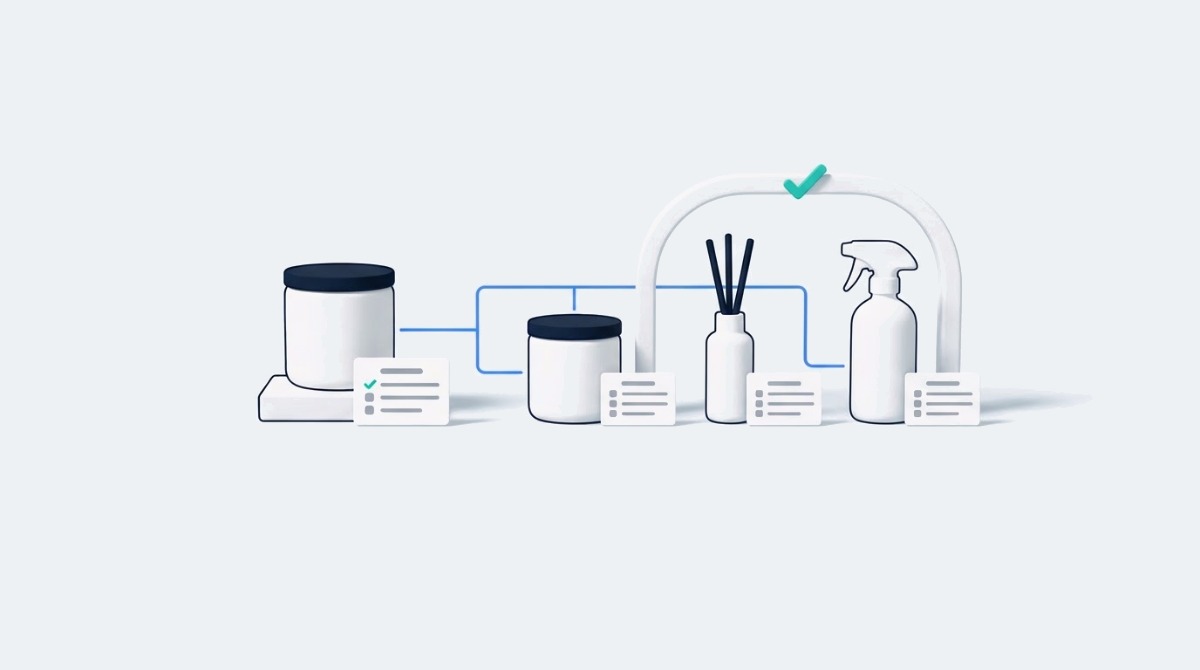
This is a labelled composite, built from patterns that come up in merchant conversations rather than from one real store, and the hours are illustrative assumptions. Picture a home fragrance brand doing about $40K a month with 180 SKUs across candles, reed diffusers and room sprays, supplier PDFs for specs, and one clean photo per product.
Writing 180 descriptions by hand at an assumed 30 minutes each is about 90 hours. The source first version spends roughly four hours building the facts sheet template and filling the columns the supplier PDFs cover (wax type, burn time, vessel size, scent notes, safety warnings), plus a column for what customers ask most. One candle gets approved as the reference product. Sidekick drafts the descriptions one at a time from each row, and the media editor replaces every background with the same flat color. At an assumed ten minutes per SKU for drafting the description and checking it against the sheet, that is about 30 hours, or 34 with the template work, before an hour or two to get the reference candle right. The background edits are extra on both sides of the comparison, so they are left out of it. The saving is real but smaller than tool marketing suggests, and the time goes into checking facts instead of writing adjectives.
What I would remove matters as much as what I would add. Cancel the humanizer subscription: the copy problem here is missing facts, not detection. Skip AI lifestyle scenes for all 180 products and generate them only for the 20 that sell most, where a richer gallery has traffic to pay it back. Do not install a second app that rewrites live descriptions on a schedule, because it changes approved copy without anyone reviewing it. If this brand grows past a few thousand SKUs or starts launching seasonal ranges every month, a batch tool with sync back to Shopify becomes worth its fee. At 180 SKUs it is complexity ahead of need.
Google Merchant Center requires merchants to identify AI-generated titles, descriptions and images in the product data they submit, so check how your feed handles generated content before you sync a batch. This matters for any store sending products to Shopping ads on Google or to free listings.
Google’s Merchant Center page on AI-generated content says AI-generated titles must use the structured_title attribute and AI-generated descriptions the structured_description attribute, each with a digital_source_type of trained_algorithmic_media and the text itself in a content sub-attribute. AI-generated images must carry the IPTC DigitalSourceType metadata that marks them as generated, and merchants must not strip it. Shopify’s note that its generated images carry an invisible watermark is not the same thing as that metadata, so check the file Google receives. Not every feed app sends those structured attributes, so ask your feed provider or check the feed settings in your Google channel before assuming you are covered.
For your own product pages, Google Search’s guidance on generative AI content says AI can help with research and structure, but generating many pages without adding value for users may violate its spam policy on scaled content abuse. A catalog where every description restates the supplier sheet in new words is close to the low value pattern that guidance warns about. Adding facts and answers a buyer would not find elsewhere is how a page adds value; it is not a guarantee, but it is the part you control.
If you also want AI assistants to recommend your products, the product page facts that help most are covered in Fastlane’s breakdown of AI product page optimization, and the wider picture is in the generative engine optimization pillar.
The right AI content setup depends on catalog size and launch pace more than revenue, so treat the bands below as rules of thumb rather than thresholds. A store with a small catalog and high prices can stay on native tools well past these numbers.
If you already keep verified product data in a product information system, an ERP or well kept metafields, that is your facts sheet; connect the generator to it instead of building a parallel spreadsheet. At every stage the gate is the same: an owner for the facts and a person who approves the reference product. If nobody owns those two jobs, a more powerful tool only produces errors faster. AI ad creative is a separate decision with its own costs, covered in Fastlane’s guide to choosing an AI ad generator for Shopify.
Disclosure: Photoroom, Dreem, Pixii and Studio 1119 have appeared on the eCommerce Fastlane podcast, and Photoroom has sponsored it. Names on this page may link through /recommends/ links that can earn a commission.
Yes, using AI to write Shopify product descriptions is fine as long as every description is generated from accurate product facts and a person checks it before it goes live. Shopify’s own help page says to read generated content closely before publishing and makes the merchant responsible for accuracy. Google Search does not object to AI content as such, but its guidance warns that generating many pages without adding value can fall under its scaled content abuse policy. The safe pattern is a facts sheet per product, one approved reference description that sets your house style, and a quick fidelity check on every later description against the facts sheet. That keeps the speed benefit while protecting you from wrong sizes, materials or claims.
The best free option for most Shopify stores is Sidekick, which is built into the Shopify admin and writes a description from the product title and the features or keywords you give it. Shopify recommends supplying at least a title and two features, and you can set the tone and add instructions in the same prompt. It works in every language Shopify supports. As of November 2026 the steps Shopify documents run one product at a time and describe no bulk option, so it suits catalogs of up to a few hundred products. Past that point, or when you launch new ranges every month, a paid batch tool can save enough hours to cover its fee.
You can use AI-generated product photos on Shopify when the product stays exactly as it was photographed and only the background, setting or lighting changes. New views, such as the back of a bag or a shirt on a model, need a real photo of that side or a check against the physical product. The risk is an image that makes a customer expect a different color, size or texture than what arrives, which leads to returns and lost trust. As of November 2026, Shopify’s help page says media generation in the file editor is available at no extra cost for a limited time. For hero products, high ticket items and anything judged by fit or true color, a real photo shoot is still the safer choice. Check every generated image against the physical product before publishing it.
Yes, Google Merchant Center requires you to identify AI-generated product content in the data you submit. Its policy page says titles and descriptions created with generative AI must be sent in the structured_title and structured_description attributes, with a digital_source_type of trained_algorithmic_media and the text in a content sub-attribute, and that AI-generated images must keep the IPTC DigitalSourceType metadata marking them as generated. Not every feed app sends those structured attributes, so check your Google channel or feed app settings before you sync a batch of generated content. This applies to Shopping ads on Google and free listings, not to the text on your own product pages.
The way to keep AI product descriptions from sounding the same is to give each one different facts, not to run them through a rewriting tool. Sameness comes from thin inputs: when every row of your facts sheet has only a name and a category, the model fills the gap with the same stock phrases. Add the details that actually separate products (materials, dimensions, who it suits, what it is not for, what customers ask about it) and approve one reference description that sets your house style. Then generate each description using only the facts in its own row. Different facts produce different descriptions, and they are also more useful to buyers.