Furniture brands can replace many catalog and variant shoots with AI product images, provided the tool keeps the product exact and a person approves every image. Test fidelity on your most detailed piece first, and keep traditional shoots for hero campaigns.
The risk with AI product images is not that shoppers spot the AI. It is that the sofa in the picture is not quite the sofa that arrives.
A single sofa can come in a dozen fabrics, three leg finishes and two sizes. That is 72 combinations, and each one needs a cutout for the product page, a lifestyle image for category pages and ideally a few close-ups. Multiply that by a full collection and a seasonal launch calendar, and it is easy to see why some online stores still show the same grey sofa in every color option.
AI product images change that equation. Instead of booking a studio for every variant, brands generate lifestyle scenes, cutouts and variants from the product photos they already have. One disclosure up front: we build Mazing, an AI platform for furniture product images, so we have a stake in this topic. This guide is written to help you judge any provider, including ours, because furniture is not a t-shirt or a coffee mug. Before you replace your next shoot, it helps to understand what makes furniture hard and what to check so the results actually sell.
Furniture is harder than most categories because shoppers have a lot to judge visually, and small errors in shape, texture or scale change what they think they are buying. Baymard Institute’s furniture and home decor research makes the same point from the shopper’s side: across more than 2,500 hours of usability testing, most participants looked at the pictures first, and one or two images often could not show enough for a high consideration purchase (published December 2024). Fastlane has also looked at this through its guide to 360 product photography for furniture, and Fastlane’s breakdown of home decor product pages covers the room context and in scale images buyers look for.
Here is what makes the category hard for AI images in particular:
Variants multiply fast. Fabrics, colors, finishes and configurations can turn one product into hundreds of SKUs, and the sofa above is already at 72 before you add a second model. Shooting every combination is rarely realistic, so photographing only the bestsellers becomes the usual compromise.
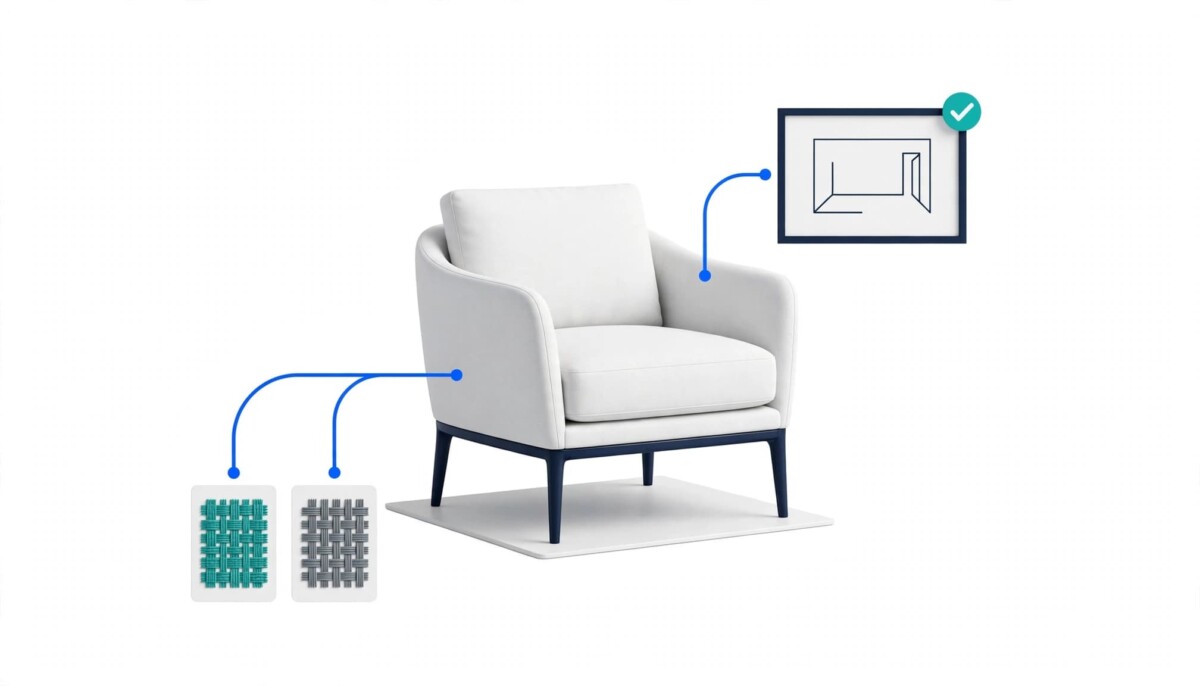
Fabric and material details matter. Shoppers zoom in on weave, grain and stitching. If an image smooths out a bouclé texture or shifts the tone of an oak veneer, returns and complaints can follow.
Scale and proportion are part of the product. A lounge chair that looks 10% wider than it is, or a sideboard placed in a room where it would never fit, creates false expectations.
Floor contact and shadows give it away. Furniture sits on the floor. Wrong shadows, floating legs or mismatched perspective make an image look fake at a glance.
Brand consistency across the catalog. A premium brand needs every scene to feel like the same brand: the same light, the same interior style, the same mood across hundreds of images.
General purpose image generators often struggle with exactly these points. In our experience they tend to reinterpret the product, with a different leg shape here and slightly changed proportions there. For a marketing mood board that is fine. For a product page, it is not.
A workable AI product image workflow starts from the photos and data you already have, sets your brand style once, generates in batches, and puts a person in front of every image before it goes live. At Mazing we built our platform around this one workflow, and whichever tool you use, these are the steps to look for:
The key difference from a classic shoot is marginal effort. According to Mazing, once the setup is done, adding a new variant or a new scene takes minutes instead of a studio day, and in Mazing, AI agents run steps 3 to 5 for whole collections while your team reviews and approves. That is a vendor’s description of its own product, so treat step 4 as the part you verify yourself rather than the part you delegate.
To see the workflow in motion, this short video shows how a few product cutouts become a full image series and a lifestyle video: AI Furniture Photography: From Product Cutouts to a Full Image Series and Video.
Kettler, a German outdoor furniture manufacturer, reports that AI lifestyle images built from its existing product images cut content costs by 80%, halved internal effort and made product launches twice as fast. Those figures come from a case study published by Mazing, the vendor that supplied the platform, so they are a claim to test rather than an independent benchmark (checked November 2026).
Here is how the checklist below applies to that case. What stands out is the shape of the problem more than the savings. Outdoor furniture is seasonal, so images have to be ready long before the season starts, often before every color variant physically exists. According to the case study, Kettler used the AI scenes for new catalogs, retailer communication tailored to specific customer groups, international markets, hospitality, its website and campaigns. Generating scenes from product photos removes the dependency on weather, locations and sample availability, which is the long tail, many channel pattern where a shoot is hardest to justify.
What the case study leaves out matters just as much. It gives no baselines, time periods or methodology behind the three figures, and it says AI images replace shoots in many cases, not in every case. The practical takeaway is to treat 80% as a number to reproduce, not a forecast. Take the last two shoots you paid for, count the usable images each one produced, and divide the total cost by that count. That is the baseline any provider’s savings claim should be compared against. If your own calendar looks like Kettler’s (seasonal, several markets, variants that do not physically exist yet), a pilot is justified. If it looks like one hero launch a year, it probably is not.
Test product fidelity, brand consistency and variant handling first, because they decide whether the images sell or send the product back. If you are evaluating AI product images for a furniture or home catalog, these are the questions worth asking any provider, including us.
1. Product fidelity. Does the product stay exactly as it is, including shape, proportions, legs, seams and fabric texture? Ask for a test with one of your most detailed products, not a demo image.
2. Brand consistency. Can the tool learn your brand style (light, interiors, angles) and apply it across hundreds of images, or does every image look different?
3. Variants at scale. How are fabric and color variants created? Can you generate a full variant set for a collection in one batch?
Here is what the fidelity test can look like in practice. Illustrative example, assuming you pick your most detailed sofa and request the full 72 variant set from the example above: pull a sample of images and check each against the physical fabric swatches and the spec sheet for leg shape, seam placement and overall width. If one sample shows an altered leg or a moved seam, the tool fails item 1 no matter how good the scenes look, and the savings on the other 71 variants do not matter.
Before you sign, confirm who owns the generated images, where your data goes, how approval works, how the tool connects to your shop, and what each approved image really costs.
4. Image rights and data protection. Who owns the generated images? Where is your data processed and stored? And critically: is your product data used to train the provider’s AI models? For European brands, GDPR compliance is a must; for everyone, clear usage rights are. Two useful references: the US Copyright Office’s guidance on AI-generated works, which explains why human authorship matters for copyright, and the EDPB guidelines on controllers and processors, which explain what your data contract with a provider should cover.
5. Approval workflow. Is there a built-in review and approval step, so nothing reaches your shop without a human check?
6. Integration. Does it connect to your Shopify store, PIM or DAM, or will your team spend hours downloading and uploading files? For the image basics, Fastlane’s Shopify product image tips are a good companion to this list.
7. Cost per image versus cost per shoot. Compare the real cost of a shoot day (studio, photographer, styling, shipping samples, retouching) with the cost per approved AI image, and include the time to market. Divide by approved images, not generated ones. Illustrative example, assuming 100 images are generated and 70 pass review: the cost per approved image is the total spend divided by 70, not by 100. Run the same division on your last shoot, using only the images you actually published.
AI product images are not the right fit when you sell a handful of one-off pieces, rely on campaign hero images with models, or lack a clean product photo and reliable product data. If you sell a handful of pieces, a single good shoot may still be the simpler option. Campaign hero images with models and complex storytelling are also often better shot traditionally, and Fastlane’s guide to what to shoot and what to generate before peak season draws a similar line, keeping the shoot for images where authenticity sells the product. And if you do not have at least one clean product photo or reliable product data, start there first.
Where AI clearly pays off is the long tail: large catalogs, many variants, frequent launches and multiple sales channels that all need consistent images. The honest comparison is between three routes. Choose a traditional shoot if you sell few products, need real people or hero storytelling, or want one image set that rarely changes. Choose 3D or CGI rendering if you already maintain 3D models, for a configurator say, or need to render products that do not exist yet; Fastlane’s comparison of CGI product images and photography covers when replacing the shoot pays off on that route. Choose AI product images if you have product photos and data but no 3D models, and your problem is volume across variants, scenes and channels. Some brands keep a small number of campaign shoots for hero content and use AI for the long tail.
If you are earlier in your catalog’s life, with a few dozen products, run the cost division from item 7 before buying anything. If you manage thousands of SKUs across several channels, the approval workflow and integration items will matter more than image quality alone.
Pick one collection and gather its product photos and data, test the checklist against one detailed product, compare cost and quality with your last shoot, and only then decide whether to roll out. Decide the pass mark before you generate anything: no altered shapes, legs or seams in the sample, a cost per approved image you can defend against your last shoot, and an approval step your team will actually use.
For catalog, lifestyle and variant images, AI product images can replace many shoots, but not all of them. Kettler reports replacing photo shoots in many cases, and some brands still keep a small number of campaign shoots for hero content, models and storytelling. A practical split is to generate the long tail (variants, category page scenes and regional versions) and to shoot the few images where real people or a specific story carry the sale. Test the approach on one collection first, and compare quality and cost with your last shoot before you change how you produce the rest of the catalog.
Customers can notice AI images when a scene looks unrealistic, such as wrong shadows, floating legs or mismatched perspective, but the bigger risk is an inaccurate product. If the generator alters a leg shape, a seam or the proportions, the customer receives something different from what they saw, and an altered product creates returns. That is why product fidelity is the first item on the checklist. Ask any provider to run a test on your most detailed product, compare the result against the physical piece and its spec sheet, and keep a human approval step in the workflow so nothing goes live unchecked.
How long it takes depends on your catalog size and integrations, so be wary of any single number. A sensible way to start is a pilot on one collection: gather the product photos and product data, set the brand style once, generate a batch, and have your team review and approve it. Then compare quality and cost with your last shoot. Integration with your Shopify store, PIM or DAM can change the timeline, because manual downloading and re-uploading adds hours. Ask any provider for a realistic timeline for your own catalog before you commit to a full rollout.
No, you do not need 3D models to use AI product images. Modern AI image workflows start from existing product photos, and a clean product photo plus product data such as dimensions and available fabrics is usually enough to begin. If you already maintain 3D models, for example for a configurator, they remain useful, and 3D or CGI rendering is still a valid route for some catalogs. The practical question is what you already have. If it is photos and data rather than models, start there, and test fidelity on one detailed product before you scale up.
Manuel Messner is CEO of Mazing, a Vienna-based AI platform for product images and room visualization for furniture brands and retailers. Mazing works with brands such as Kettler, Scapa Home and Möbel Ehrmann.
Connect: Manuel Messner on LinkedIn | Mazing on LinkedIn