
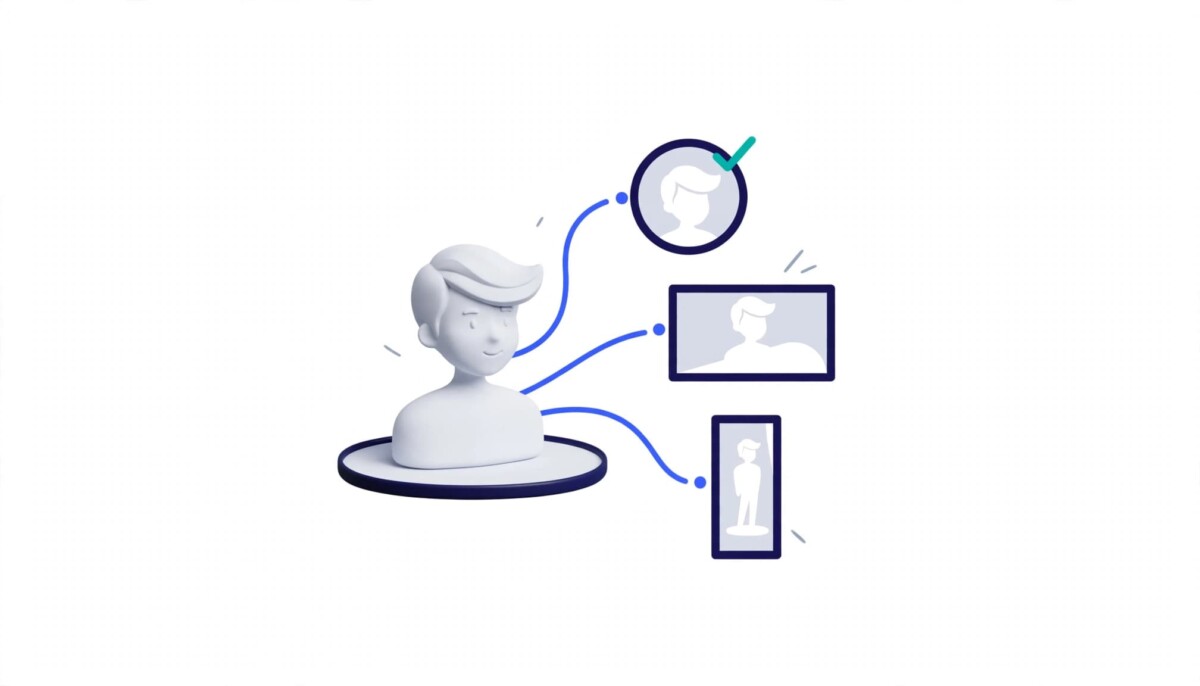
To create a personalized AI avatar, decide where it will appear first, explore styles with an AI image generator, lock the defining traits with a character tool, and reuse one reference image for every new version. Before commercial use, check licensing, ownership, and disclosure.
Most brands do not have an avatar problem. They have a consistency problem: four slightly different faces on four platforms, and nobody recognizes any of them.
Your online identity is often the first impression people have of you or your brand. A shopper scrolling past a creator’s video, a buyer checking the founder behind a new Shopify store, or a podcast listener looking up a guest all see the same small circle first. If that circle changes every few months, the recognition you earned resets with it.
Creating a unique avatar traditionally required illustration skills, design software, or a professional designer. AI creative tools have added another option: you can explore personalized avatars through text descriptions, visual references, and different artistic styles in an afternoon. The hard part is no longer making an attractive image. It is making one that looks distinctive, fits your personality, and stays the same across every platform you use.
Whether you are a solo founder who would rather not put your face on every post, a creator building a recurring character, or a brand team testing a mascot, the answer starts with the same two moves: choose the visual direction deliberately, and build a repeatable workflow around it.
A personalized AI avatar is a digitally generated representation of a person, a fictional identity, or a brand personality, designed around specific traits rather than captured by a camera. It can take the form of a realistic portrait, a cartoon character, an anime inspired illustration, a professional profile image, or a futuristic digital persona.
Unlike a standard profile picture, an avatar is designed. You choose the clothing, colors, facial features, expression, and artistic style, which means you can make it say something specific about who you are or what your brand stands for. A technology creator might prefer a futuristic avatar with neon accents, while a business consultant may want a clean, professional portrait. A gaming community might choose stylized characters that reflect its theme, and a skincare brand might want a soft, illustrated character that matches its packaging.
For ecommerce brands, avatars tend to show up in three roles. The first is a founder stand in: an illustrated version of the person behind the store, used on social profiles and in newsletters by founders who want a personal presence without being on camera every day. The second is a brand mascot: a character that represents the company itself in campaigns, product announcements, and packaging inserts. The third is a content guide: a recurring character that appears in tutorials, thumbnails, and help content so returning viewers recognize the series instantly.
The best approach depends on where the avatar will appear and what impression it should communicate. A founder stand in should resemble the founder closely enough to feel honest. A mascot can be fully fictional. A content guide sits in between and mostly needs to be simple enough to read at small sizes. Deciding which of the three you are building is the first real design decision, and it shapes everything that follows.
Designing an AI avatar that reflects your identity starts with a clear concept that connects the visual design to your intended audience, then moves through three steps: define the use, explore styles, and lock in a distinctive persona. Creating a useful avatar involves more than generating an attractive image, and skipping the first step is the most common reason people end up regenerating for weeks.
Before generating anything, identify the avatar’s primary purpose. A professional profile image has different requirements from a gaming character or a mascot used in social media videos. For personal branding, the avatar needs to read as you on professional networks, portfolios, and personal websites. For social media, it needs a distinctive look that holds up on Instagram, TikTok, and YouTube. For gaming and entertainment, expressive fictional personas give you more room. For business marketing, a mascot or illustrated brand representative has to carry campaigns and digital content. For educational content, a friendly illustrated guide makes tutorials and learning materials more engaging.
Pick one primary use and treat the rest as later variations. Defining the purpose first makes it easier to select the appropriate style, composition, and level of detail.
An AI image generator can help transform a written concept into a range of visual possibilities. Instead of spending hours manually creating every variation, you can experiment with different styles and refine the results according to your preferences. The same avatar concept could be explored as a photorealistic portrait, a 3D character, a minimalist illustration, or an anime inspired design. General purpose tools such as Midjourney, Adobe Firefly, and Canva’s AI image generator handle this exploration step too, so compare how each treats the style you want before you commit.
Start with a detailed description of the desired appearance: hairstyle, clothing, expression, lighting, background, and overall mood. Then compare several results side by side to decide which design best represents your identity. If you are creating an avatar for a business, use your brand colors and recognizable visual elements. If your store already has a defined palette across banners and listings, the approach in this guide to matching AI generated banners and listing styles applies to avatars as well. For a personal account, focus on the features and style that best communicate your personality.
An AI character generator can help users explore fictional identities, illustrated personas, mascots, and other character based designs. Depending on the tool, you may be able to experiment with appearances, outfits, poses, expressions, and different artistic treatments, then save the character so later images keep the same face and style. This is particularly useful when a standard portrait does not fully communicate the personality you want to convey.
Imagine creating a digital mascot for a fitness brand. You could explore clothing styles, facial expressions, body poses, and visual themes before choosing a design that fits the brand’s tone. For a content creator, the same process could establish a recurring illustrated persona that appears in thumbnails, profile graphics, and educational posts. The important step is to establish a few defining characteristics and preserve them whenever you create new versions of the avatar.
You maintain a consistent avatar by saving one approved reference image, writing down its defining traits, and generating every new version from that reference rather than from a fresh prompt. A strong avatar should remain recognizable even when its size, background, or composition changes, and that only happens when every variation starts from the same source.
Save the preferred avatar design and document its essential characteristics in a short trait list: hairstyle, clothing, color palette with hex codes, accessories, and overall artistic style. If your chosen tool supports reference image inputs, use the original design to guide future generations. This helps preserve recognizable details, although results can still vary between generations, which is why the trait list matters.
Your avatar will need different compositions depending on the platform. A circular profile image, a wide YouTube banner, and a vertical social graphic all have different layout requirements, and the differences are larger than they look. YouTube’s channel branding guidelines say a profile picture renders at 98 by 98 pixels, while a banner needs at least 2048 by 1152 pixels with a text and logo safe area of 1235 by 338 pixels. A full body mascot will not survive at 98 pixels.
Create variations that suit each format while preserving the avatar’s core identity. The profile image might focus on the face, while a promotional graphic includes the full character and a contextual background. A practical starting set is four files: a face only crop for profiles, a head and shoulders version for thumbnails, a full character for campaigns, and a simplified version for very small placements.
AI generated images can introduce subtle changes in facial structure, accessories, clothing, or proportions. Review each variation against your reference before publishing it, particularly when the avatar represents a professional brand. Consistency matters most when audiences repeatedly encounter the same character across different channels.
Once the design is established, an avatar becomes a reusable part of your content workflow across profiles, thumbnails, campaigns, and written content. The value comes from repetition: after enough exposures, a viewer can recognize the brand from the character before reading a word.
Creators and founders can use custom avatars to establish a consistent visual identity across social platforms. An original illustration is a reasonable alternative for people who prefer not to use personal photographs, though on networks where buyers and partners expect to see the real person, an illustrated avatar works best alongside a real photo rather than instead of it. If LinkedIn is where your buyers and partners find you, this piece on how AI helps Shopify founders with LinkedIn personal branding covers the profile side in more depth. A consistent avatar also makes a profile easier to recognize when audiences encounter its content in different feeds.
Illustrated characters can help communicate a video’s topic or the personality of its creator. A tutorial channel might use a recurring avatar in thumbnails, presentation slides, and supporting graphics. If you are already producing product videos, the tools in this roundup of AI product video makers for Shopify brands can carry the same character into motion. The key is to make sure the avatar complements the content instead of distracting from the message.
Businesses can experiment with digital mascots for product announcements, educational campaigns, and promotional materials. A well defined character creates a repeatable visual element across multiple marketing assets, from a launch email header to an unboxing insert. Before using an avatar commercially, check the applicable licensing terms and make sure its design does not infringe on existing intellectual property.
Writers and educators can use custom avatars to make articles, newsletters, and learning resources more visually engaging. A recurring character can serve as a visual guide, helping readers identify related content. This approach works particularly well when the avatar has a clear role within the material, such as introducing each tip in a series, rather than appearing as an unrelated decorative element. It fits naturally into a broader content strategy for Shopify DTC founders where the same formats repeat every week.
An effective avatar prompt explains both what the avatar should look like and how the image will be used, covering six elements: subject, appearance, art style, mood and expression, composition, and background and lighting. Writing them in the same order every time also makes it easier to change one element and see exactly what that change did.
For example, a prompt might request a friendly futuristic technology mascot with short silver hair, a navy jacket, subtle cyan accents, and a confident expression, rendered in a polished 3D illustration style and framed as a head and shoulders portrait against a simple background. Every element in the table is present, and each one can be changed on its own.
After generating the initial design, refine individual details rather than rewriting the entire prompt at once. Change the jacket color, regenerate, and compare. Then change the expression. This makes it easier to understand which adjustments improve the result, and it keeps the rest of the character stable while you experiment. Save the final prompt next to your reference image and trait list, because it is the closest thing your avatar has to a recipe.
Before an AI avatar carries commercial weight, check three things: the tool’s licensing terms, how much of the final design is your own human work, and whether the character is endorsing products. Each one gets more important as the avatar moves from a profile picture to a mascot that sells.
Licensing comes first. Every generator sets its own terms for commercial use, and those terms can differ between free and paid plans, so read them for the plan you are actually on before the avatar appears in ads or on packaging.
Ownership is the point most brands miss. In its January 2025 report on copyrightability, the U.S. Copyright Office concluded that prompts alone do not provide sufficient human control to make the user the author of the output. Human contributions can still be protected, including your own artwork used as an input when it remains visible in the result, and creative selection, arrangement, or modification of the output. If you plan to build long term brand equity on a mascot, treat the AI image as a strong draft and have a designer refine it, so the version you put on packaging contains human work you can point to.
Disclosure applies when the avatar promotes products. The FTC’s updated Endorsement Guides from June 2023 clarified that the definition of endorsements covers virtual influencers. A character recommending a partner’s product is held to the same disclosure standard as a person doing it.
Stage matters here, and as a rough guide: under about $500K in annual revenue, a profile avatar or light campaign use on a paid plan with clear commercial terms is usually enough. Between $500K and $2M, when a mascot starts appearing in paid campaigns, budget for a designer’s finishing pass and a simple brand guide. Above that, or whenever the character goes on packaging, talk to counsel, including about trademarking the character itself, which is usually the stronger protection for a mascot used in commerce.
The most common AI avatar mistakes are choosing a style that does not match the audience, adding too many details, changing the design too often, ignoring platform dimensions, and skipping usage rights checks. Even with accessible generation tools, each of these quietly reduces how well the avatar works.
Choosing a style that does not match the audience is the first trap. An elaborate fantasy illustration may not suit a professional consulting profile, while a formal corporate portrait may not fit a gaming community or a playful snack brand.
Adding too many visual details is the second. Excessive accessories, complicated backgrounds, and conflicting colors can make a small profile image difficult to recognize. A useful test is to shrink the image to the size of a thumbnail on your phone and ask whether a stranger could still describe it.
Changing the design too frequently weakens visual consistency and makes a brand harder to identify. Seasonal outfits and campaign variations are fine; changing the face, hairstyle, or core colors resets recognition. Resist the urge to build a whole cast of characters before the first one is recognized. One avatar used consistently tends to build more recognition than several used occasionally.
Ignoring platform dimensions is a technical mistake with a visible cost. An image that looks good in a large preview may lose important details when cropped into a small circular profile picture, which is why the four file starting set above exists.
Skipping usage rights checks is the mistake that costs the most later. Always review the tool’s licensing terms, particularly when using generated images in advertising or commercial projects, and revisit them when you change plans.
Personalized AI avatars offer a flexible way to build a recognizable digital identity without starting every design from scratch, provided you define the purpose and visual style before generating images. Whether you are developing a professional profile, launching a social media channel, or creating a mascot for a business, the order matters: purpose, then style, then a locked reference, then variations.
An AI image generator helps you explore different visual concepts, while an AI character generator can support the creation of more expressive and distinctive digital personas.
If you are just starting, build one avatar and four crops, and use them everywhere for a few months before you add anything else. If you are scaling, the next step is a short brand guide for the character and a human finishing pass on the version that carries commercial weight. The most effective avatar is not necessarily the most complicated one. It is the one that communicates the right personality, remains recognizable across platforms, and supports the goals of your content or brand.
To make an AI avatar look the same every time, generate new versions from one saved reference image instead of writing a fresh prompt each time. Pick the design you like, save it, and write a short trait list covering hairstyle, clothing, colors with hex codes, accessories, and art style. Use a tool that accepts reference images or saved characters, and attach that reference to every new generation. Change only one element per revision, such as pose or background, so you can see what moved. Results can still drift slightly between generations, so compare each new image against the reference before publishing and discard any version where the face or core colors have changed.
Upload a high resolution square image, but design your avatar to read clearly at around 98 by 98 pixels, which is the size YouTube renders a channel profile picture. Profile images often display far smaller than you upload them, and YouTube’s banner, by contrast, needs at least 2048 by 1152 pixels. Use a square file so the platform can scale it down cleanly, and keep the face centered so circular crops do not cut off important features. Create a separate face only crop for profile slots rather than shrinking a full body image. Check the current specifications in each platform’s help center, because they change over time.
You can use an AI generated avatar as a brand mascot, as long as the tool’s licensing terms allow commercial use on your plan and the design does not copy an existing character. The bigger question is ownership. The U.S. Copyright Office concluded in January 2025 that prompts alone do not make you the author of an AI output, although human modifications and arrangement can be protected. If the mascot will carry long term brand equity on packaging and ads, have a designer refine the AI draft so the final version includes human work. For a social profile or a short campaign, a well chosen AI design on a commercial plan is usually enough to start.
Yes, an AI avatar that promotes a product it has a material connection to should disclose that connection the same way a human endorser would. The FTC’s updated Endorsement Guides, announced in June 2023, clarified that the definition of endorsements covers virtual influencers. If your mascot recommends a partner’s product, or you pay for placement, make the relationship clear in the post itself rather than burying it in a profile bio. This applies whether the character is realistic or obviously illustrated. When in doubt about a specific campaign, check with a lawyer familiar with advertising rules in your market.
An AI avatar prompt should include six elements: subject, appearance, art style, mood and expression, composition, and background and lighting. The subject defines who or what the avatar is. Appearance covers facial features, hairstyle, clothing, and distinguishing details. Art style names the visual direction, such as 3D rendering or vector illustration. Mood sets the expression, composition sets the framing, and background and lighting set the setting and color palette. Write the elements in the same order every time, then refine one at a time rather than rewriting the whole prompt. Save the final prompt with your reference image so you can reproduce the avatar later.




