Free every Thursday · 60,261 Readers
Fastlane Insider Newsletter: What's working for Shopify in the AI era?
Free every Thursday · 60,261 Readers
Fastlane Insider Newsletter: What's working for Shopify in the AI era?

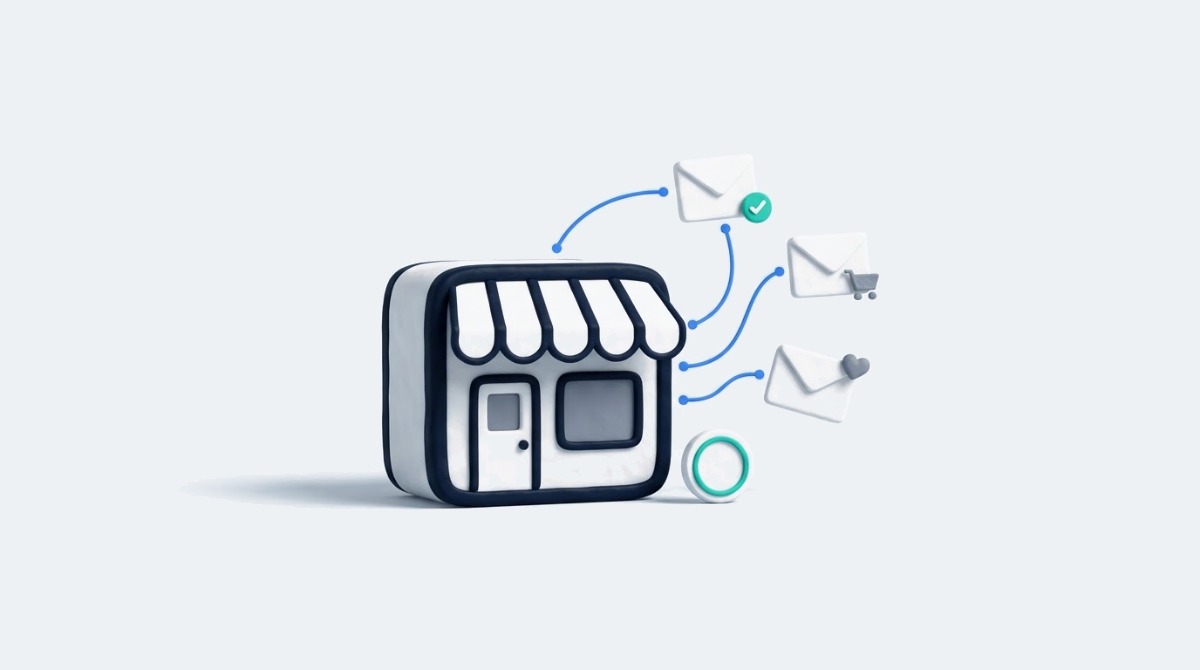
Most small Shopify stores don’t need a bigger email platform. They need the three flows that make money running every day, on a bill that doesn’t grow faster than the list.
The weeks after Cyber Monday are a smart time to switch to Sender because your holiday campaigns are done, your BFCM signups are already on your list, and you can plan the move without touching a single live promotion. Black Friday lands on November 27 this year and Cyber Monday on November 30, so for most small stores the first week of December is a natural window once their holiday offers have ended.
Now, I’ll set the stage the way I usually do on the podcast. Let’s say you launched your store eighteen months ago. Your welcome email works, your abandoned cart email works, and your list has grown past a couple of thousand people. You picked your email platform on day one because someone recommended it, and every time the list grows, the invoice goes up. When I talked with Klaviyo‘s Jen Kessler on episode 420 of the podcast, I described how most marketers feel at this point: “Things are not great, but they’re not broken.” That feeling is exactly why so many small stores never move, even when the numbers say they should.
BFCM is a good reason to finally run those numbers. Holiday signups have to land somewhere, and planning the move now means the list you worked hardest to build starts 2027 on a plan sized for your store. If you are also weighing a paid plan, Sender’s pricing page lists Black Friday pricing as of November 2026: for first time users, 40% off Standard and 60% off Professional on a 24 month plan, and 30% off a 12 month plan. Confirm the terms and end date at checkout, and treat the buying decision and the switching date as two separate calls. If the free plan covers you, you don’t need any of it, and that’s a perfectly good outcome too.
Sender is an email and SMS marketing platform with its own Shopify app, built for small and growing stores that want automated flows, popups and campaigns at a low monthly cost. The app is called Sender Email Marketing & SMS, it has been on the Shopify App Store since August 2022, and it carried a 4.8 out of 5 rating from 18 reviews when I checked it in November 2026.
Once you install the app, Shopify hands you over to Sender to connect your account, and Sender’s setup guide says cart tracking is enabled automatically when you connect your store. From there you get a drag and drop email builder with product blocks, popups and embedded signup forms (including spin to win popups and discount codes), segmentation by purchase history and activity, landing pages and transactional email. SMS campaigns start on the paid Standard plan using SMS credits. Sender says more than 180,000 companies use the platform, which is its own figure, and a sign the company is well established even if its Shopify listing is younger than some of the bigger names.
The headline for a small store is the Free Forever plan. As of November 2026 it covers up to 2,500 subscribers and 15,000 emails a month, with one seat, Sender branding in the footer, and email automation, signup forms, popups and landing pages included. Every new free account also gets a 14 day trial of the Professional plan that starts automatically at signup, with no credit card required, and drops back to Free Forever if you don’t upgrade. Use those 14 days to build and test your flows, and check that every flow you plan to keep runs on the Free plan, not only during the trial.
Here is how the three self serve plans compare. The prices are Sender’s US dollar starting rates at the 500 subscriber tier, before any promotion, as listed in November 2026; your price rises with your list size, so price your own subscriber count on the pricing page.
Sender’s free plan stretches as far as your monthly send math allows: multiply your list size by the campaigns you send, add your flow emails, and as long as the total stays comfortably under 15,000 with fewer than 2,500 subscribers, you can run your email for $0. For a store of up to about 2,000 subscribers sending one campaign a week, that usually leaves healthy room.
Illustrative example, assuming a store with 1,800 subscribers that sends one campaign a week to its full list, plus about 1,500 automated flow emails a month across welcome, abandoned cart and thank you emails. Four weekly campaigns to 1,800 people is 7,200 emails. Add the 1,500 flow emails and the store sends about 8,700 emails a month, a little under 60% of the 15,000 allowance. In a month with five campaign weeks it’s 10,500, still with room for a launch announcement or an extra holiday send.
Push the same store forward. Say it grows to 2,400 subscribers over the holidays and moves to two campaigns a week in the spring. Eight campaigns to 2,400 people is 19,200 emails before a single flow fires, which is past the free allowance. That is the moment to compare Standard and Professional at your list size on Sender’s pricing page, and it is a good problem to have: it means the list is growing and you are mailing it often enough to earn from it. The trigger isn’t a particular number of campaigns. It’s the month your own projected total, using your post holiday list size, gets close to the cap.
The call I’d make for most stores in that first band is simple: start on Free Forever, send weekly, and re-run the math each quarter as the list grows. Talking with Shopify merchants and agency partners, the pattern I see most often at this stage is premature complexity, where a store under $500K pays for features built for brands ten times its size. A platform that lets you run the essentials for $0 and upgrade only when your sending volume asks for it fits the way a small store actually grows. Your exact numbers will differ, so pull your subscriber count and last month’s send volume from your current platform and run the same two lines of arithmetic.
The three flows to rebuild first in Sender are the welcome sequence, the abandoned cart flow and the thank you email, because together they cover a new subscriber, a nearly lost sale and a first time buyer. Sender offers each of them as a premade template on its Shopify integration page, so you are adjusting timing and copy rather than building from a blank canvas.
The welcome sequence sends a first email within minutes of signup, followed by an offer. Paste in the copy from your current welcome email, keep the same discount code, and a new subscriber gets the same experience through the switch. The abandoned cart flow starts when a cart is abandoned; you set the timing and number of follow ups, and Sender designs it so shoppers who complete their purchase don’t receive duplicate reminders. Test that with a real order before you go live. The thank you email triggers when an order comes through, which makes it the natural home for your post purchase message, care instructions or a review ask.
Everything else can wait until January. Sender also offers winback flows that target customers who have gone quiet and stop once they buy again, upsell and cross sell flows that trigger off a specific purchase, and follow up flows triggered by a click, form submission or reply. Those are worth building once the first three have run cleanly for a few weeks and you can see your baseline. If you want the order I recommend for building email on Shopify more generally, my guide to what to build in Shopify email marketing before you pay for a platform walks through the sequence stage by stage.
Jen Kessler described the simplest version of a platform move on episode 420. She was talking about moves onto Klaviyo, and the principle carries over to any email platform that connects to Shopify: “the simplest possible migration is just connect it up to your Shopify account and then create new campaigns, bring in your assets, and everything will be ready to go. You’ll have to set up some flows. But there isn’t necessarily a reason why you might need to bring in all of that historical information.” Shopify already holds your customer and order records. What stays behind in your old platform is its own history, such as campaign and flow analytics, form history and the logic of dynamic segments, so export what you want to keep for reference before you close anything.
Moving your Shopify store to Sender takes seven steps over one to two weeks, and the one rule that matters most is to keep your current platform running until Sender’s flows have been tested and have sent cleanly for several days. Sender’s own guide to migrating from Klaviyo says the same thing: keep the old account active and don’t delete flows or forms until the new setup is fully tested.
Two notes on help. Sender says its support team is available 24/7 by email and live chat during a migration, and it publishes step by step migration guides, including the Klaviyo guide above. For larger lists, Sender advertises a free, done for you migration on annual plans for accounts with 20,000 or more subscribers, completed within seven days, as described on its Mailchimp migration offer as of November 2026; confirm eligibility for your current platform and plan with Sender’s support before you count on it. Sender notes that recreating templates and flows can take anywhere from several hours to a few days, so give yourself the two weeks rather than a single afternoon.
Sender fits best for Shopify stores that want the core flows, popups and weekly campaigns running on a free or low cost plan, while brands with a dedicated retention marketer building predictive, multichannel programs are usually better served by a platform built around that team. Knowing where each option shines is what lets you pick by stage rather than by feature list.
Choose Sender if you are pre launch to roughly $500K a year, your list is up to about 2,000 subscribers, and you want automation, popups and campaigns included at $0 with a clear, inexpensive path to SMS and A/B testing when you need them. Its Free Forever plan’s 15,000 monthly emails give a weekly sender plenty of headroom, and Sender lists 24/7 support on every plan, including Free, which is a real comfort for a founder doing email alone.
Choose Shopify Messaging if you are just getting started and want design and sending inside your Shopify admin; Shopify’s page lists the first 10,000 emails each month as free as of November 2026, then $1 per 1,000. Choose Klaviyo if someone on your team owns retention full time and wants deep predictive segmentation across email, SMS and customer data in one profile, which is the kind of brand Jen described on episode 420. Choose Omnisend if you want email and SMS together in a Shopify focused platform with its own migration help. And if your current setup costs little at your list size and is working, staying put is a perfectly sensible call. If you are still weighing design tools, Fastlane’s look at whether you need an email template builder covers that side.
I’d argue the platform matters less than the habit. A store that sends one useful email a week and keeps three flows healthy will beat a store with a powerful platform and an empty calendar. Sender’s appeal is that it removes the cost reason not to build that habit, which is exactly where small stores need the help.
Before Black Friday, the one thing to do is pull your subscriber count and last month’s send volume, run the send math against Sender’s 15,000 email allowance using your expected post holiday list size, and if it fits, install the app and authenticate your domain this week. That ten minutes of arithmetic tells you whether you can run your email for $0 in 2027.
If you are just starting out, with a list under 1,000, set up Sender’s free plan now, build and test the welcome and abandoned cart flows, and let your Black Friday signups land there from day one. There is nothing to migrate yet, which makes this the easiest moment you’ll ever have to choose. If you are already sending weekly to a list of 1,000 to about 2,000, keep your current platform carrying the holiday sends, finish steps one to five above before November 27, and make the cutover once your last holiday offer has ended. If your list is approaching the 2,500 cap or you want SMS, price Standard and Professional at your list size while the Black Friday offers are listed, and check the terms at checkout.
Whichever band you are in, the plan is the same shape: set up early, test everything, switch after the holiday sends, keep the old platform on until the new flows prove themselves, and rebuild the three flows that make money before anything else. If you want ideas for the Black Friday emails themselves, my breakdown of Black Friday email examples and the send plan behind them is a good companion in the run up to Black Friday.
Yes, Sender’s Free Forever plan is free for Shopify stores with up to 2,500 subscribers and 15,000 emails a month, as of November 2026, with no credit card required. The plan includes email automation, popups, signup forms, landing pages and transactional email, so a small store can run its welcome, abandoned cart and thank you flows at no cost. It allows one seat and adds Sender branding to your emails. New free accounts also get a 14 day Professional trial that starts at signup, then return to Free Forever unless you upgrade. Paid plans start at $9 a month for Standard and $15 a month for Professional at the 500 subscriber tier, and prices rise with list size.
No, you won’t lose your Shopify customer or order records, because that data lives in Shopify and stays there when you change email platforms. What you move is your subscriber list, your suppression list of unsubscribes and bounces, and your email content. Some platform history stays behind, including campaign and flow analytics, form history and dynamic segment logic, so export anything you want to keep for reference. Sender’s migration guide recommends keeping your Klaviyo account active, and not deleting flows or forms, until your Sender setup is fully tested. Most small stores turn the old flows off only after the new ones have sent cleanly for about a week.
You should set up and test your new platform before Black Friday but make the actual switch after your holiday campaigns end, which for many stores is the first week of December 2026. Installing Sender, authenticating your domain, importing your list and rebuilding your flows ahead of time means everything is ready, while your current platform keeps carrying the holiday campaigns you have already planned. When you cut over, re-import any new subscribers and unsubscribes, switch your forms, and turn each new flow on as you turn its old match off. That timing keeps your BFCM sends where they are and starts 2027 on the new plan.
Yes, Sender helps with migration through step by step guides, 24/7 support by email and live chat, and an advertised free done for you service for larger accounts. Its help center covers importing contacts and suppression lists, moving templates and rebuilding automations, including a dedicated guide for moving from Klaviyo. As of November 2026, Sender advertises a free, full service migration completed within seven days on annual plans for accounts with 20,000 or more subscribers, so confirm eligibility for your platform and plan with its support team. Smaller Shopify stores typically follow the guides themselves over one to two weeks, including time to test every flow before going live.
A new Shopify store should set up the welcome sequence, the abandoned cart flow and the thank you email first. The welcome sequence greets a new subscriber within minutes of signing up and follows with an offer, the abandoned cart flow reminds shoppers who left items behind and is designed to skip people who complete their purchase, and the thank you email fires when an order comes through. All three are premade templates in Sender, so the work is adjusting timing, copy and discount codes, then testing each one with a real signup and order. Winback, upsell and follow up flows are worth adding once the first three have run for a few weeks.