Free every Thursday · 59,694 Readers
Fastlane Insider Newsletter: What's working for Shopify in the AI era?
Free every Thursday · 59,694 Readers
Fastlane Insider Newsletter: What's working for Shopify in the AI era?
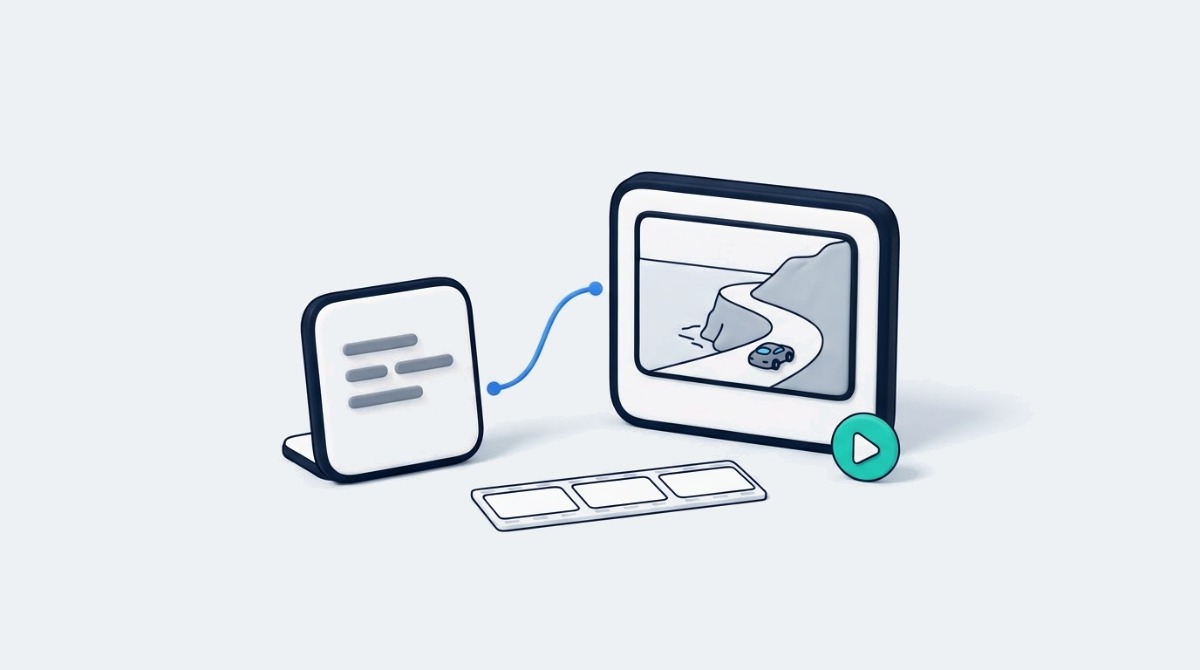
The fastest way to a better AI video is usually a shorter prompt: one subject, one action, and nothing the camera cannot see.
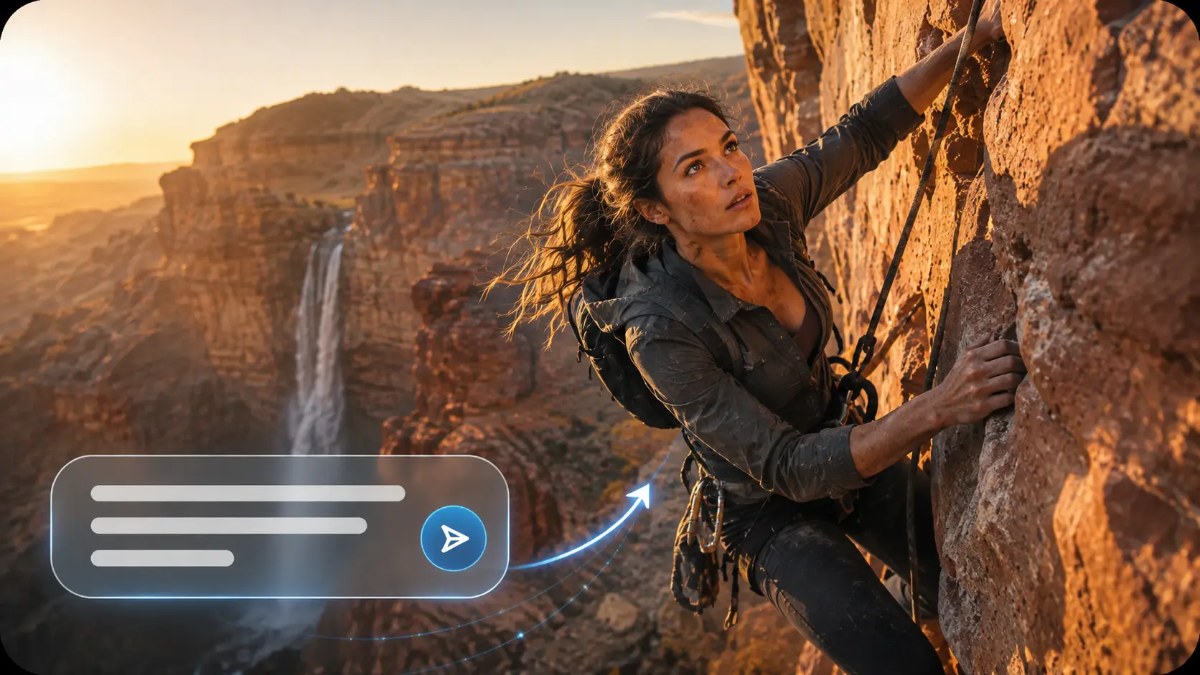
Turning a written idea into moving pictures used to mean cameras, locations, gear and someone who could edit. An AI video generator changes that math: Dreamina turns descriptive prompts into video concepts without any pre-recorded footage, and it sits in one workspace with image creation and photo editing. For a small brand, that means a product teaser, a social clip or a mood piece for a launch can start as a sentence instead of a shoot.
The demand is real. Wyzowl’s 2026 State of Video Marketing survey, based on 266 marketers and consumers surveyed in late 2025, found that 91% of businesses use video as a marketing tool. Shopify’s own roundup of video marketing statistics makes the same point for store owners: video now shapes how shoppers discover products and decide what to buy.
The catch is that most first attempts at text-to-video disappoint, and the cause is usually the prompt, not the model. The secret is in details and actions the viewer can see, not abstract concepts. This guide covers what happens when text becomes video, how to write prompts that show rather than describe, the exact workflow in Dreamina, and how to refine a result without starting over.
When a text prompt becomes a video, the AI reads the subject, scene, action, lighting and style in your words and generates a first draft of a moving scene that reflects them. Dreamina takes in that information and produces a preliminary clip. Unlike image generation, the model also has to work out movement and how elements relate to each other over time, which is where most of the difficulty sits.
Take a prompt like “ocean waves crash into a rocky shore.” It carries both a setting (a rocky shore) and an action the camera can see (waves crashing). The model has something to place and something to move. Compare that with “the power of nature.” There is nothing in that phrase to film, so the model has to guess, and every guess is a coin flip on whether it matches what you pictured.
Two limits are worth setting before you start. First, small changes in wording can change the result: “waves crash” and “waves roll” are different clips. Second, generated footage is the model’s interpretation, not a recreation of every detail you imagined. For a brand, that matters most with products. If a shopper needs to see your exact packaging, colorway or fabric, a pure text prompt is the wrong starting point. Fastlane’s guide to making an AI product video from the photos you already have covers why image-to-video is the safer default when the product’s real look has to survive.
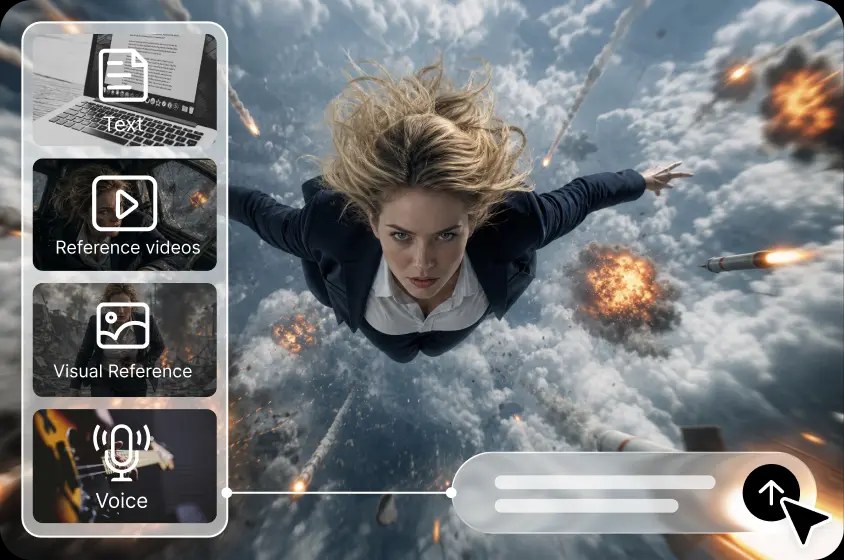
Text-to-video earns its place in the work around the product: launch teasers, mood and atmosphere clips, scene concepts for an ad before you pay for a shoot, and visuals for abstract ideas that are hard to photograph. Dreamina also lets you add reference images, video and audio alongside the text, which narrows the gap between what you wrote and what you get.
Showing an action communicates more than describing an idea because an AI video model can only render what can be observed, so a visible verb gives it a concrete instruction while an abstract noun leaves it guessing. Visual prompts become actionable when they describe events a viewer could watch happen.
In practice, that means swapping concept words for motion words. Instead of describing “ambition,” write what ambition would look like on screen, using verbs like glides, unfolds, emerges, spins and drifts. Define the subject clearly and give it one dominant action. That single action sets the visual focus of the scene and tells the model where the viewer’s eye should go.
Background movement helps when it stays in the background. Distant clouds sliding past or grass moving in the wind add atmosphere without competing with the main action. The trouble starts when a short prompt stacks several unrelated actions: a car turning, a crowd cheering, fireworks going off and a dog running across the road. Each one is a competing instruction, and the model has to split its attention across all of them, which usually means none of them land well.
The stage matters here too. If you are just starting with video, this one rule (one subject, one action) will do more for your results than any setting in the tool. If you already produce video regularly, treat the same rule as a storyboard discipline: write one prompt per shot, then assemble the shots, rather than asking one prompt to carry a whole sequence. A clear description is a better starting point for experimentation, and experimentation is how you find the version worth publishing.
Turning a text prompt into a video in Dreamina takes three steps: write a short, vivid prompt in the AI Video tool, pick a model and generation settings, then refine and export the result. The steps below follow the current Dreamina interface as of November 2026.
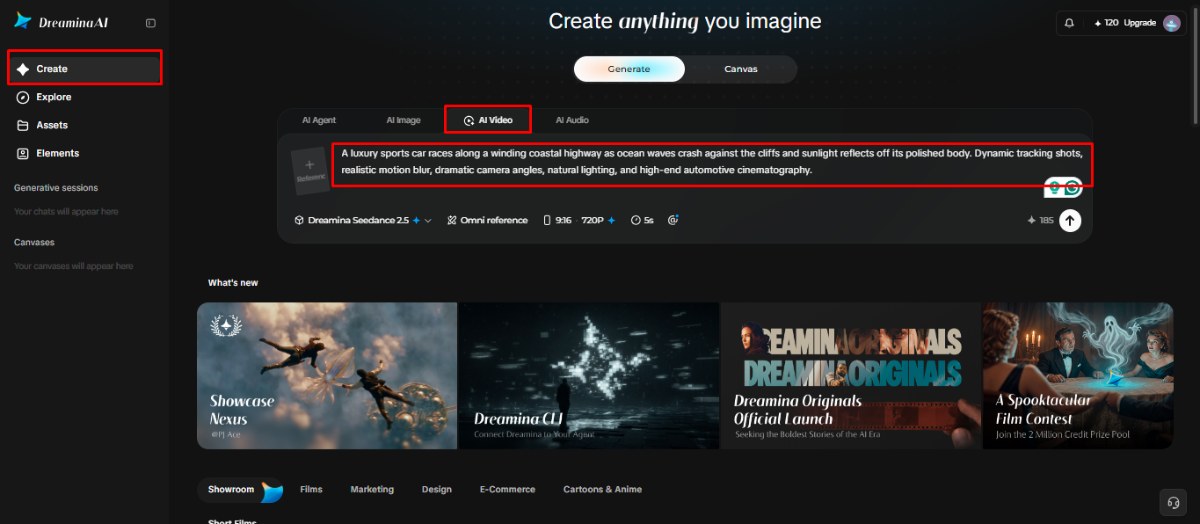
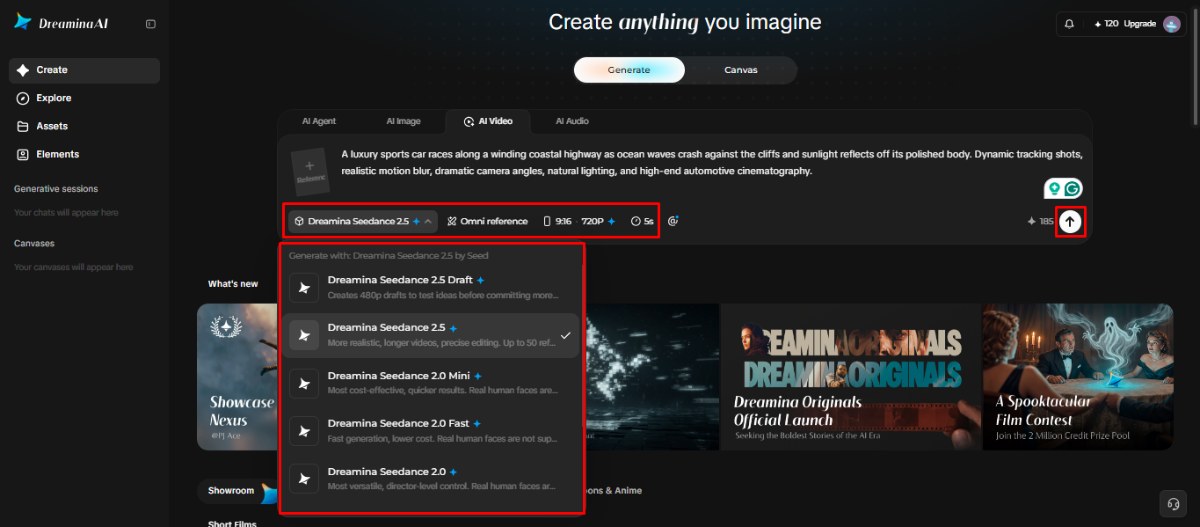
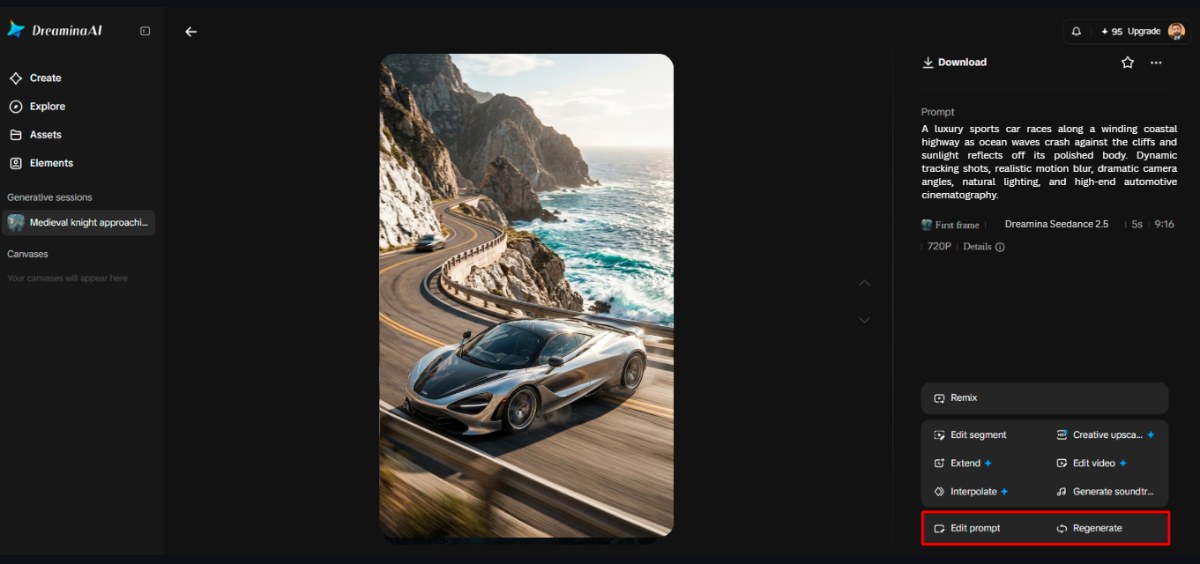
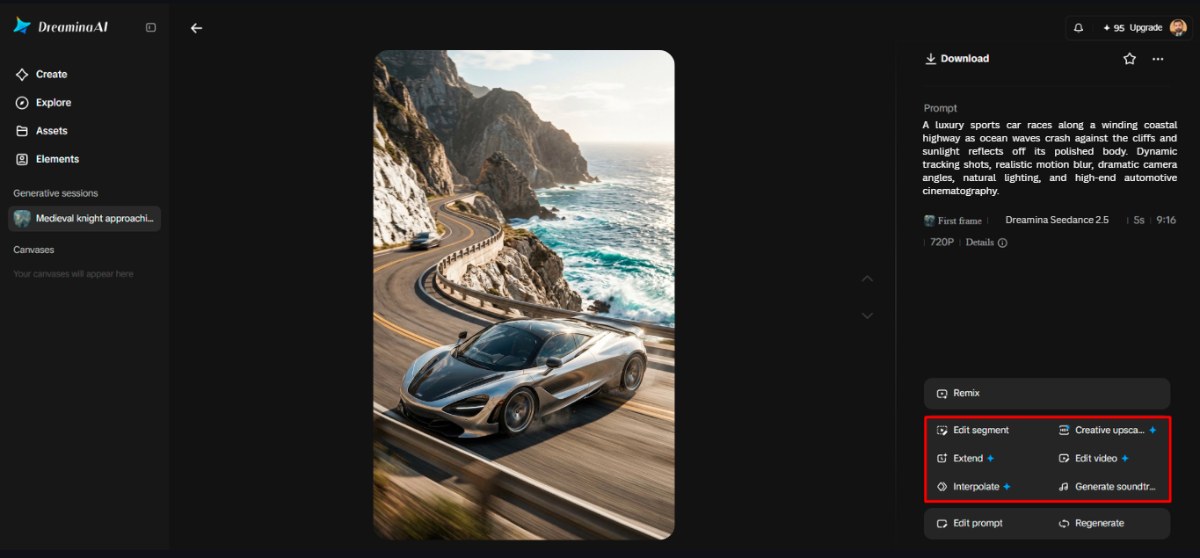
Before a clip goes on a product page, check where it will live. Shopify supports video as product media alongside images, and its product media documentation lists the supported formats and size limits, so export at a resolution that fits rather than the largest one available.
The six prompt details that help an idea become visible are the main subject, the primary action, the background, the camera move, the lighting and mood, and the visual style. Together they give the model enough to work with without burying the central concept.
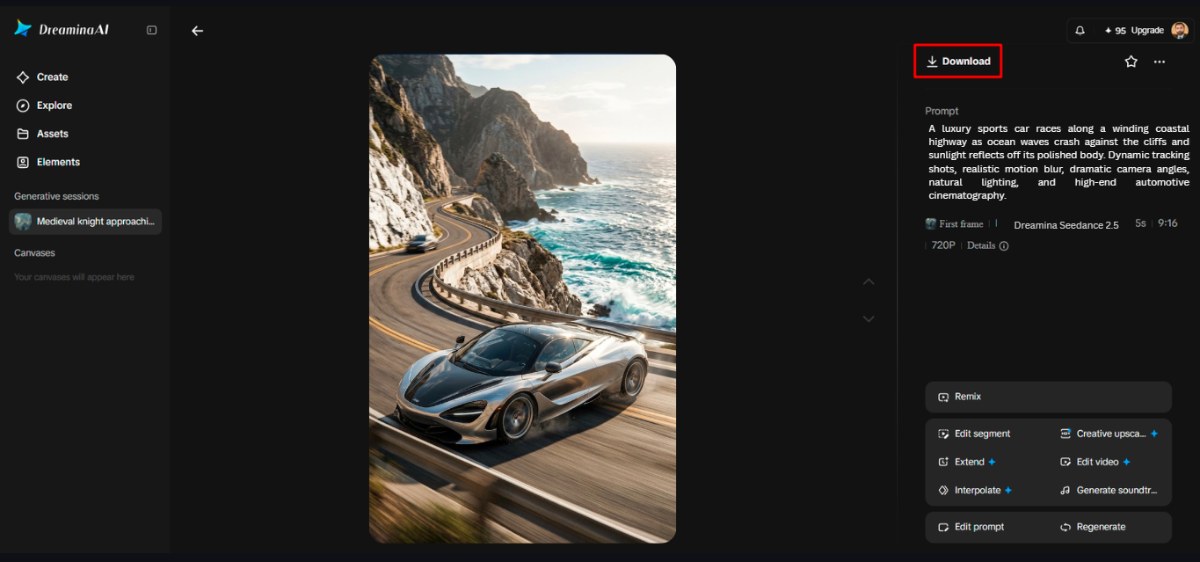
Here is how those six details change a real prompt. A first draft might read: “A fast, luxurious car that shows freedom.” It has a subject but no visible action, no place, no camera and no light, so the model fills every gap with its own defaults. The prompt shown in the screenshots above fixes each gap in turn: “A luxury sports car races along a winding coastal highway as ocean waves crash against the cliffs and sunlight reflects off its polished body. Dynamic tracking shots, realistic motion blur, dramatic camera angles, natural lighting, and high-end automotive cinematography.”
Read it against the table. Subject: a luxury sports car. Action: races along the highway. Background: a winding coastal road with waves against cliffs, which adds motion without competing with the car. Camera: dynamic tracking shots. Lighting: natural, with sunlight on the body. Style: realistic, high-end automotive cinematography. Nothing in it is abstract, and “freedom” is still there, carried by the open road and the speed rather than named.
The same structure works for a product clip. A skincare brand could write: “A frosted glass serum bottle rotates slowly on a wet black stone, soft morning light from the left, a slow push-in, photorealistic.” That is one subject, one action, one setting, one camera move, one light source and one style, in about 25 words.
One core idea can become several video formats by changing the framing, atmosphere and presentation while the subject and main action stay the same. That is useful for a small team, because one well written prompt becomes the base for a set of clips rather than a single asset.
For social media clips, keep the subject familiar and the action easy to read in the first second, since most viewers decide quickly whether to keep watching. For product presentations, describe the surroundings carefully and coordinate reflective surfaces, movement and color so the product stays the hero of the frame. For cinematic exploration, use text-to-video to test a scene’s composition, lighting and atmosphere before you commit to a real shoot; a few generated drafts are cheaper than a day on location spent discovering the angle does not work.
Educational content can show abstract processes through visible demonstrations or symbolic images, such as data flowing between connected objects. Music and mood videos can explore rhythm inspired movement, color changes and expressive environments, though the visuals will not necessarily sync to a beat on their own. If you are weighing which tool fits a paid campaign specifically, Fastlane’s guide to the best AI video generator for ads sorts the options by ad format and store stage.
Two practical notes apply across every format. Generated clips are rarely the finished asset: most still need captions, voiceover, music or a final edit before they publish. And if a clip shows realistic looking people or scenes, check the platform’s rules before posting. TikTok, for example, asks creators to label realistic AI-generated content, and labeling up front avoids a post being flagged later.
Refining a result without rewriting everything means keeping what works, finding the single biggest weakness, and changing one or two prompt elements at a time so you can see what each change does. A disciplined revision process gets to a usable clip faster than starting over with a new prompt every time.
Start by naming the weakest part of the clip: the subject, the movement, the framing, the lighting or the background. Then change only the prompt detail that controls it. If the car looks right but the camera feels static, edit the camera line and leave the rest alone. If you change five things at once and the result improves, you will not know which change did the work, and you cannot repeat it on the next clip.
When a scene is already mostly working, use localized editing rather than rebuilding it. Dreamina’s Edit segment option changes one part of the clip and keeps the rest intact, which protects the parts you already like. Compare versions for clarity, consistency and relevance to the message, not for how much is happening on screen. The busiest version is rarely the best one.
Before you export, check for the common AI video artifacts: distorted faces and hands, object edges that warp, and backgrounds that shift unnaturally as the camera moves. Then ask the only question that matters for a marketing asset: does this clip convey the message it was made for? If your team is still building its visual workflow, Fastlane’s guide to turning still images into video covers what to look for beyond basic animation, and the guide to choosing an AI image generator for a Shopify store helps with the reference images that make prompts more accurate.
Writing less and showing more is the core habit of good text-to-video: describe one specific subject, one observable action, a clear setting and a consistent style, then refine in small steps. Dreamina gives you generation and editing tools to explore options and polish the scenes that work, from prompt to download in one place.
Useful results still take experimentation, careful review and realistic expectations about how a model interprets words. Start with one visual concept, generate a first draft, and look for what is missing before you add anything. A simple prompt, revised with purpose, becomes a stronger visual foundation than a long prompt written all at once. For brands comparing tools before committing, Fastlane’s roundup of AI product video makers for Shopify and ecommerce brands sets out the wider options.
A text-to-video prompt usually works best at one to three sentences, roughly 20 to 60 words. That is long enough to name a subject, one action, a setting, a camera move, the lighting and a style, and short enough that the model is not juggling competing instructions. Longer prompts tend to stack several actions, which splits the model’s attention and produces muddier clips. If you need more than one action, write a separate prompt for each shot and assemble the clips afterward. Start short, generate a draft, and add detail only where the result shows a clear gap.
An AI video prompt works better when it describes what the camera can see rather than what the idea means. Name one clear subject, give it one visible action with a strong verb such as glides, spins or drifts, then add a background, a camera move, the lighting and a visual style. Abstract words like freedom or ambition give the model nothing to render, so it fills the gap with its own defaults. Keep background motion subtle so it supports the main action instead of competing with it, and revise one element at a time so you learn what each change does.
You can use text-to-video for product related content, but it is better suited to teasers, mood clips and scene concepts than to showing your exact product. A text prompt produces the model’s interpretation, so packaging, colors and fabric may not match the real item. When shoppers need to see the true product, start from your own product photos with image-to-video and use reference images to guide the result. Shopify supports video as product media, so check its supported formats and size limits before you export, and review every clip for accuracy before it goes on a product page.
Edit part of the video when most of the clip already works, and regenerate when the core subject or action is wrong. Regenerating starts from scratch and can lose the parts you liked, while Dreamina’s Edit segment option changes one section and keeps the rest intact. A good rule is to identify the single biggest weakness first. If it is limited to one moment, such as a camera move or a background detail, edit that segment or adjust that one line of the prompt. If the clip misses the concept entirely, rewrite the prompt and regenerate.
You often do when the video shows realistic looking people or scenes, and the rules depend on the platform. TikTok, for example, requires creators to label realistic AI-generated content and provides a toggle for it in the posting flow. Other platforms have their own disclosure tools and policies for synthetic media, and paid ads can carry extra requirements. Check each platform’s current guidelines before you publish, label realistic clips up front, and keep stylized or clearly animated content honest about what it is. Labeling early is simpler than dealing with a removed post or a flagged ad later.